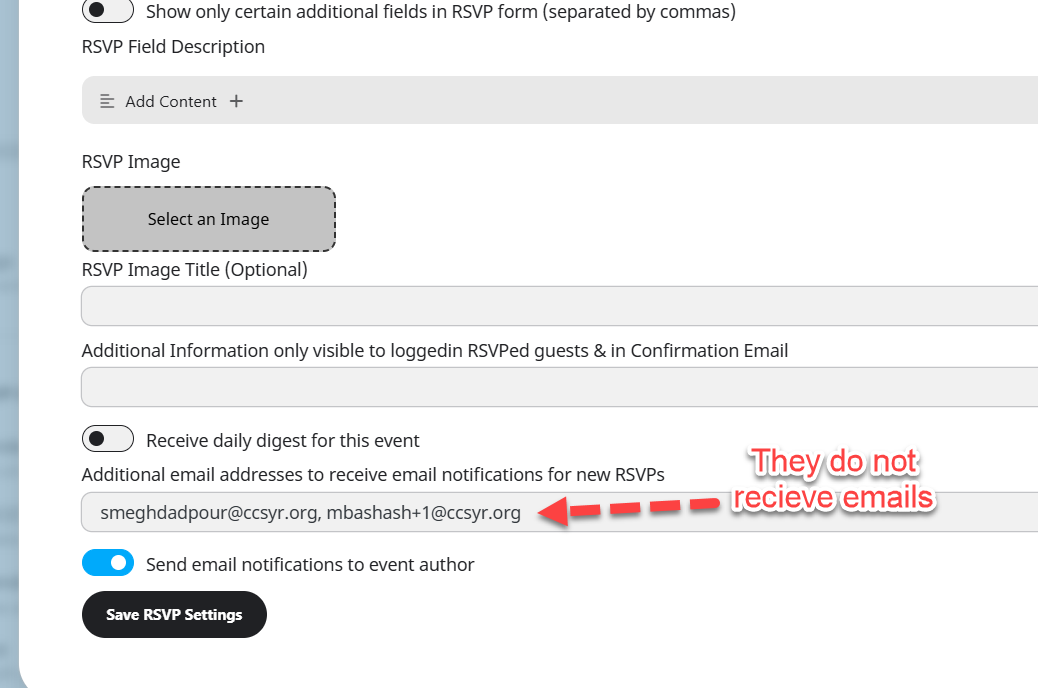
To give you more context, the original RSVP notificaiton is not sent but YES/NO emails are being sent!
Archives: Replies
Replies for tickets on suppota
Reply to: tickets(402693)
Are we able to have a remote session to try to resolve this or do we need to provide direct access? Thanks.
Reply to: tickets(402981)
Reply to: tickets(402981)
Reply to: tickets(402906)
Hi Artem, I have a CSP in place on the website. Do you need this disabling?
Reply to: tickets(402886)
Hello Ashan, I this might be an insidious bug. Let me explain what I think happened (I was able to replicate it).
If the user loads the RSVP popup and close the connection (in my case I was using a mobile phone and simply switched it off) the data stays there.
So when I turned on the mobile again (and the 120 minutes started the counting to not allow the user to place a new RSVP) my RSVP popup was there and I managed to register (RSVP) to the event although the 2 hours before start time was already passed.
Thank you, I hope it will be possible to address this somehow. Take care!
Cristiano
Reply to: tickets(402702)
The owner says she duplicates in Events… she also doesn’t manage her orders so auto-complete would be great.
Reply to: tickets(402539)
Hello Simon, thank you for sharing this. Sounds good we will get this implemented in the event ticket in the next update.
Reply to: tickets(402577)
Hello Patulea, thank you very much for sharing your discovery and the solution you proposed. We have released a new version to actionUser 2.5.13 this will resolve the assigned user issue.
Make sure you follow this FAQ guide to have assigned events show properly for those users.
Reply to: tickets(402651)
Sorry for the delay. I just checked the order ticket again and it looks different from the one on our test site:
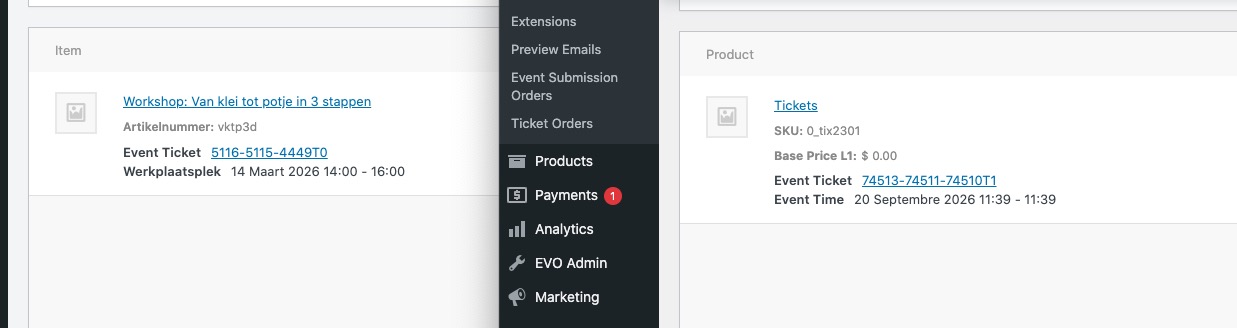
As you can see it doesn’t have SKU and price. I believe that customers managed to access Single Product page and make a purchase from there.
Could you go to EventON > Tickets > enable Always redirect individual WC ticket Product page to event page on frontend:
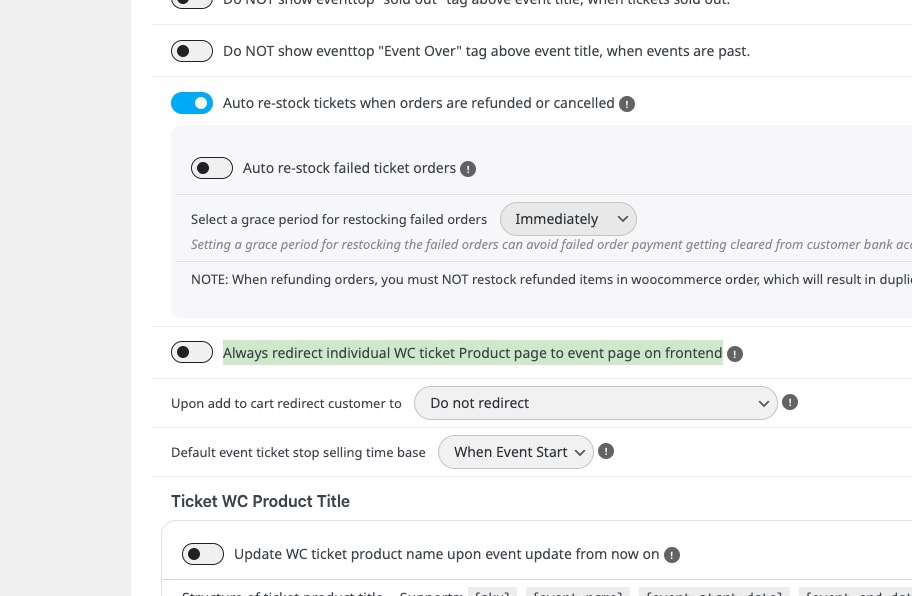
Please check my suggestion and let me know.