This CSS code should make the new version look like the old one:
.EVOWV_content.wk_1 .evowv_col_events .event { color: #949494; font-size: 14px; line-height: 1.3; } .EVOWV_content.wk_1 .evowv_col_events .event .time { font-size: 13px; opacity: 0.8; }
Usually 512MB is the minimum. Please try increasing it to 1024MB. Also note that memory limit isn’t server’s RAM, so you can increase it more than you have RAM.
The memory limit was increased to 512M but that has not enabled the page to load. Can you suggest what else to try please?
Team,
This ticket was opened on Tuesday. It’s going to be a working week on (full week) without anyone having even looked at this? Please can you address this asap, or we’re going to have to request a refund for all addons and the core plugin if this isn’t sorted asap or we’re going to be rolling into January when this was supposed to be done, and we won’t have the functionality required?
Thank you
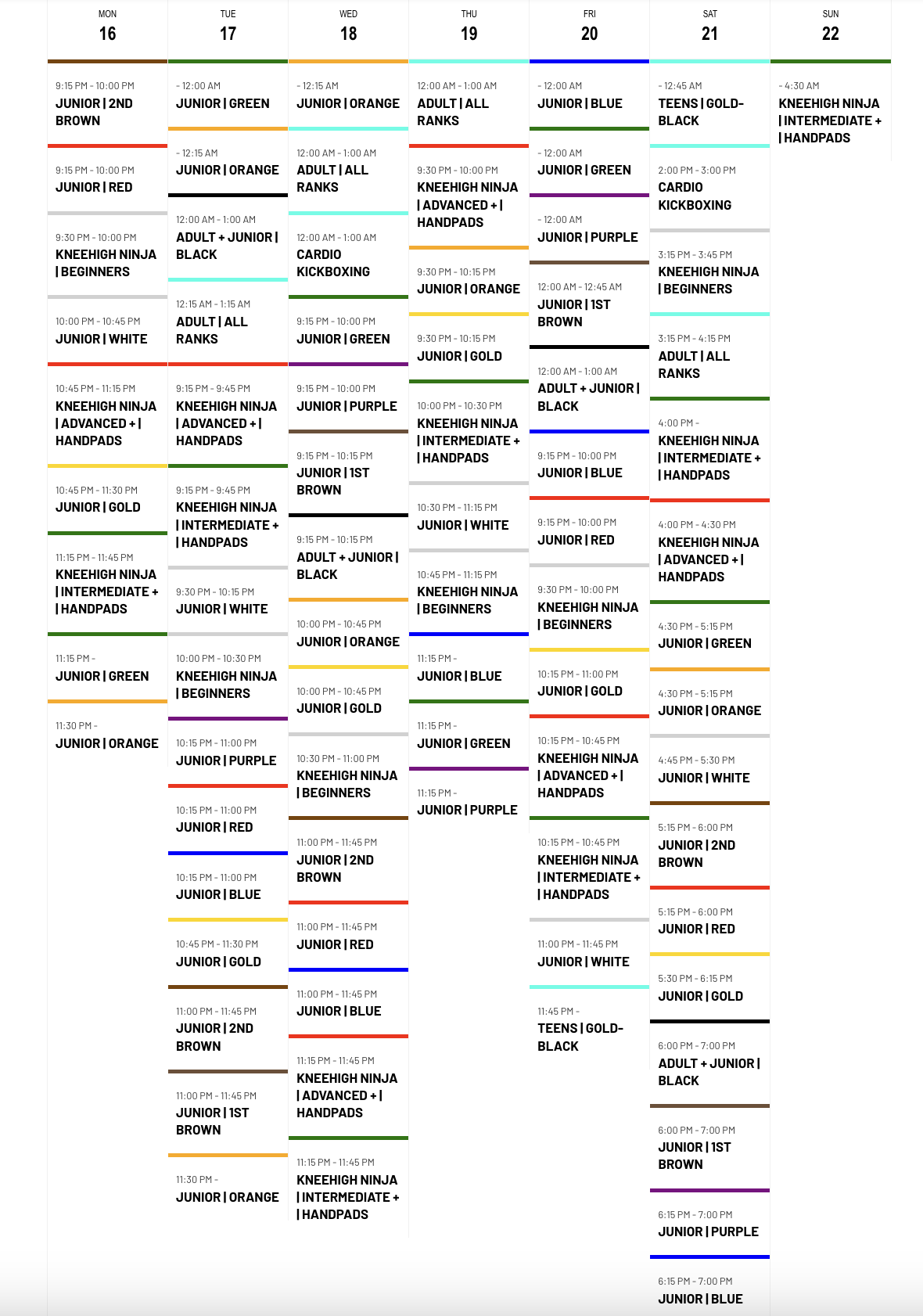
Here are the times that display after I update the EventOn plugin.
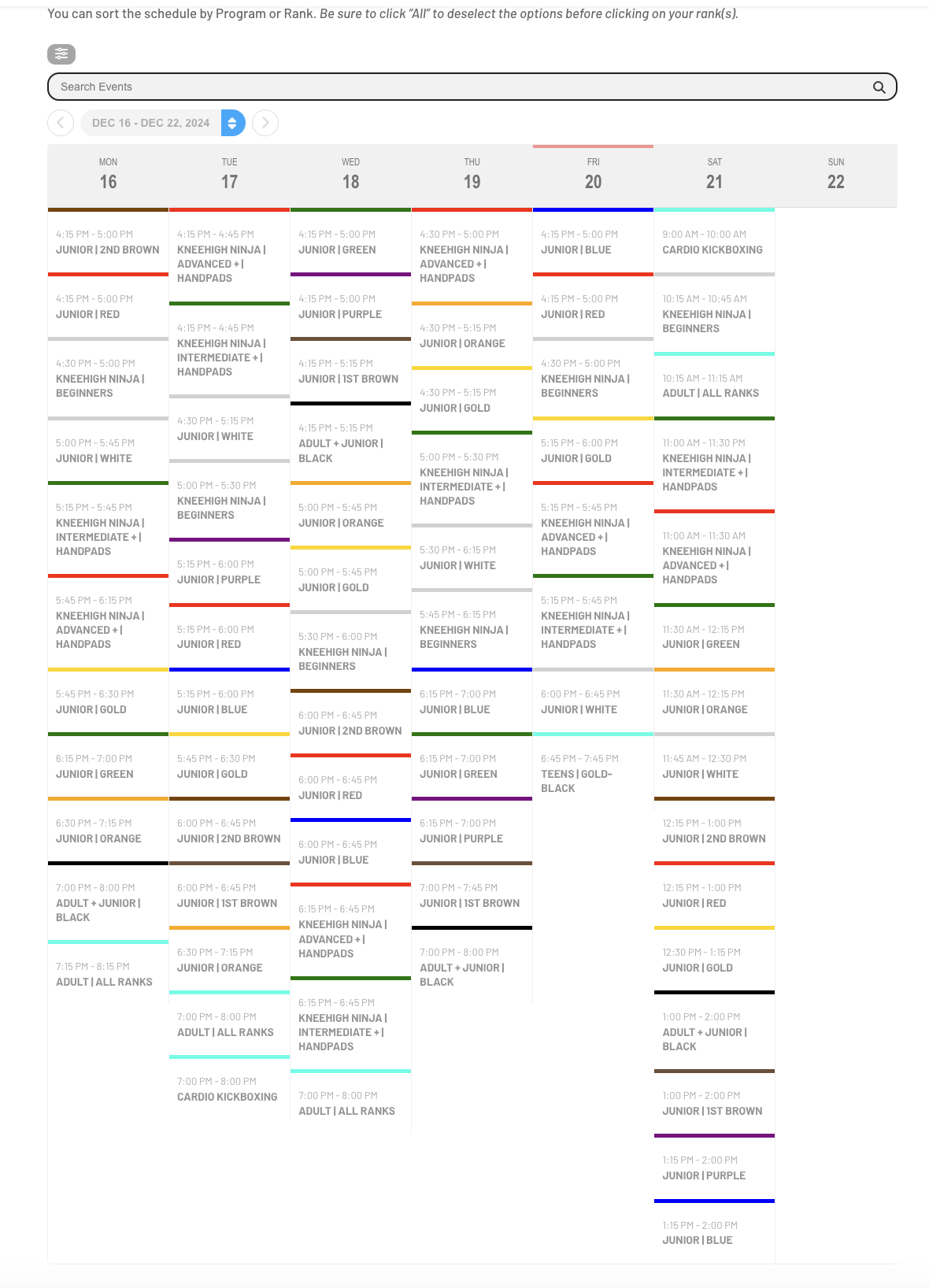
Here are the correct times that display before the plugin is updated
I’m more concerned with the plugin changing the event times once I update. Can you fix that issue first? Fonts and font weight aren’t as important. Also, the calendar takes 50 seconds to load. That’s just way too long, and I’m not sure what’s causing it. The calendar used to load much faster.
Hi Artem, thank you. I don’t know why that setting was like that. We always had it set a 60 minutes.
We have restored the settings and will keep an eye on that.
Thank you,
Cristiano
Hi Artem,
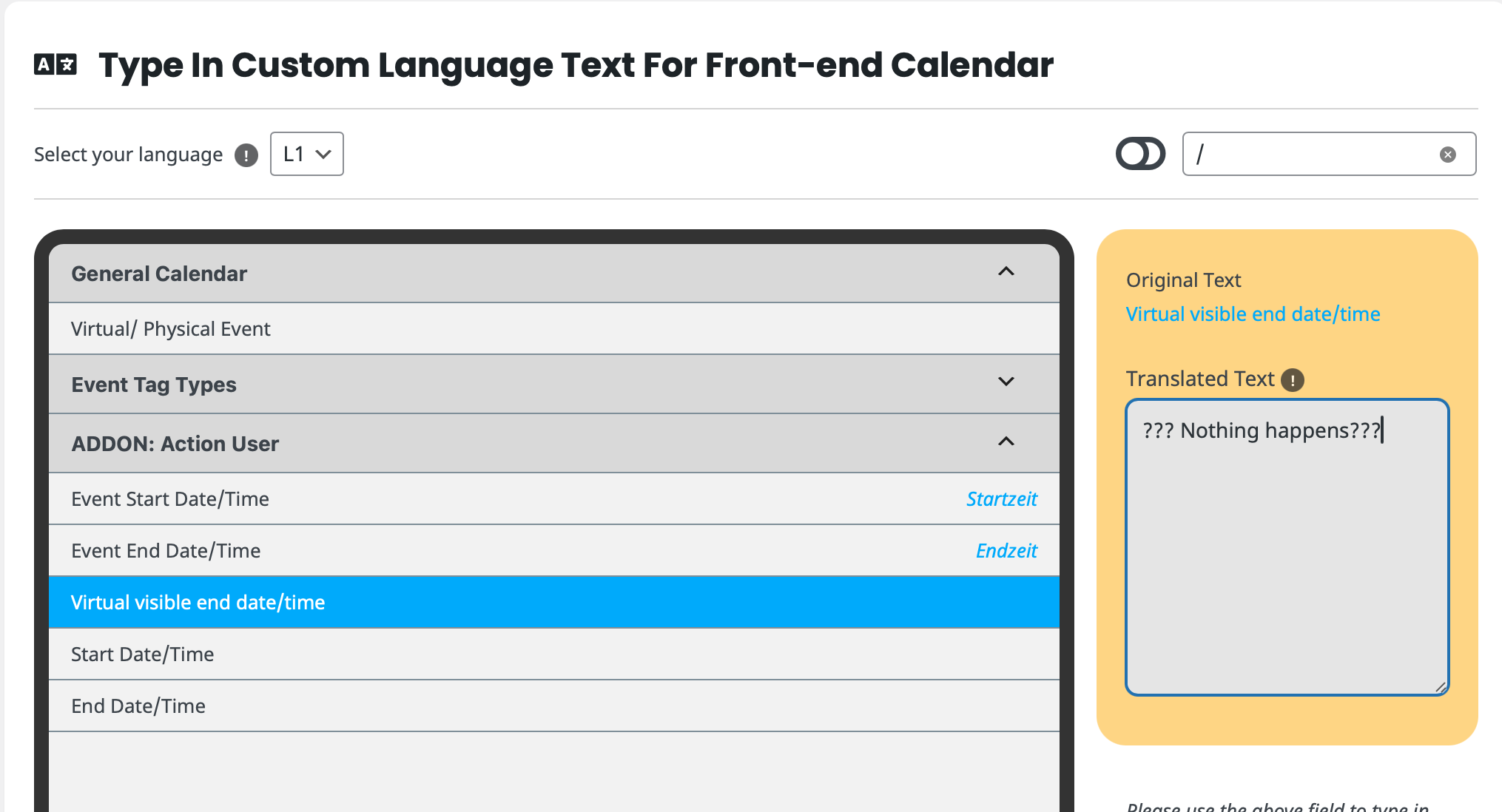
oh yes you’re right, obviously the issue is not with all “/”
It works for “Event Start Date/Time” and “Event End Date/Time” but please try the following strings:
Virtual/ Physical Event
Virtual visible end date/time
Start Date/Time
End Date/Time
Event Date & Time
i can’t set any translation for them.
Thanks for your help!!