Can you help me provide the full shortcode so I can search for the word ‘GUIDELINE’ with the display format I want? “I need your help, I don’t quite understand, please read my previous question carefully.
everything on https://www.razota.com/cidbhold/test-code-from-artem-event-lists/ correct, both in terms of layout and features
The only issue is with the search; it should display any event containing that word from any month. For example, I have an event with the word ‘GUIDELINE’ in March, and if a visitor comes, they will first see events from January. Then, if they search for the word ‘GUIDELINE,’ the event from March containing ‘GUIDELINE’ should appear.”
Thanks for your quick response (and the pending update), however both the client and I are uncertain what you are communicating in the screen shot you attached.
We are glad your issue is resolved, if you have any further questions or concerns please create a new ticket.
If you have a moment, we would greatly appreciate if you could kindly leave us a review at Codecanyon. By going to your account > Downloads. We are very grateful for your kind review!
add_eventon only search in the selected month. add_eventon_search with added number_of_months=”24″ as well as search_all=”yes” searches through 24 months of events and shows all of them.
add_eventon_list with added number_of_months=”24″ searches through 24 months of events as well.
Ashan,
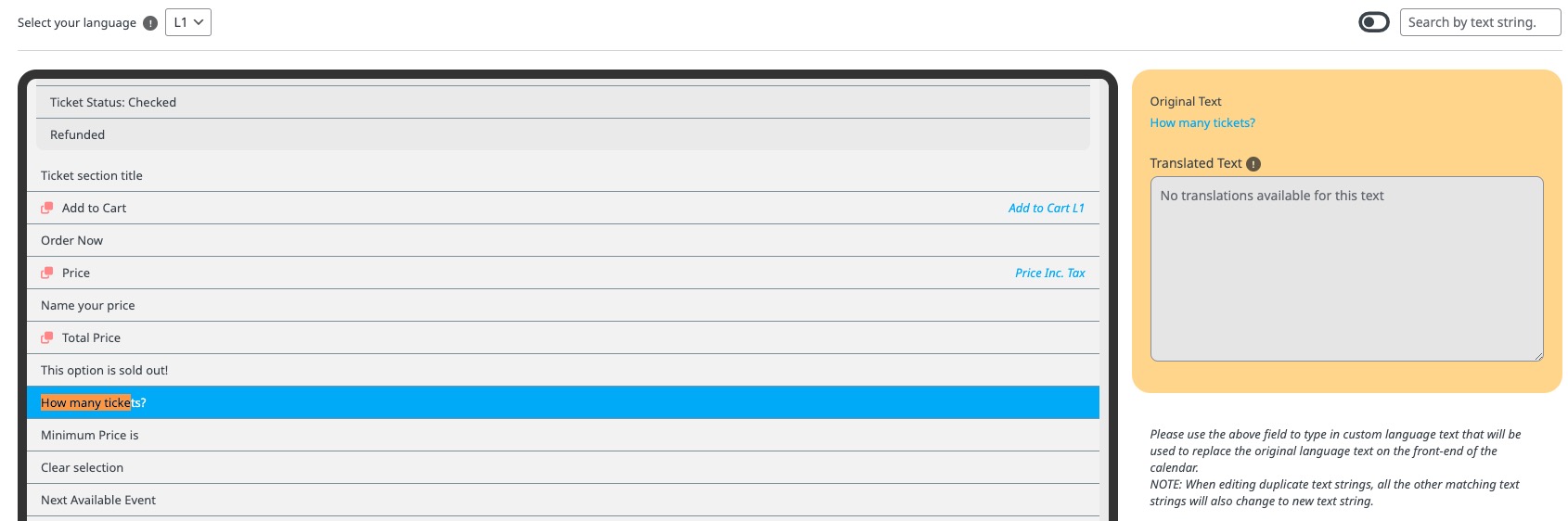
“How many tickets?” translation isn’t saved:
https://dev2.myeventon.com/wp-admin/admin.php?page=eventon&tab=evcal_2
Thank you for your messages, I am going to assign this ticket to Ashan and he will be able to take it from here and find you a solution. Please allow some time for him to get back to you, we greatly appreciate your patience and thank you for being a eventon customer! Also please disable any IP blocking on your site if there are any.
Please try Search Box shortcode:
[add_eventon_search search_all=”yes” number_of_months=”24″]
Your current shortcodes only search in January.
I applied the patch. Please try and let me know.
Please use this shortcode:
https://pastebin.com/jNwSCNrZ
You can change how many months to show by changing number_of_months=”12″.
Hello,
Please add this CSS code to EventON > Styles (If you don’t see any change, EventON > Scripts & Styling > turn off Write dynamic styles to header > save settings > turn on Write dynamic styles to header):
.ajde_evcal_calendar .calendar_header .evcal_arrows i, .evo_footer_nav .evcal_arrows i { color: white !important; }