Ok. Thx. I’ll look forward to that update soon.
Archives: Replies
Replies for tickets on suppota
Reply to: tickets(375137)
Hi There,
I cleared the cache and logged into a different browser. Same issue. Settings are no visible.
Thanks.
Reply to: tickets(362848)
Hi there,
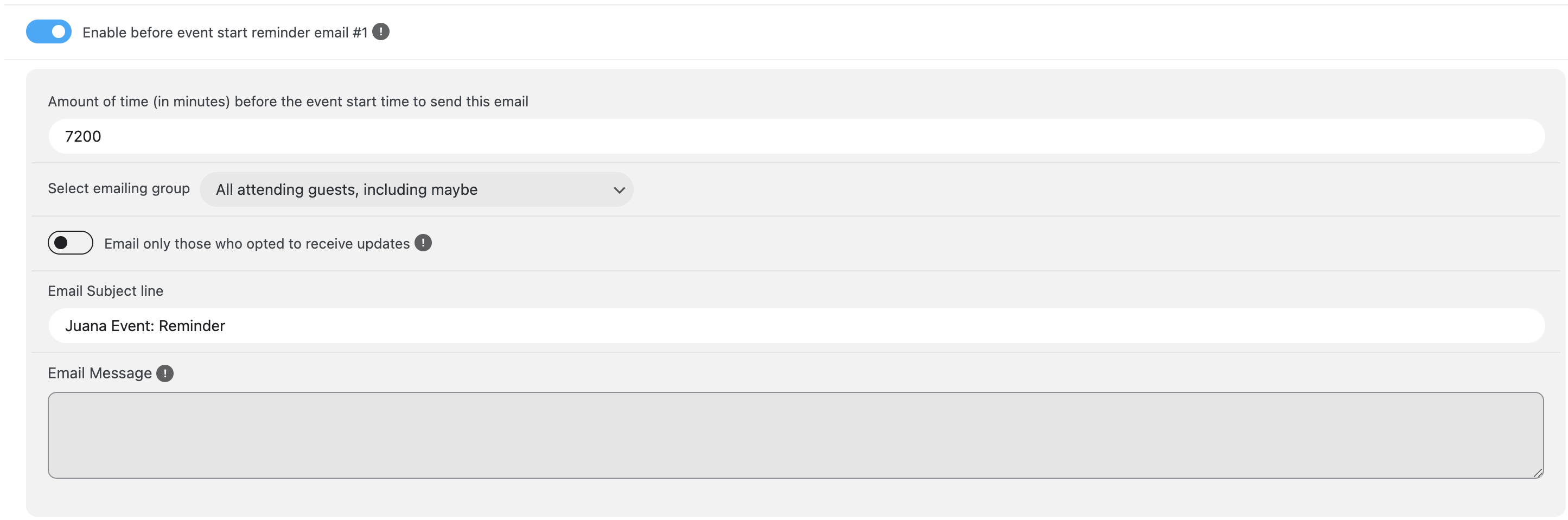
Thank you for all the help so far and everything has been working fine. Recently, for our latest event, we have been unable to set the RSVP reminders.
a) all plugins, and themes has been updated
b) after updates, the email message part has been deleted
c) after inputting email messages again and saving changes, it get deleted again
d) unable to create Cron jobs
See attached images.
Reply to: tickets(375490)
We are testing 4.8.1 before releasing it. It will fix the issue with the styling. It will be available very soon.
Reply to: tickets(375532)
Hello,
Thank you for your messages, I am going to assign this ticket to Ashan and he will be able to take it from here and find you a solution. Please allow some time for him to get back to you, we greatly appreciate your patience and thank you for being a eventon customer!
Reply to: tickets(375123)
CSV Importer. I believe that the format is incorrect. Could you go to EventON > CSV Import > check **CSV file guidelines > make sure that your file is in exact format.
EventTop. Please try moving Event Time under Subtitle and also move all fields from the 4th column to the third one.
Reply to: tickets(375543)
Thank you for your messages, I am going to assign this ticket to Ashan and he will be able to take it from here and find you a solution. Please allow some time for him to get back to you, we greatly appreciate your patience and thank you for being a eventon customer!
Reply to: tickets(353087)
Hello Kelly Brenner,
What’s your current version of EventON?
Reply to: tickets(375296)
Yhank you.
Reply to: tickets(375460)
We are glad your issue is resolved, if you have any further questions or concerns please create a new ticket.
If you have a moment, we would greatly appreciate if you could kindly leave us a review at Codecanyon. By going to your account > Downloads. We are very grateful for your kind review!