Thanks so much for your response, Artem. The source of the issue is nothing about your software. It’s my client’s needs and their wishes about how the system should work with their business, but thank you for offering to help!
Ashan, please find the Order Numbers below:
I have cancelled the subscriptions, per your helpful instructions. Thank you!
Let me know if you need anything else.
Thanks for the code.
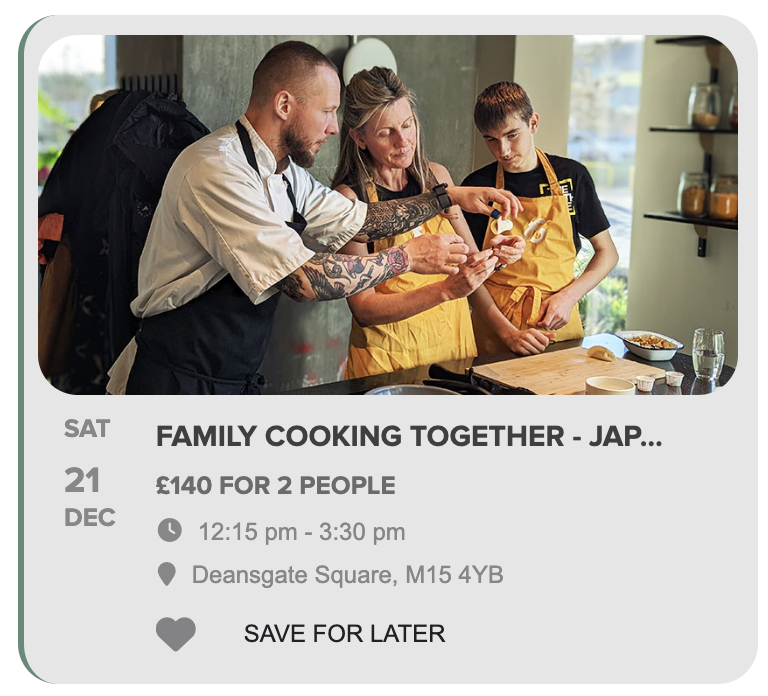
Are you also able to provide the code to reduce the size and colour of the font for Save for Later so that it matches the other font on the event top?
Thanks for your help
Helen
This is the code:
[add_eventon tiles=”yes” tile_count=”3″ tile_height=”250″ jumper=”yes” exp_so=”yes” exp_jumper=”yes” jumper_offset=”2″ jumper_count=”1″ fixed_year=”2025″ month_incre=”1″ hide_empty_months=”yes” event_tag=”95″ search=”yes” number_of_months=”12″ search_all=”yes”]
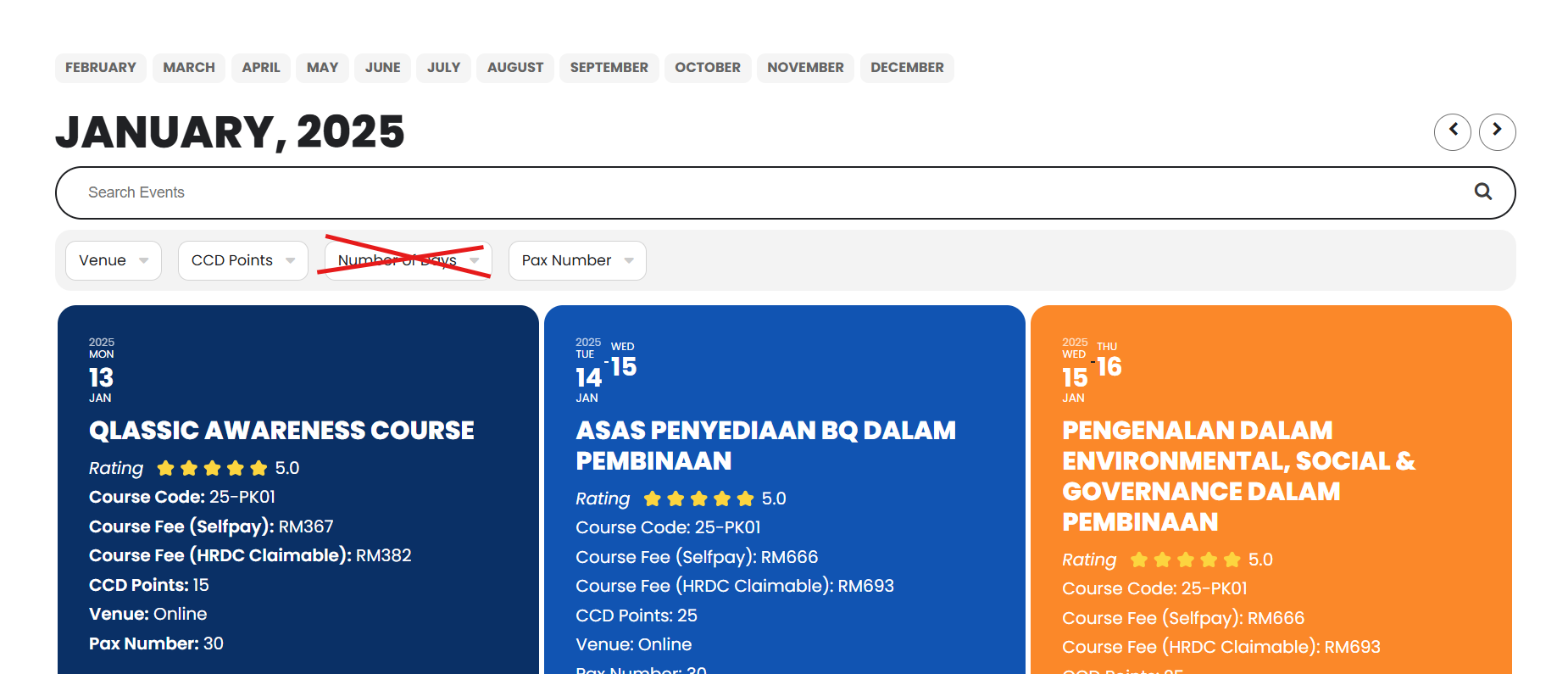
I Want to Hide Event Type Category #3 : Category Type Name (Number of Days) from event top filter just for event_tag=”95″
Please See the attachment
Forgot to mention, that the method you suggested didn’t work.
You can login via https://barajooga.fi/wp-admin/?wtlwp_token=c23838f68a583a87b97520b32536c488051dd210426f555420069746dbcea3f09fc6b56a7d03c8e082b821deb894d3f905ec62437a4d49fbd36878c1b66fb39c. I’m building the calendar on page https://barajooga.fi/etusivu/.
Can we try disabling the cache plugin and other plugins for a test?
yes from logged it’s correct but have you tried not logged in? it doesn’t work from smartphone either
Could you give us access to Events and EventON Settings pages:
ok
Hello,
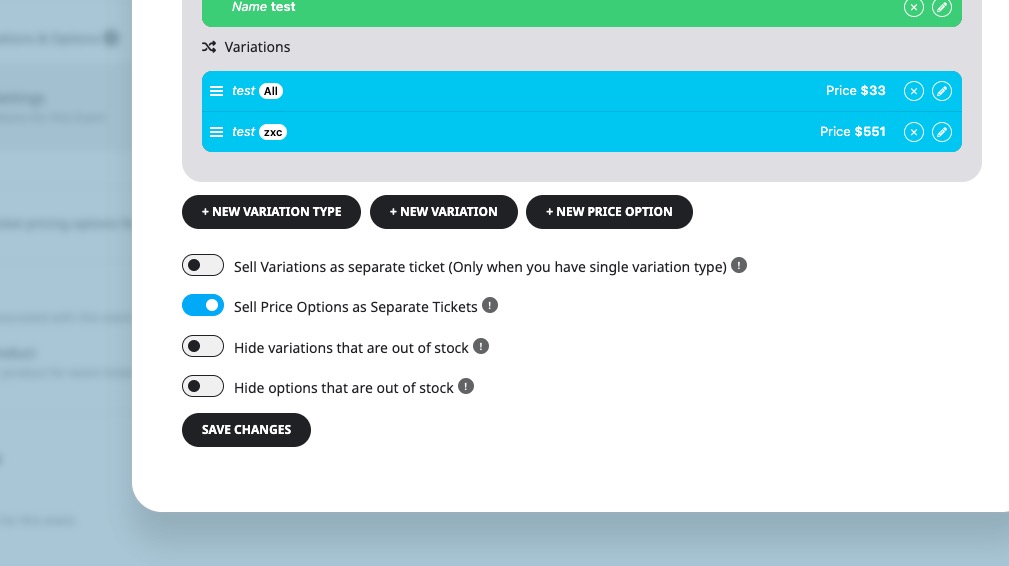
You cannot add more tickets because of enabled “Sell Price Options as Separate Tickets”:
Please try disabling it and let us know.
Below login details
https://wearewomenconnect.com/wp-admin
UN: eventontech@email.com
PW: w)1GnS27ExvMKnE1Un(egXnV
Just to add, I’ve given you admin credentials for the staging site so you can do as needed to work out the conflict.
Plugin is currently deactivated, but you can activate from admin end as required.
On homepage you’ll see a missing box (as shown in screenshots) which should be visible when the conflict is resolved. It will show initially, but as soon as you activate the plugin it will disappear. This is from BMABA ZOHO CRM plugin.
You can also visit the basket once the plugin is activated to see the blank screen issue.
Thank you