Hello,
please use this temp admin link:
https://staging.taocenter.it/wp-admin/?temp-login-token=05d461b1edb2bc65eedc1bfcfbde8b6a72f8da7edcf64442169be4f7a4ca210c&tl-site=775ee5f5377db5fb
Replies for tickets on suppota
Hello,
please use this temp admin link:
https://staging.taocenter.it/wp-admin/?temp-login-token=05d461b1edb2bc65eedc1bfcfbde8b6a72f8da7edcf64442169be4f7a4ca210c&tl-site=775ee5f5377db5fb
Also guys when I try to download the CSV, is it possible that the seat numbers are included in the CSV? Because as of now it’s just the order number and it’s hard for us to check the seat numbers easily since we wanted to print the CSV manually during the event date as a back up
Ashan,
Please also take a look at 3 of
Confirmed on customer’s website:
https://fok-staging.fortes-medien.de/event-manager/
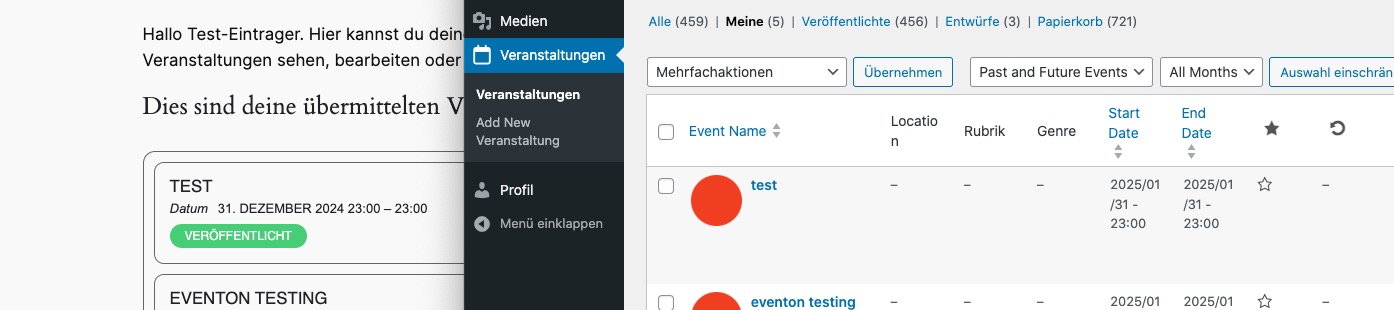
You can use
Test-User Role “Contributer“:
Login: apairon@gmx.de
Pass: i1ZUY2c#
Test-User Role “Author” with more direct publishing:
Login: stephan.moebius@gmail.com
pass: x1MVXdj8s9sn
On dev2 I cannot edit Date:
https://dev2.myeventon.com/test-767/
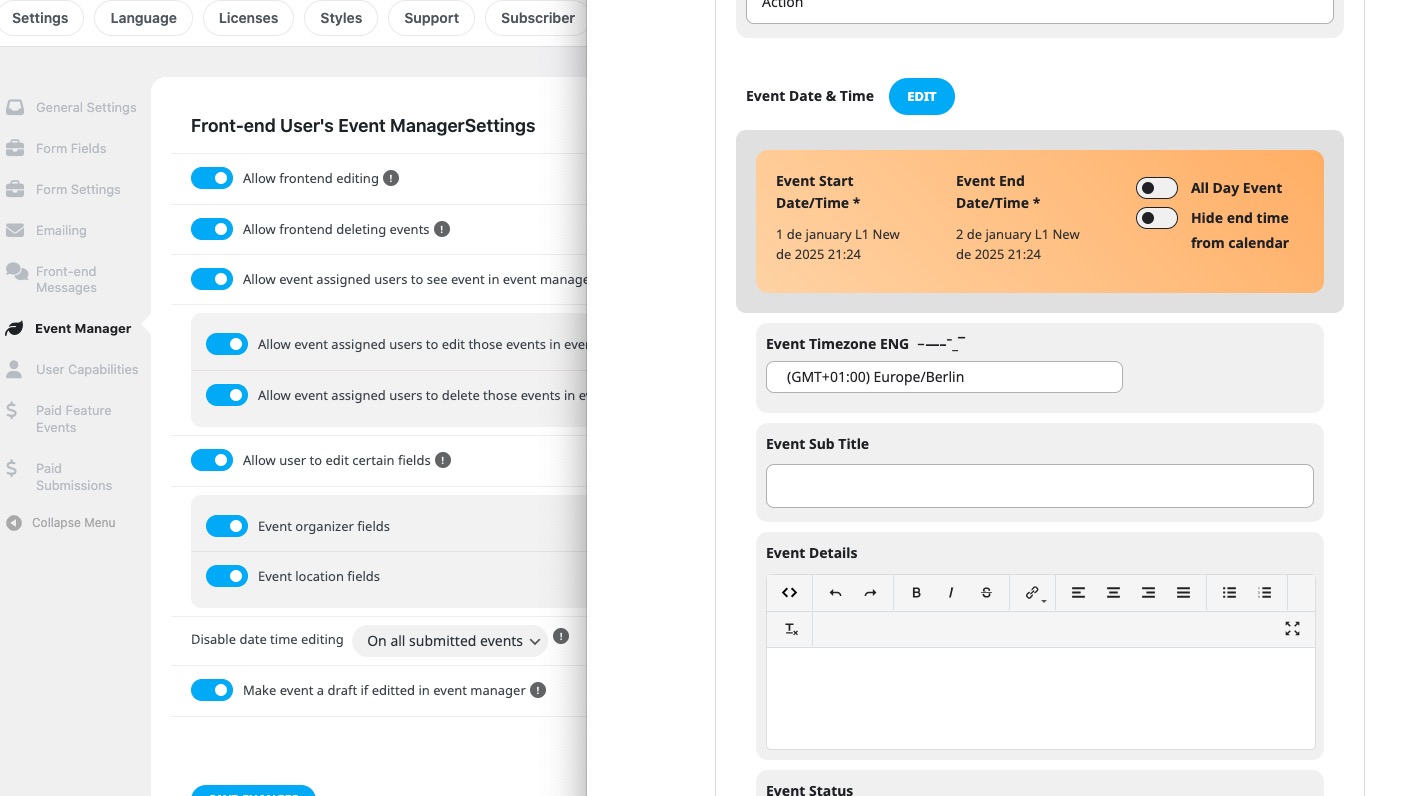
3. Ashan will check this as well. Please wait for his reply.
I believe that I fixed the issue by going to EventON > Scripts & Styling > disabling Load eventON scripts and styles only on eventON pages. Could you check and let me know?
Hello,
Please go to EventON > Appearance > enable Disable Auto eventTop Text Color > now save EventON Settings.
Closed as duplicate.
Ah sorry, not sure how but I missed it.
Please try adding jumper=”yes” to your shorcode to enable Jumper. Should work like this:
https://dev2.myeventon.com/test-766/
We are glad your issue is resolved, if you have any further questions or concerns please create a new ticket.
We are glad your issue is resolved, if you have any further questions or concerns please create a new ticket.