I added event_past_future=”future” to the future events shortcode and it hid past events. Could you check and let me know?
Archives: Replies
Replies for tickets on suppota
Reply to: tickets(372856)
Hello,
When you go to EventON > Appearance > EventTop Styles > change Event Title font color. Then go to EventON > Scripts & Styling > turn off Write dynamic styles to header > save settings > turn on Write dynamic styles to header, it still doesn’t change the font color?
Reply to: tickets(372791)
You are using Main Calendar. Please replace it with add_eventon_list from my previous message.
Reply to: tickets(372779)
We are glad your issue is resolved, if you have any further questions or concerns please create a new ticket. If you have a moment, we would greatly appreciate if you could kindly leave us a review at Codecanyon. By going to your account > Downloads. We are very grateful for your kind review!
Reply to: tickets(367822)
EventON 4.7.3 fixes the issue. Please update, then go to EventON > Appearance > enable Disable Auto eventTop Text Color > now save EventON Settings.
Reply to: tickets(312070)
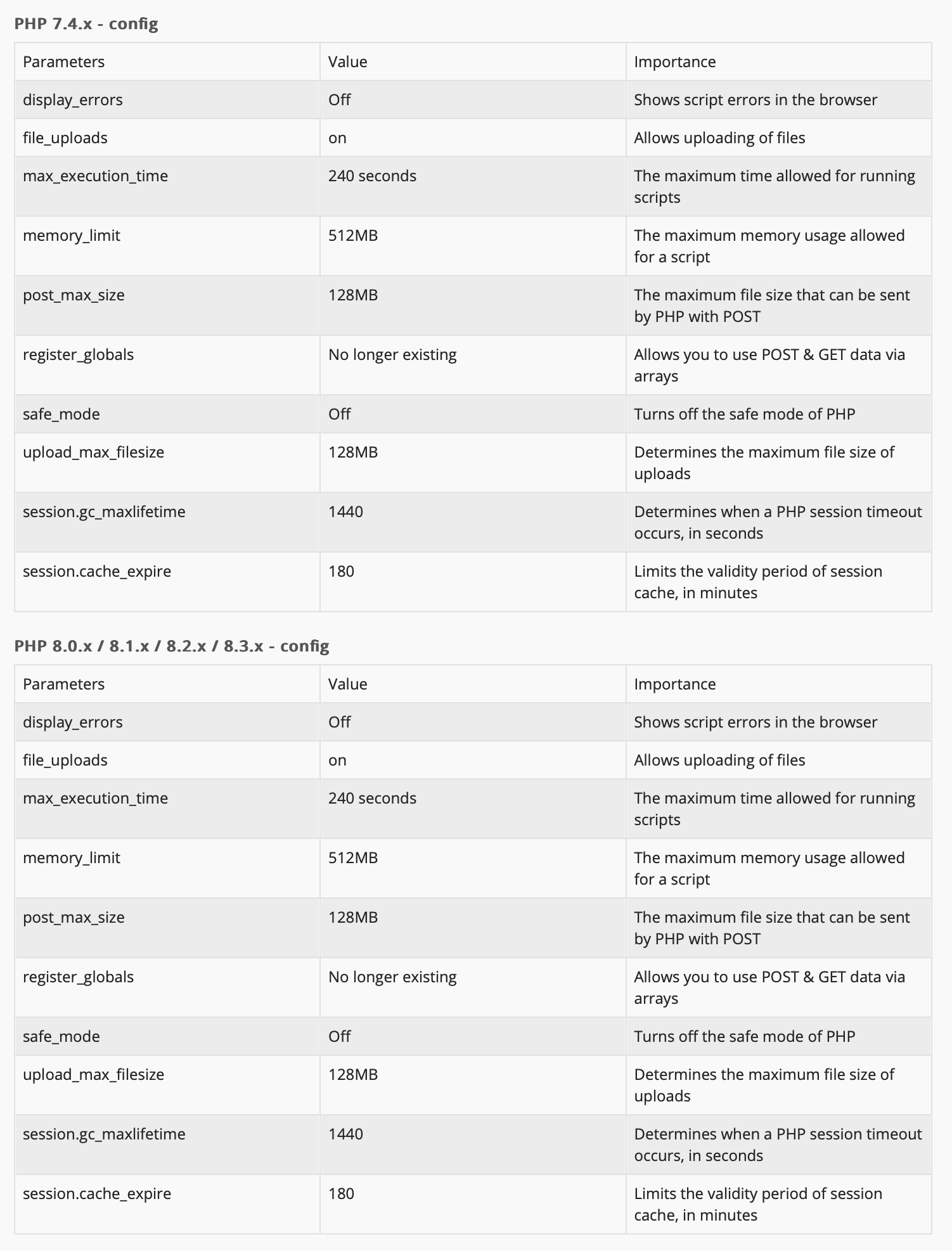
Reply to: tickets(312070)
This is the PHP configuration from the hosting providers’ website. So apparently PHP 8.x has a standard memory limit of 512MB. If this is the standard, I’m not sure why it should be a problem for the functionality of the plugin?
Reply to: tickets(312070)
I called the hosting provider. All packages have a limit of 1GB. They started to roll out packages with a 2GB limit as of this June, so if I want to up my limit, I have to get a new contract and move the domain and the website backup to a new server.
So how sure are we that this will solve the issue? The package will probably be more expensive as well, and a plugin like a calendar should be able to run within 1GB right?
Reply to: tickets(372826)
understood – thank you
Reply to: tickets(367822)
Hi,
Thank you for answering me. However I don’t know how to do this. I made sur the cache war cleared but that is all I can do. Could you assist with this ? The problem is still here.
Thank you in advance,
Lucile