Can you update me on the progress of correcting the issue with event tickets plugin
Thanks
Helen
Replies for tickets on suppota
Can you update me on the progress of correcting the issue with event tickets plugin
Thanks
Helen
Ashan,
The same issue:
https://helpdesk.ashanjay.com/ticket/reminder-emails-not-displaying-info/
Hello,
Thank you for your messages, I am going to assign this ticket to Ashan and he will be able to take it from here and find you a solution. Please allow some time for him to get back to you, we greatly appreciate your patience and thank you for being a eventon customer! Also please disable any IP blocking on your site if there are any.
Hello,
You can create variations with Ticket Variations & Options add-on:
https://www.myeventon.com/addons/ticket-variations-options/
For the tickets that include a meal option, I would like the buyer to specify their meal choice (e.g., duck & sticky toffee pudding, vegetarian etc) during the ticket purchasing process.
It’s possible to add additional fields to Checkout by following:
https://docs.myeventon.com/documentations/how-to-add-additional-fields-at-checkout/
But you in order to specify “include a meal option”, you need to create a custom code.
I need an efficient way to export all the ticket purchase details (including meal choices) into a CSV file or have them conveniently viewable within the WordPress dashboard.
Please go to Edit Event > Tickets > Download (CSV). Most of the data should be already there, but if you want to add more, please follow
https://docs.myeventon.com/documentations/how-to-add-additional-fields-to-download-attendees-csv-file/
Try on https://dev.myeventon.com/wp-admin/
Could you try going to Google Map API settings on your Google Account and then remove API Key restrictions:
https://elfsight.com/blog/how-to-get-google-maps-api-key-guide/
Ashan,
On customer’s website:
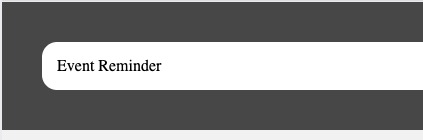
On dev2 I don’t receive reminder emails at all.
Hello,
Thank you for your messages, I am going to assign this ticket to Ashan and he will be able to take it from here and find you a solution. Please allow some time for him to get back to you, we greatly appreciate your patience and thank you for being a eventon customer! Also please disable any IP blocking on your site if there are any.
Colorful events is one of EventTop Design styles:
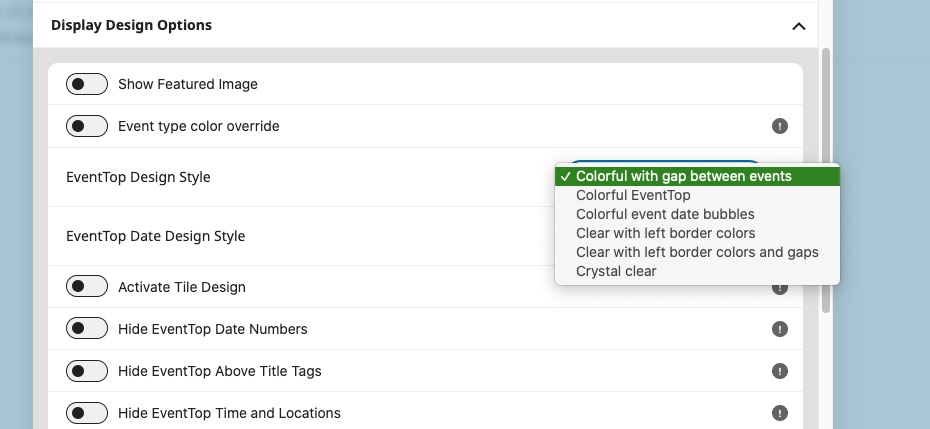
The way EventON works is that users create events manually and then assign Date/Time and, for example, color while creating events manuall.
If they import events with CSV Import add-on, they can assign a new color in the imported .csv file:
https://www.myeventon.com/addons/csv-event-importer/
If they use ICS Import add-on:
https://www.myeventon.com/addons/ics-importer/
It’s possible to import additional fields by following:
https://docs.myeventon.com/documentations/add-support-additional-ics-fields/
“Colorful events can be enabled easily via shortcode to add lots of color to your events.” doesn’t mean that random distributed colors are assigned to each event, I am afraid.
Hello,
Here’s how you can add your own custom styling on the remote site:
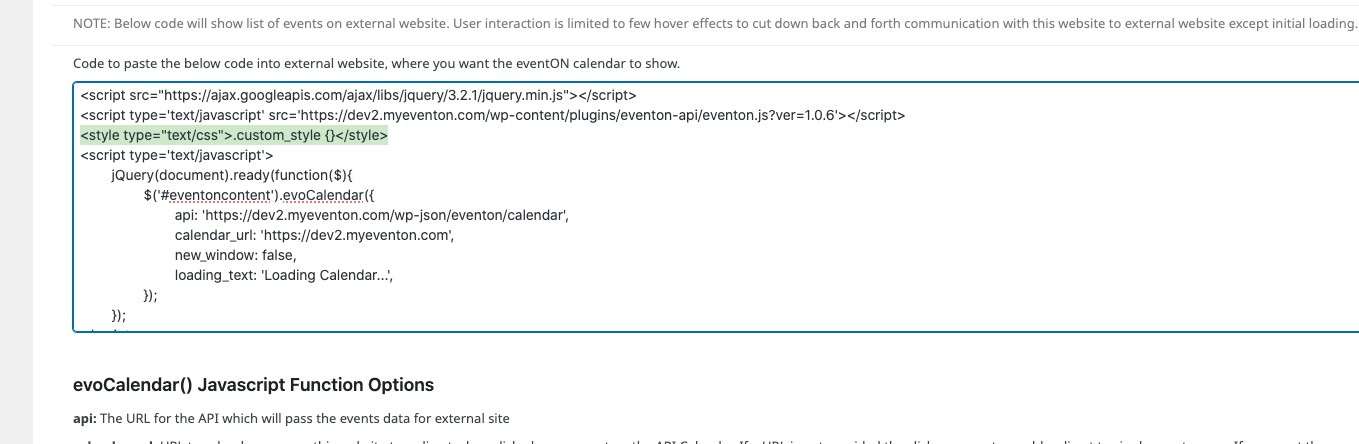
Just add <style type=”text/css”>.custom_style {}</style> along the script lines.
Hello,
I cannot login because of:
VERIFICATION REQUIRED: Additional verification is required for login. If there is a valid account for the provided login credentials, please check the email address associated with it for a verification link to continue logging in.
Could you go to wp-admin > Settings > Timezone and make sure that it’s the same as EventON > Time Settings > Timezone? Edit Event > Timezone is also the same.