Perfect, thank you!
Archives: Replies
Replies for tickets on suppota
Reply to: tickets(371210)
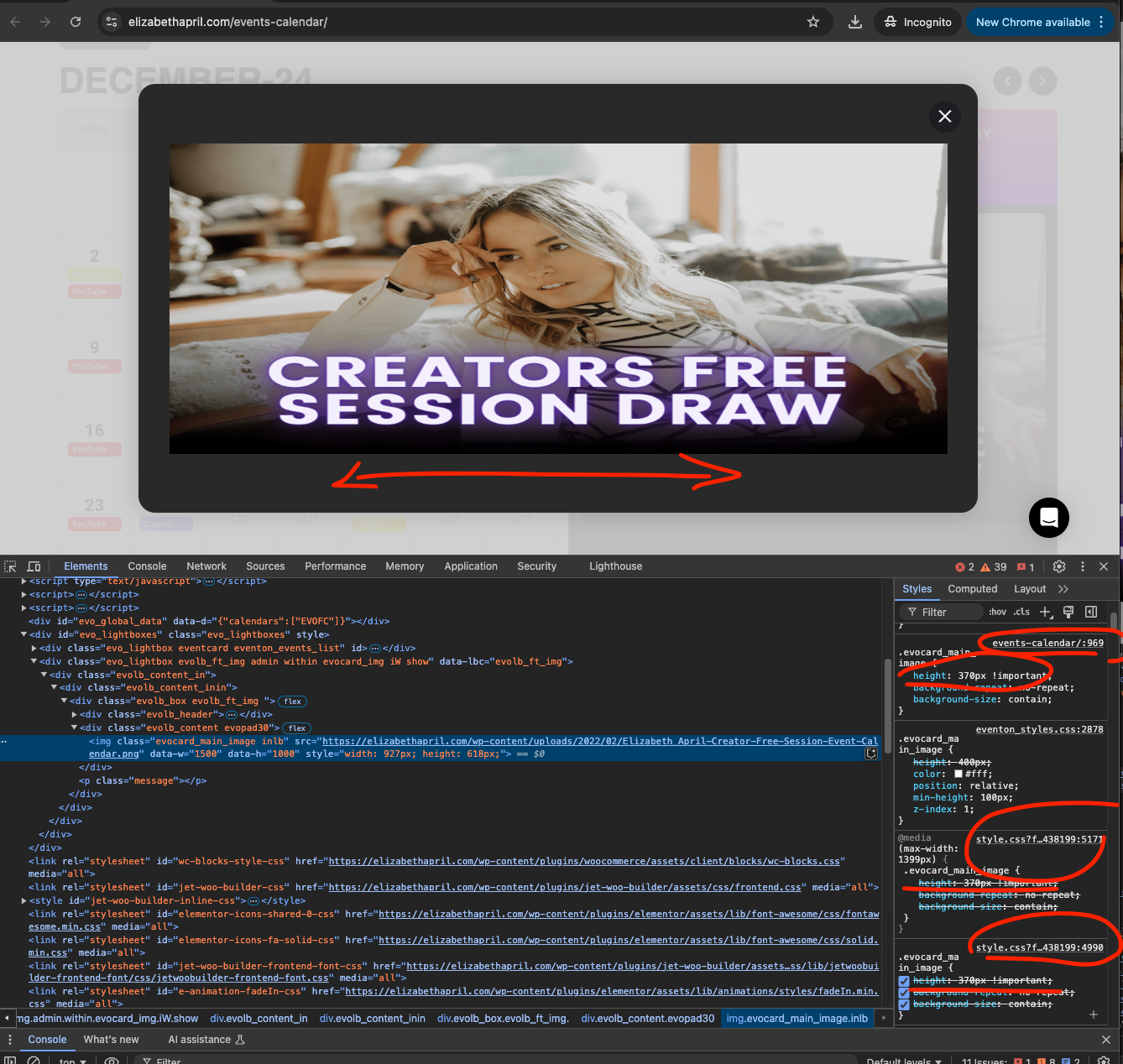
Also noticed the lightbox images are being stretched out because of some custom styles that is overriding the height of the image.
I noticed if I remove those styles with !important the lightbox image will show with correct aspect ratio.
Reply to: tickets(371210)
Hello Natacha. Thank you very much for reaching out us and for using our calendar plugin! I fixed the error in the code on your website and the code changes will be in the next version update to eventON.
Ok so now in the lightbox you are not going to see any webhooks because there are no valid trigger points that is on eventON at the moment. Currently they are available for RSVP and tickets addon.
So when someone RSVP or change their RSVP it will trigger this webhook. And in similar way for tickets as well.
However if you do have any ideas on what you would like to use webhooks on eventON please let us know and we can get those implemented 🙂
Also, I was curious about the website and looked you up. Pretty amazing what you have accomplished in your journey. Also super cool to see what Elizabeth is doing 🙂
I wish you both much success and support from your audience to continue what you are doing. Namaskar!
Reply to: tickets(368880)
EventON sends out your custom template correctly:
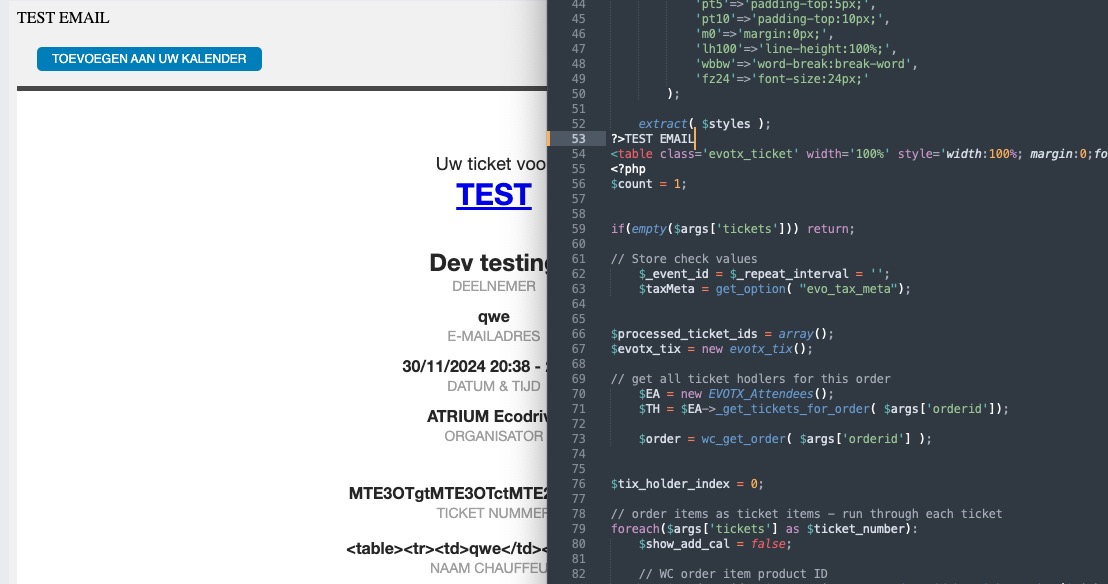
What custom changes aren’t showing?
Reply to: tickets(372160)
Try now? It should work…
Reply to: tickets(372166)
Try now? It should work…
Reply to: tickets(372304)
Please go to EventON > Appearance > enable “Disable Auto eventTop Text Color”. Now you can change EventTop color from EventON > Appearance > EventTop Styles.
EventCard title color can be changed from EventON > Appearance > EventCard Styles > Section Title Text.
Font can be changed from EventON > Appearance > Primary/Secondary Calendar Font family.
Delete text. Please add this CSS code to EventON > Styles (If you don’t see any change, EventON > Scripts & Styling > turn off Write dynamic styles to header > save settings > turn on Write dynamic styles to header):
.evors_section.evors_user_text {display: none!important}
Time can be changed in EventON > Time Settings > enable Enable custom event time format on eventCard. Use this format:
https://www.php.net/manual/en/datetime.format.php
Reply to: tickets(372354)
Hello,
I am not sure how can we re-create this:
https://coloradooutside.com/wp-admin/post.php?post=4651&action=edit
Could you tell us how exactly you managed to get this: https://snipboard.io/5KXhFl.jpg
Reply to: tickets(372242)
…but if I just embed an event list, those cards still do not expand.
Where can we find this? Seems to be working:
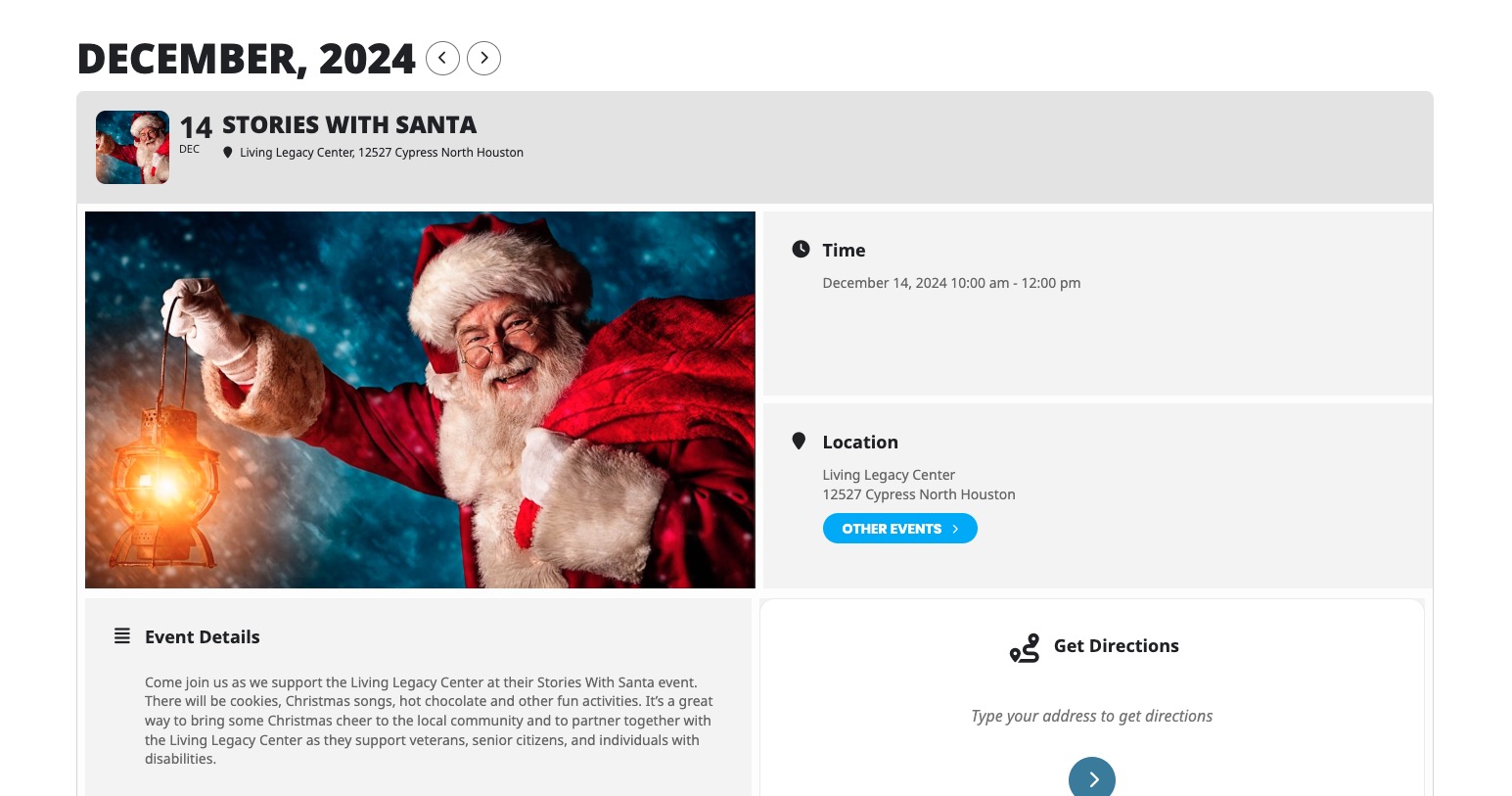
How do I remove the radius of the corners of the cards?
Single Event Page already has squared corners https://newsite.hope68.com/events/no-worship-gathering/
For Event Card please add this CSS code to EventON > Styles (If you don’t see any change, EventON > Scripts & Styling > turn off Write dynamic styles to header > save settings > turn on Write dynamic styles to header):
.ajde_evcal_calendar.cev.sev #evcal_list .eventon_list_event.open .desc_trig, .eventon_events_list .eventon_list_event .event_description { border-radius: 0 !important; }
Reply to: tickets(371919)
Hello Helen, we are hoping to get an update to tickets addon before end next week.
Please apply the temp solution for the moment with latest version.