Hello,
Please take a look at this page:
https://gaydesertguide.com/test-2/
Replies for tickets on suppota
Hello,
Please take a look at this page:
https://gaydesertguide.com/test-2/
Hello,
Please go to EventON > Appearance > enable Disable Auto eventTop Text Color > now save EventON Settings.
Hello,
Please go to EventON > EventCard > open Designer and save > now save EventON Settings.

Please make all my message #372031 as “private”. I submitted to fast….


On Please connect you on https://canardsbastogne.be/stg_a7a5f/ with provided credentials.
Once it is done, please go to users and connect you as “vincent” (see image below).
As “vincent”, do an event. This event can be saved as draft. Normally, no mail to subscribers cannot be sent. Only an email to approver is sent : user “President”.
If you connect you as “President” (see image below), open the event and publish it. Then the email to subscribers are sent. For this process, I put only one subscriber list to avoid to send emails to our audience.
Please check this process and tell me if this is ok for you.
Hi,
Thanks for letting me know of the issue with post save.
Can you let me know when you think this might be fixed. I have rolled back to previous versions of eventON so will update when you have fixed the problem.
Thanks
Helen
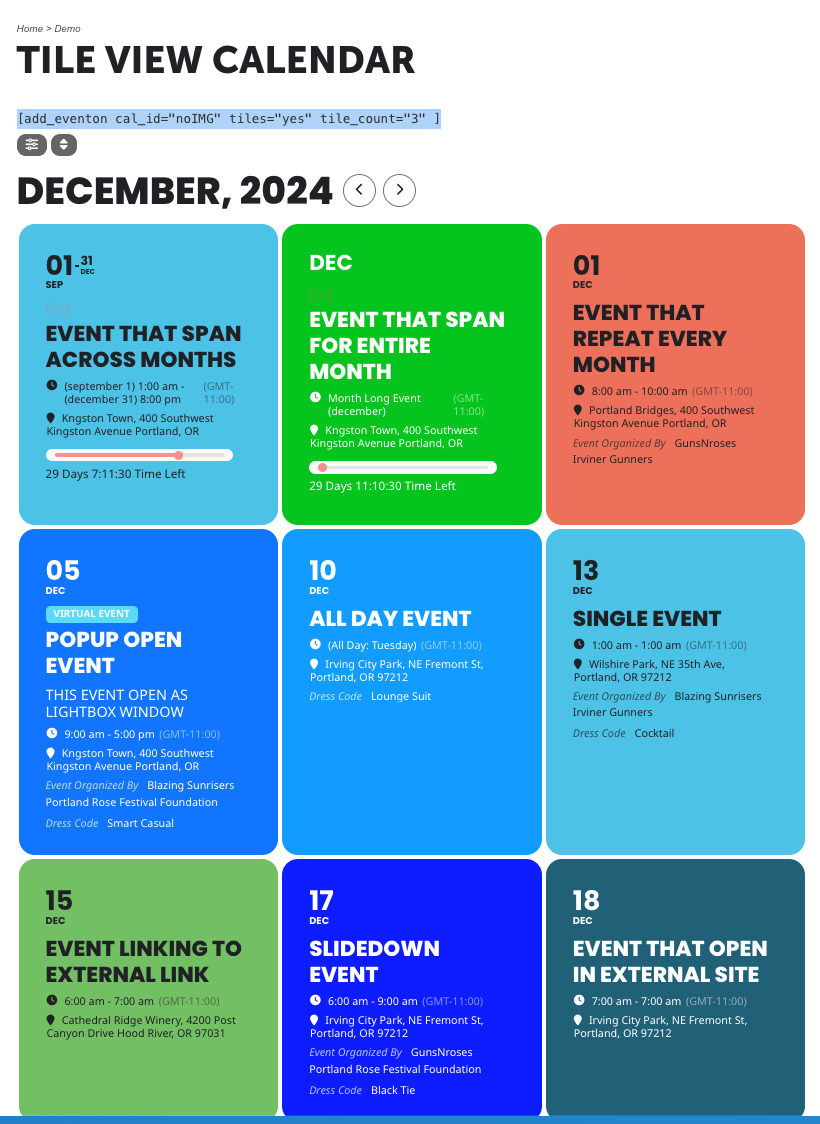
Here is the screenshot I mentioned in this request. This is what we want to display on the site for this calendar on the page:
we want the events to look like the attached example. I need the correct short code.
Oh Okay, I actually didn’t update any of the information.
So just by saving the settings (even without changes) made this work?
Thank you Christopher for letting us know. We will make sure to test this before our next release and implement a work around for this 🙂