Client doesn’t want to use RSVP and it’s not tracked as a “sale” in stats and Metorik reporting. So we are moving to free tickets instead.
So there is no current EventOn add on for this?
Can you recommend any 3rd party product that works with EventOn for parent accounts – ie: accounts with sub accounts? We currently use B2B King, but were looking for a better solution.
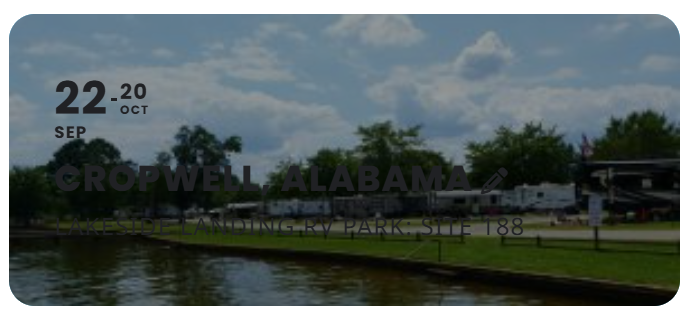
I’m getting confused about how I should set it up to see white text on the cards. I am at version 4.7.3 now but don’t see a setting to disable the auto contrast. I’d be fine with it, but it’s using nearly black text over dark photos, and you can’t see it at all in places (I’ve attached an example). White would work fine. What should I do?
Yes, I did export the events using the Eventon export plugin.
The issue is not with the export. The problem occurs during the import of the CSV file, using the same fields from the export. When I try to import new sessions, the SKU and price in the event ticket do not update.
Additionally, when I manually create sessions, the associated WooCommerce product is created correctly, but this does not happen during the import.
Why aren’t these two fields (SKU and price) updating in the event ticket, and how can I resolve this issue?
I’ve attached an example of a CSV file used for the import, including the relevant fields.
Is it normal that some events, I can see the EventOn dashboard?
Example my event: Location de la salle (après-midi)
Solved.
In eventon-settings-time-settings I had a {z} at the end of the time. I thought that it had added a string “z” in the past and now shows a number. But I can also be wrong. I removed it totally and should be fine for now.
Many thanks.
Could you try update EventON to 4.7.3 and check again?
To update eventon to latest version: If you are unable to do autoupdate, you can go to codecanyon your account > download and get the latest eventon version as zip file. Then you can go to your website > make sure “Delete eventon settings & data when EventON is uninstalled” is Deslected from eventon settings, delete old eventon, install new one and activate. This link will further explain the process it. Also you can follow us on twitter to get real-time announcements on updates!
Instead of Checkout page made our of blocks:
https://moenu.dk/wp-admin/post.php?post=15&action=edit
Could you try using the default shortcode [woocommerce_checkout]:
https://woocommerce.com/document/woocommerce-shortcodes/#doc-title
OK, I did some more investigation and these are the results:
exported event’s CSV:
- if there is Hebrew content like “event_name” the CSV will include no content at all, only the row with fields names.
- the number of tickets, have no field
- the field “remaining_count” is empty
import event’s CSV
- Hebrew characters import is OK
- ticket price was not imported
- ticket sale price not imported
- SKU# not imported
- GMT field not imported
- there is no tickets stock field
please advise
I attached sample CSV I imported
Hello,
Seems to be working with cache plugin disabled:
https://test.survivalskills.vn/events/
Could you check and let me know?
Hello,
Seems to be working on my side. It opens events as Single Event Page. Could you check and let me know?