“the top one is the tiles- I included it if you didn’t know about the tiles- you can delete that shortcode if you want
the next shortcode is the future events in normal display
and the last shortcode is the past events”
Replies for tickets on suppota
“the top one is the tiles- I included it if you didn’t know about the tiles- you can delete that shortcode if you want
the next shortcode is the future events in normal display
and the last shortcode is the past events”
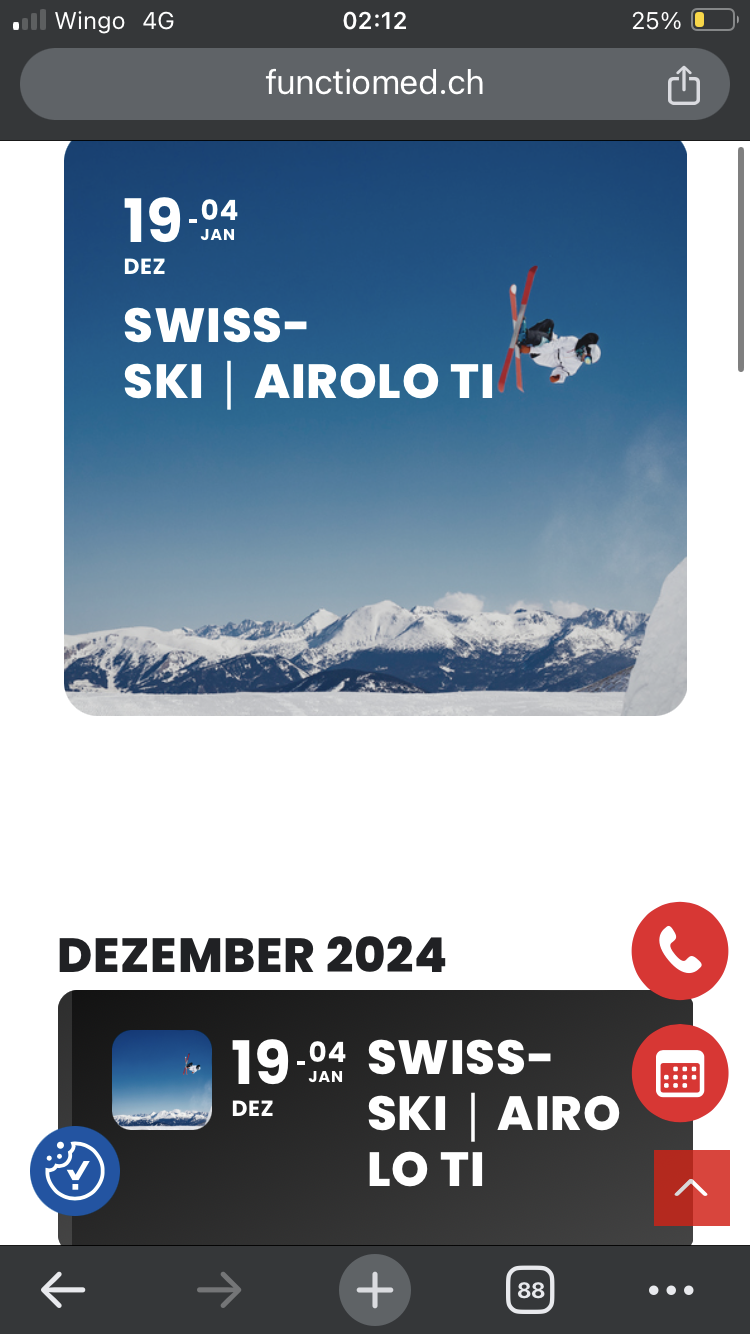
Thats it – tried to re created but it was t working. Now lookls good – only first dec looks different yes?
https://www.functiomed.ch/here
Any chance it can look like others?
Hello,
Please add jumper=”yes” to enable Jump Months Option. Example,
https://dev2.myeventon.com/test-694/
Hello,
Please use Shortcode Generator and choose “User Interaction”:
https://docs.myeventon.com/documentations/shortcode-generator/
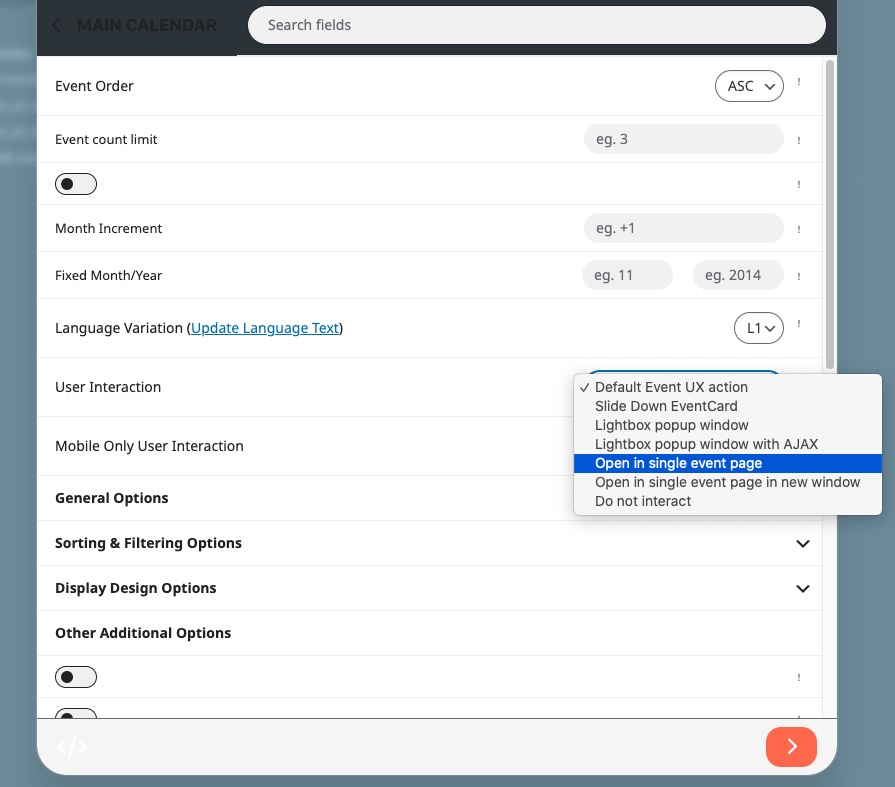
Hello,
Again sorry for the delay. Please refer to the other ticket. Ashan will reply there.
Ashan,
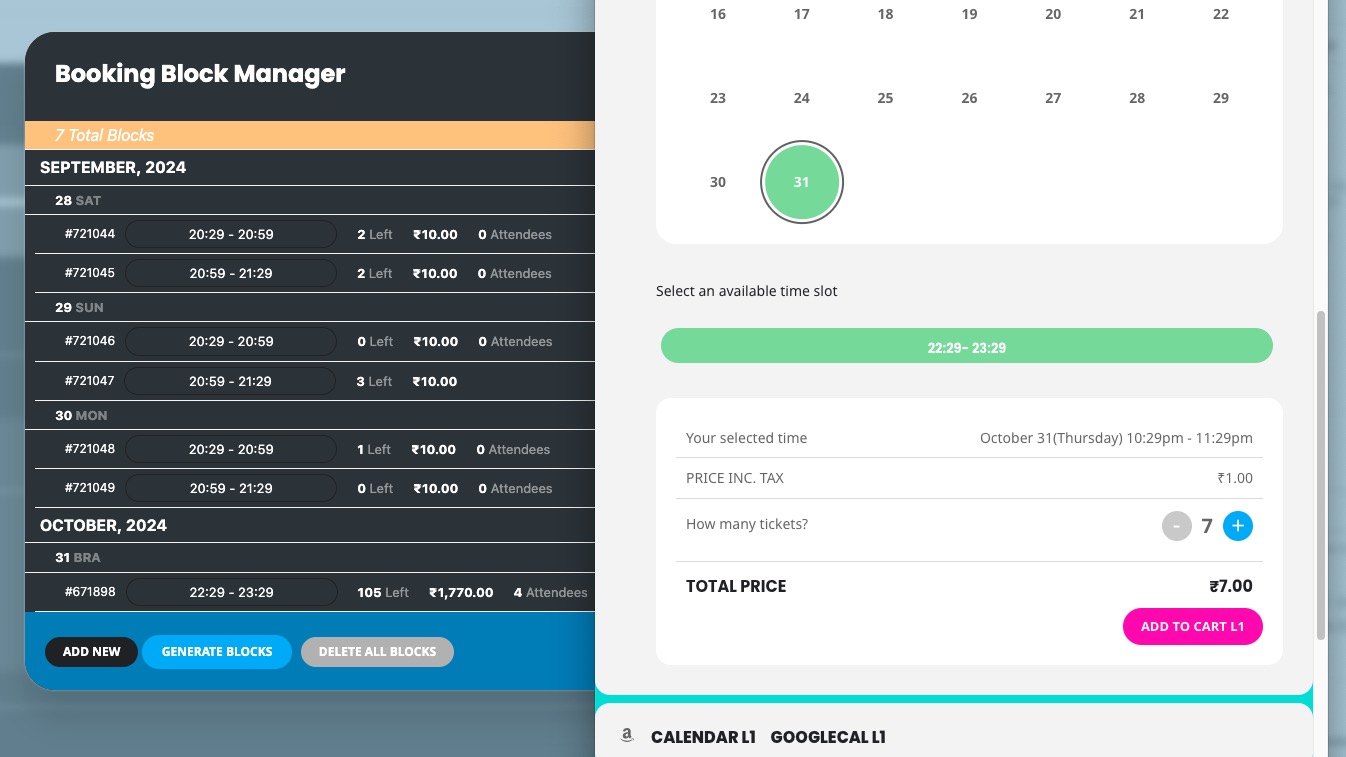
Still the same issue on dev2:
https://dev2.myeventon.com/events/booking-3/
We are very sorry for the delay. I contacted Ashan about this issue and he’ll reply ASAP.
Hello,
In order to show multiple months, please use Event Lists shortcode:
[add_eventon_list number_of_months=”12″ hide_empty_months=”yes”]
Get the shortcode above and add your other parameters, for example tiles=”yes”.
To show more info on EventTop, please go to EventON > EventTop > add fields like this: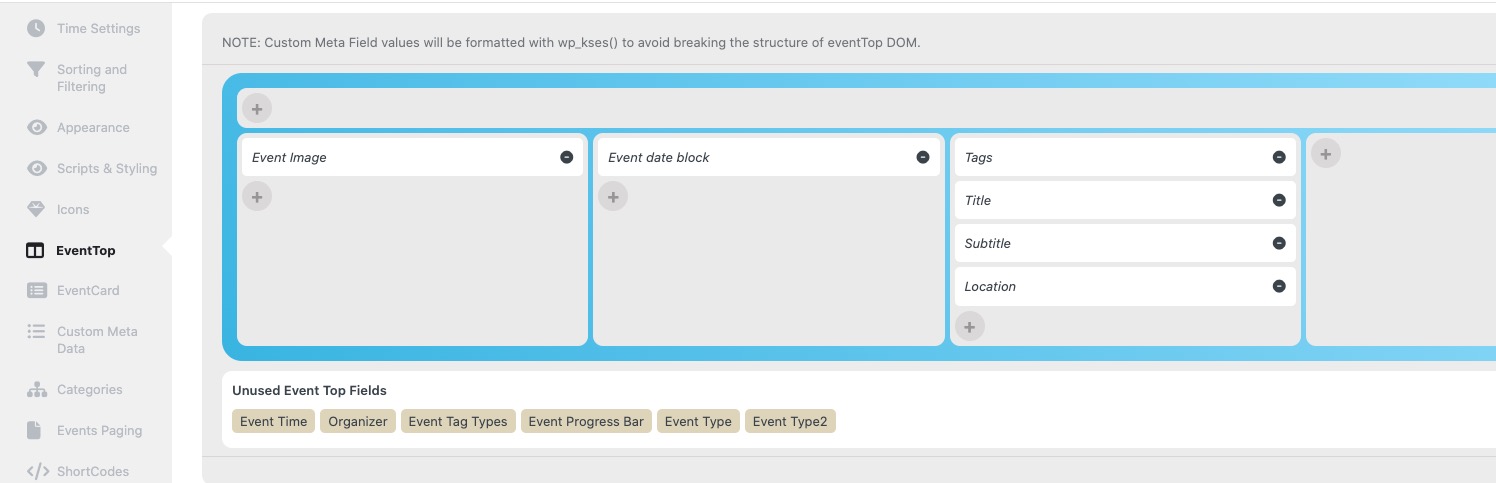
Hello,
Please go to wp-admin > Settings > General > change Week Starts On.
Hello,
I tried to update this event:
https://www.ville.lamalbaie.qc.ca/wp-admin/post.php?post=23830&action=edit
And it didn’t change the timezone. Could you tell us more about your steps, so we can re-create the issue?