I went ahead and refunded you for the orders.
May I ask what features you were expecting in eventON that you did not find in there, that you need for your situations.
Replies for tickets on suppota
I went ahead and refunded you for the orders.
May I ask what features you were expecting in eventON that you did not find in there, that you need for your situations.
Please compare the behavior in an earlier version where it was working
https://dev.myeventon.com/eventon_list-bug/
/**
* Javascript: RSVP Events Calendar
* @version 2.9.5
*/
Same code in the JavaScript, but for some reason not picking up the correct element to change the hidden input
I am using the latest release and it’s no longer working
/**
* Javascript: RSVP Events Calendar
* @version 2.9.15
*/
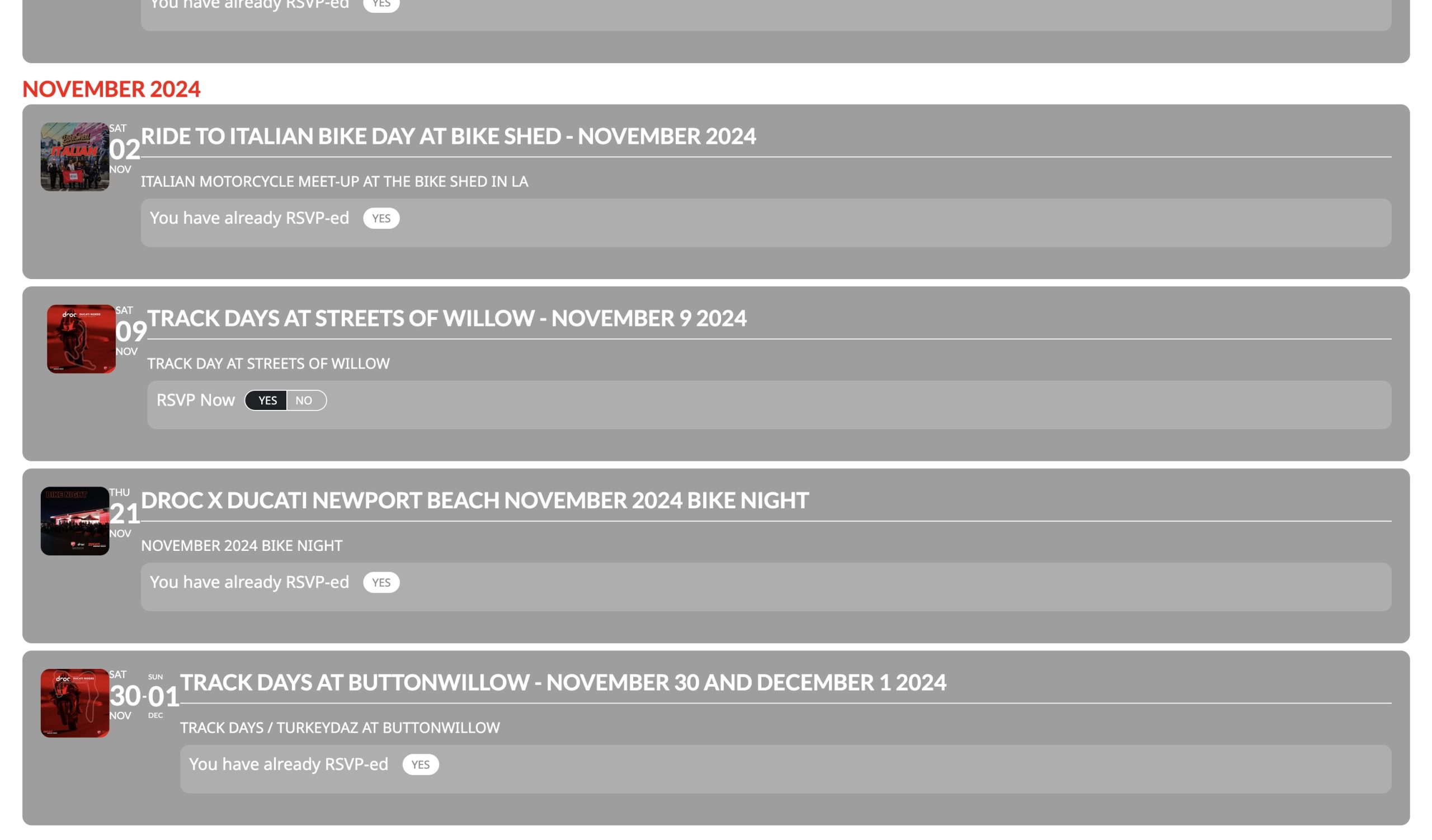
You test is executed with a RSVP inside a detail card, I am referring to RSVP provided from the event list [add_eventon_list] shortcode like the one in this image
Sorry my last two comments were for another ticket – you can remove them
Posted 51 seconds ago – #366626
Posted 2 minutes ago – #366624
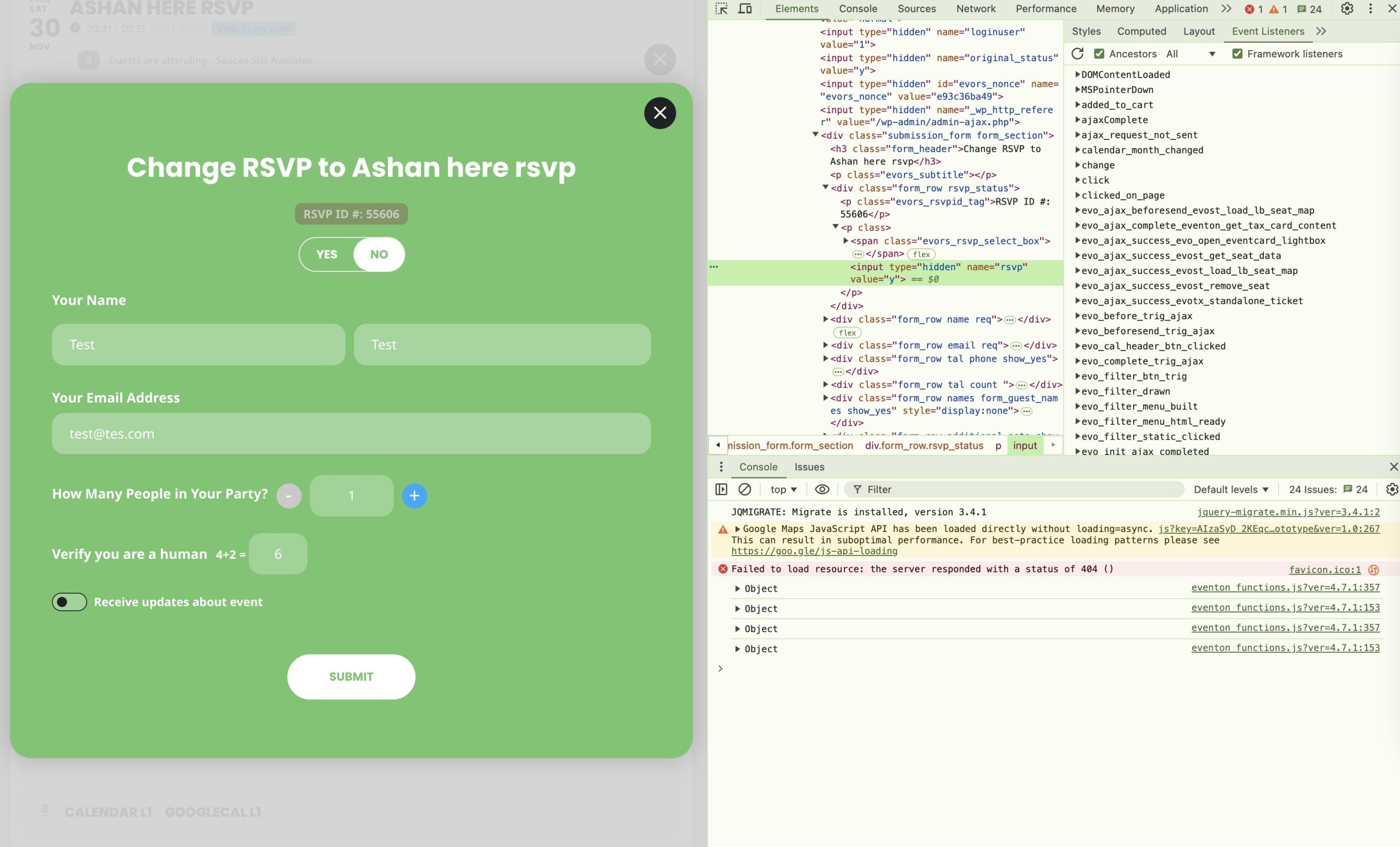
Correction to earlier post
original_status: y
rsvp: y
original_status: y
rsvp: n
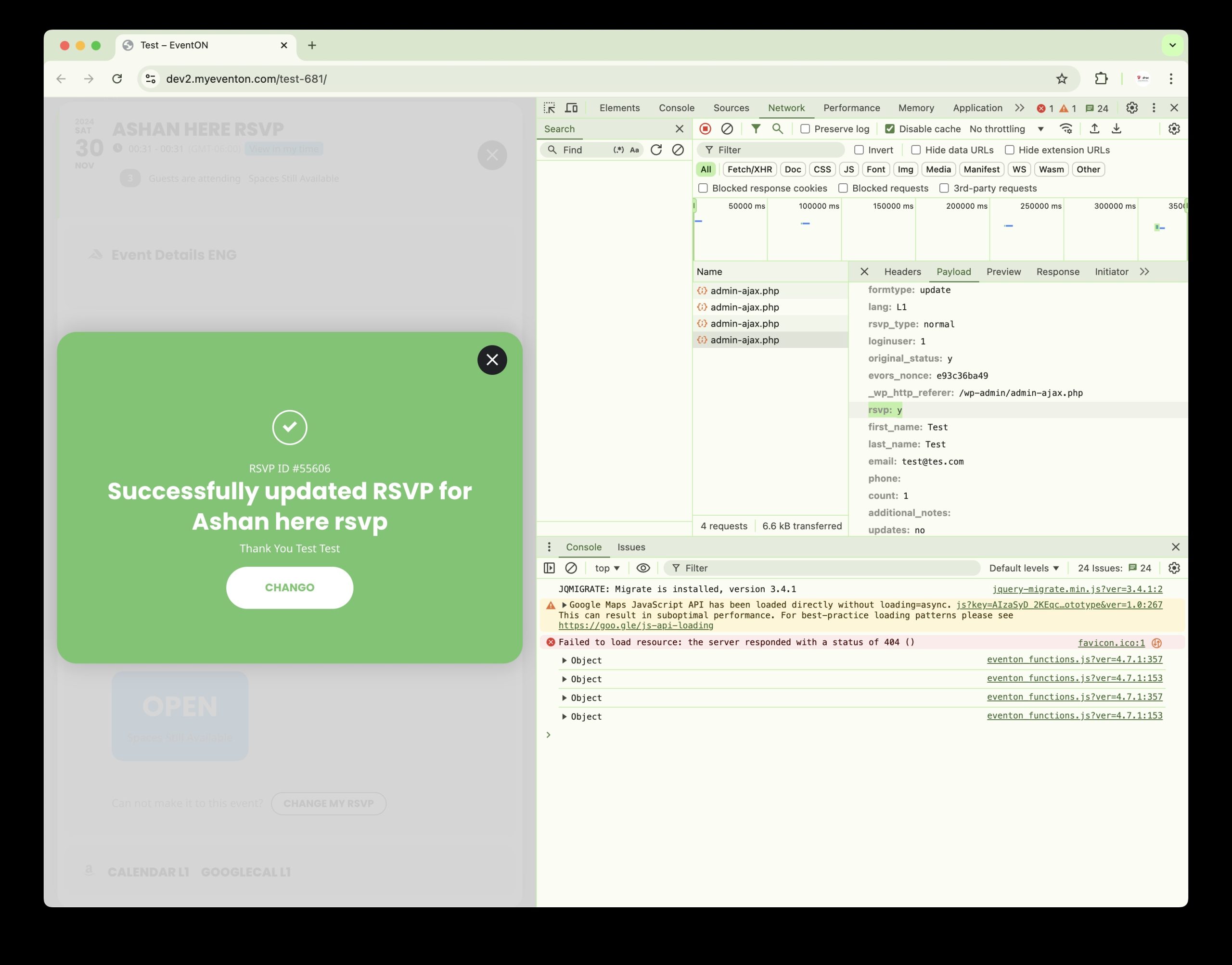
The problem is also in your test site – check RSVP ID #: 55606
original_status: y
rsvp: n
original_status: y
rsvp: n
I’m very sorry, everything’s working properly now. I guess it was some of my individual settings and some delays.
Hi, thank you so much for the advice. That helped a lot and the design is coming along quite well. I’ll be sure to let you know.
But in the meantime, I manually (because it didn’t work automatically) updated Eventon to version 4.7.1. And now when I make any settings in the eventon plugin, all the information associated with the event stops showing except the TOP. I’ve tried reinstalling it several times, but it’s still the same. After reinstalling it goes, the events are displayed including all the details in the event-card, but as soon as I change something in the settings, it starts showing only te TOP and not the details in the eventcard at all. Sorry to write this in this ticket, but I’m pretty hopeless about it. Thanks again for the help.
Thank you very much. Kindly add this CSS to your myeventon settings > styles and that will resolve this. We are going to release a new version with this fix and auto update fix as soon as we can
.ajde_evcal_calendar.boxy #evcal_list{overflow: visible;flex-direction: row; flex-wrap: wrap;}
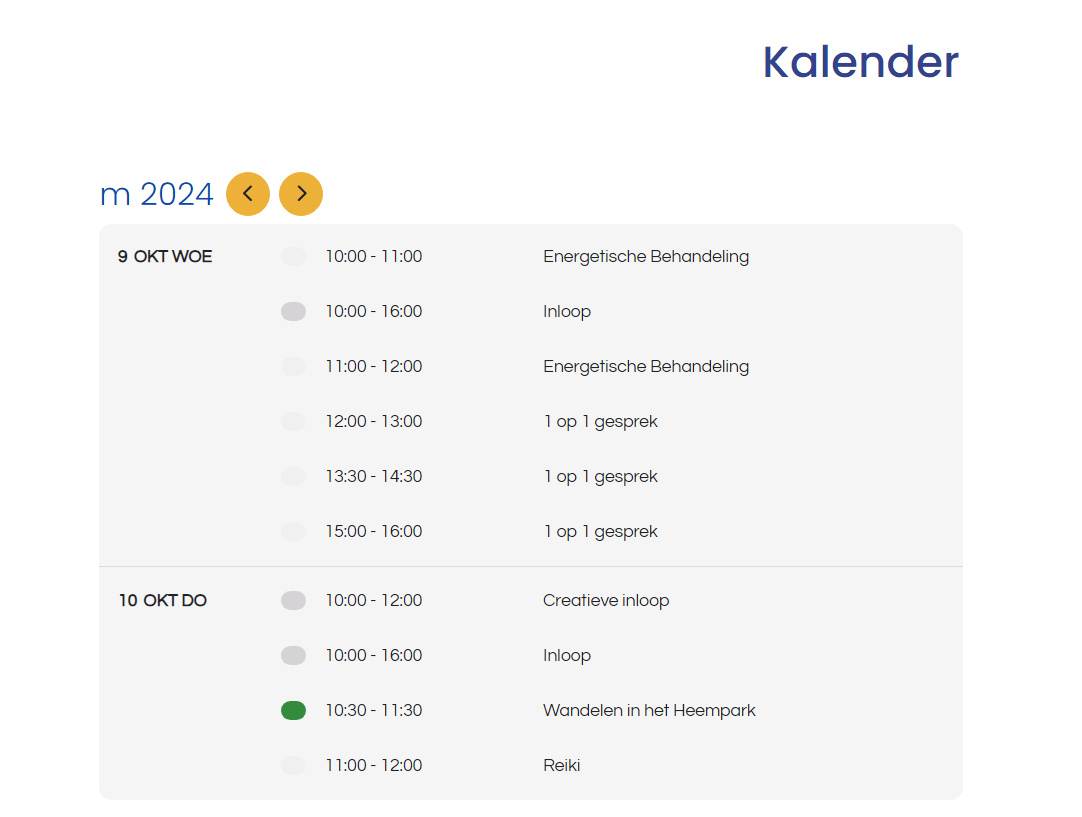
Hi David,
Thank you very much for your long video.I know how to make shortcodes, but what I especially was looking for, is the option I used on my homepage, like in the image, so with very slick and small appaerance per event and calendar, but I would like to not show only one month, but maybe a few months or even the whole year with this appearance.