it doesn’t work … for data on wordpress
Archives: Replies
Replies for tickets on suppota
Reply to: tickets(366254)
Hi, I have looked at the guide for acceptable date/time format values in php. But I have managed to get the paragraph break after the date field to work. For example with these: https://keepcoding.io/blog/como-hacer-un-salto-de-linea-en-php/#:~:text=Al%20incluir%20%5Cn%20al%20final,organizada%20y%20f%C3%A1cil%20de%20leer.
Is there a solution? Thank you, D.
Reply to: tickets(366257)
Hello, thank you very much for your help. Everything works very well.Regards,
Reply to: tickets(364494)
Hi, Export/Import looks fine, how i tested it.
But Update thru EM plugin or in plugin page in WordPress doesnt work.
4.7 update is not possible still, from Envato market (EM). So i make manual update, that i downloaded from EM website, and replaced plugin. It works fine. So i can wait for next version, if did not problem with older version of your plugin, which was block new update.
If it will same issue in future with update, from v 4.7 to new, so there is some problem in EM install way.
I will wait, and if will not solved issue after new update i will contact Envato Market, if is not problem on their site.
Other plugins and themes is possible thri EM installer and or plugin site update.
I have many your plugin on sites, so i made this manual update on one for now.
Best regards.
Lukas
Reply to: tickets(366076)
Events are up there- so which event is not displaying?
please provide a direct link to the event that is not displaying
if you don’t see the calenders like in the video- then clear your browser cache
I am unclear as to what the ID code (201) is?
Reply to: tickets(366521)
Issue identified and solved in my case – please fix the add on package.
Similar to the other issue from the event list where YES/NO Buttons are taken value from sibling instead of the parent, change line 142 in RS_script.js from
OBJ.siblings('input').val( VAL );
to change value of the RSVP hidden form field in the parent
OBJ.parent().siblings('input').val( VAL );
For context
// change RSVP status within the form
form.on('click', 'span.evors_choices', function(){

varOBJ=$(this);
varVAL=OBJ.data('val');

form.attr('class','evors_gen_form evors_submission_form rsvp_'+VAL);
OBJ.siblings().removeClass('set');
OBJ.addClass('set');

OBJ.parent().siblings('input').val( VAL );

});
Reply to: tickets(366133)
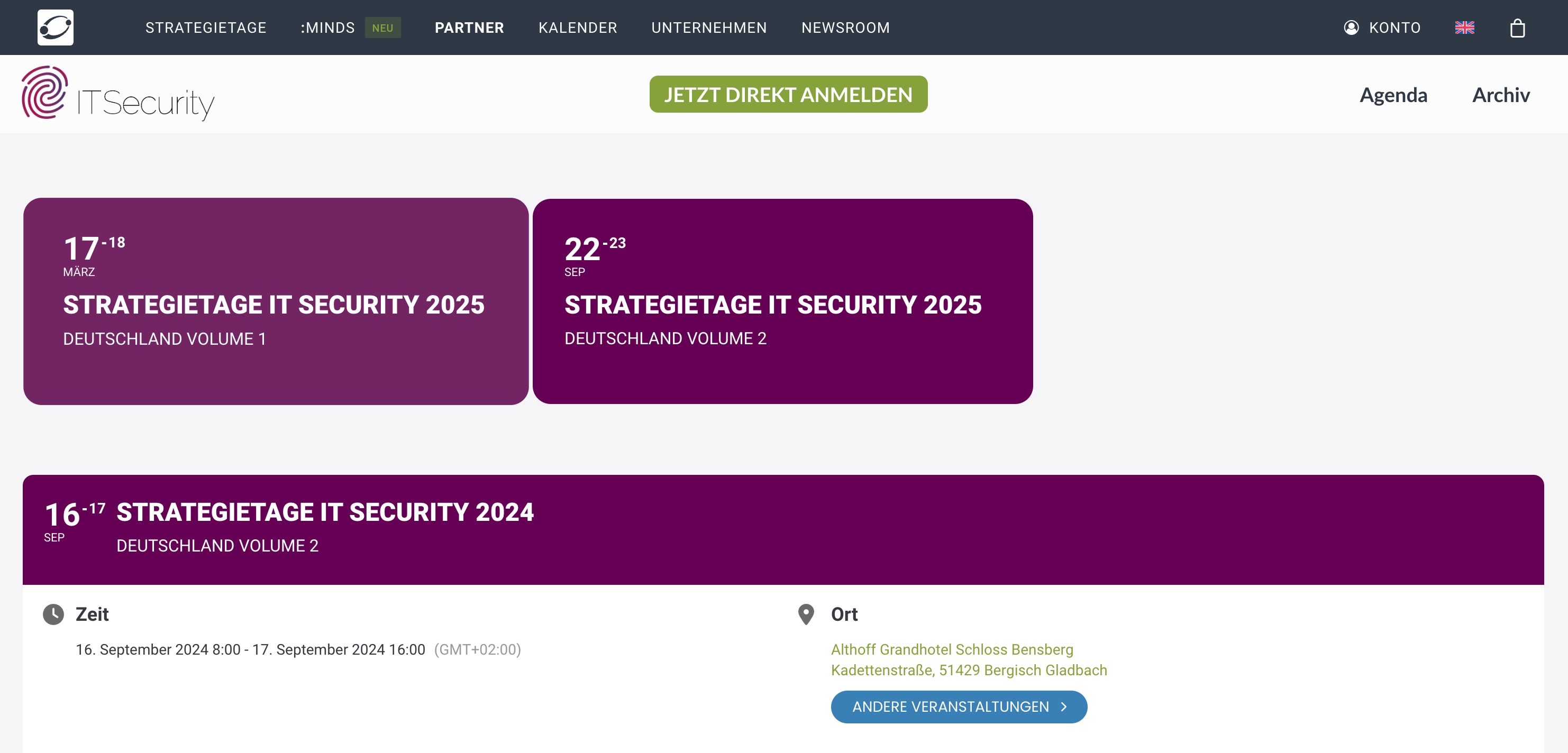
This is how it should looks like (4.6.8)
Reply to: tickets(366133)
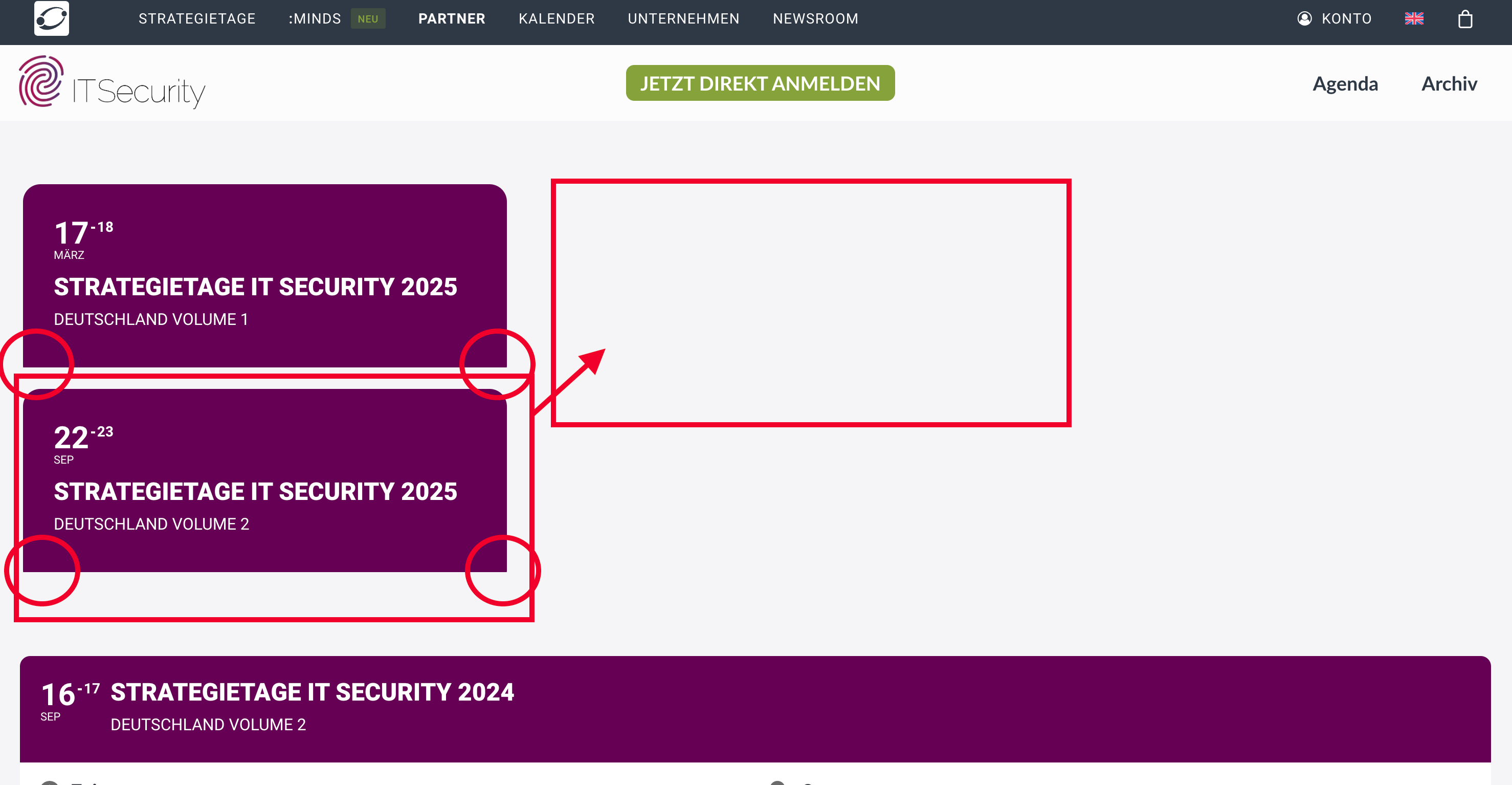
The double text is gone but there are still messed up things. Went back again to 4.6.8!
Reply to: tickets(366030)
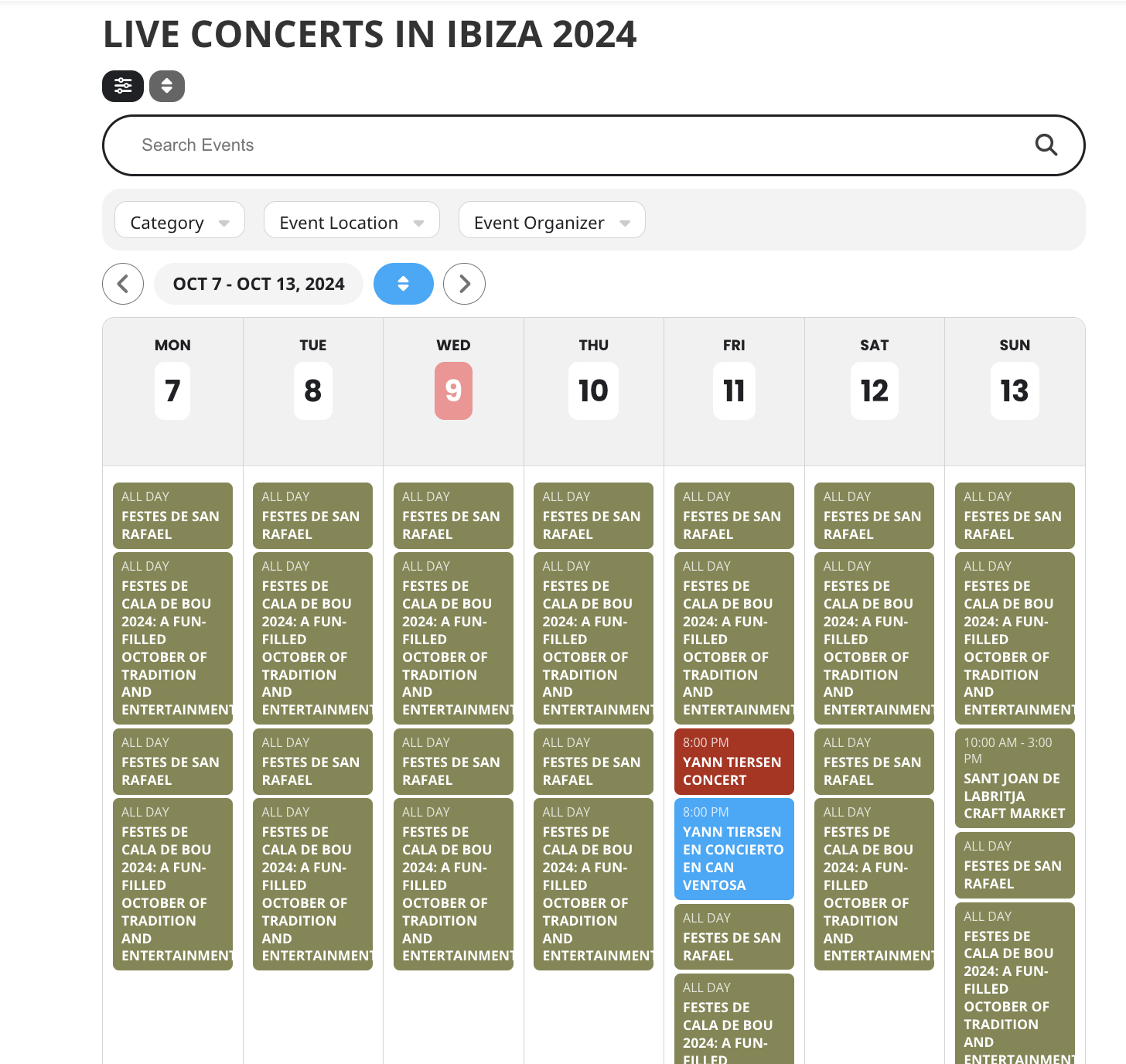
Hello Artem,
I’m experiencing an issue with the weekly calendar view in your plugin. On pages segmented by categories, events are showing up as duplicates. I’ve verified that this isn’t due to a misconfiguration in my HTML code—this seems to be an issue stemming from the plugin itself.
Here are a few examples illustrating the problem:
•Party Events: ibiza-calendar.com/party-events-calendar
•Live Concerts: ibiza-calendar.com/live-concert-events-calendar
•Gastronomy Events: ibiza-calendar.com/gastronomy-events-calendar
•Culture & Art: ibiza-calendar.com/culture-art-events-calendar
This duplication issue appears on both the English and Spanish versions of my pages. Additionally, it persists across monthly pages as well. For instance: Eventos en Ibiza en Octubre
To recreate the issue, simply create an event, assign it a category, and view it in the weekly calendar view.
Thank you for looking into this! Any assistance you can provide would be greatly appreciated.
Reply to: tickets(366526)
I solved this myself – but please provide an offiicial fix with the next update, here is the bug
File “/eventon-rsvp/assets/RS_script.js”, line 249 refers to
rsvp = obj.parent(),
while data for RSVP (eid) is stored in the parent -> parent
So changing line 249 to be
rsvp=obj.parent().parent(),
solves the issue, at least for me
----- from RS_script.js
load_json_to_local( $(this) );

var obj=$(this),
 rsvp=obj.parent().parent(),
 ajaxdataa= {};

ajaxdataa['rsvp']=obj.data('val');
ajaxdataa['lang']=rsvp.data('lang');
ajaxdataa['uid']=rsvp.data('uid');
----