We will fix the addons demo ASAP.
Archives: Replies
Replies for tickets on suppota
Reply to: tickets(366378)
Hello,
Thank you for letting us know! Please take a look at our demo website:
https://dev.myeventon.com/wp-admin/
Seats guide:
https://docs.myeventon.com/documentations/set-seat-layout-map-admin-side/
Reply to: tickets(364494)
Perfect! We are glad your issue is resolved, if you have any further questions or concerns please create a new ticket. If you have a moment, we would greatly appreciate if you could kindly leave us a review at Codecanyon. By going to your account > Downloads. We are very grateful for your kind review!
Reply to: tickets(366131)
Ashan,
I set Generally, when to hide Change RSVP button to Never but the button isn’t visible:
https://dev2.myeventon.com/events/rsvp-50/
Reply to: tickets(366131)
Thank you for your messages, I am going to assign this ticket to Ashan and he will be able to take it from here and find you a solution. Please allow some time for him to get back to you, we greatly appreciate your patience and thank you for being a eventon customer! Also please disable any IP blocking on your site if there are any.
Reply to: tickets(364567)
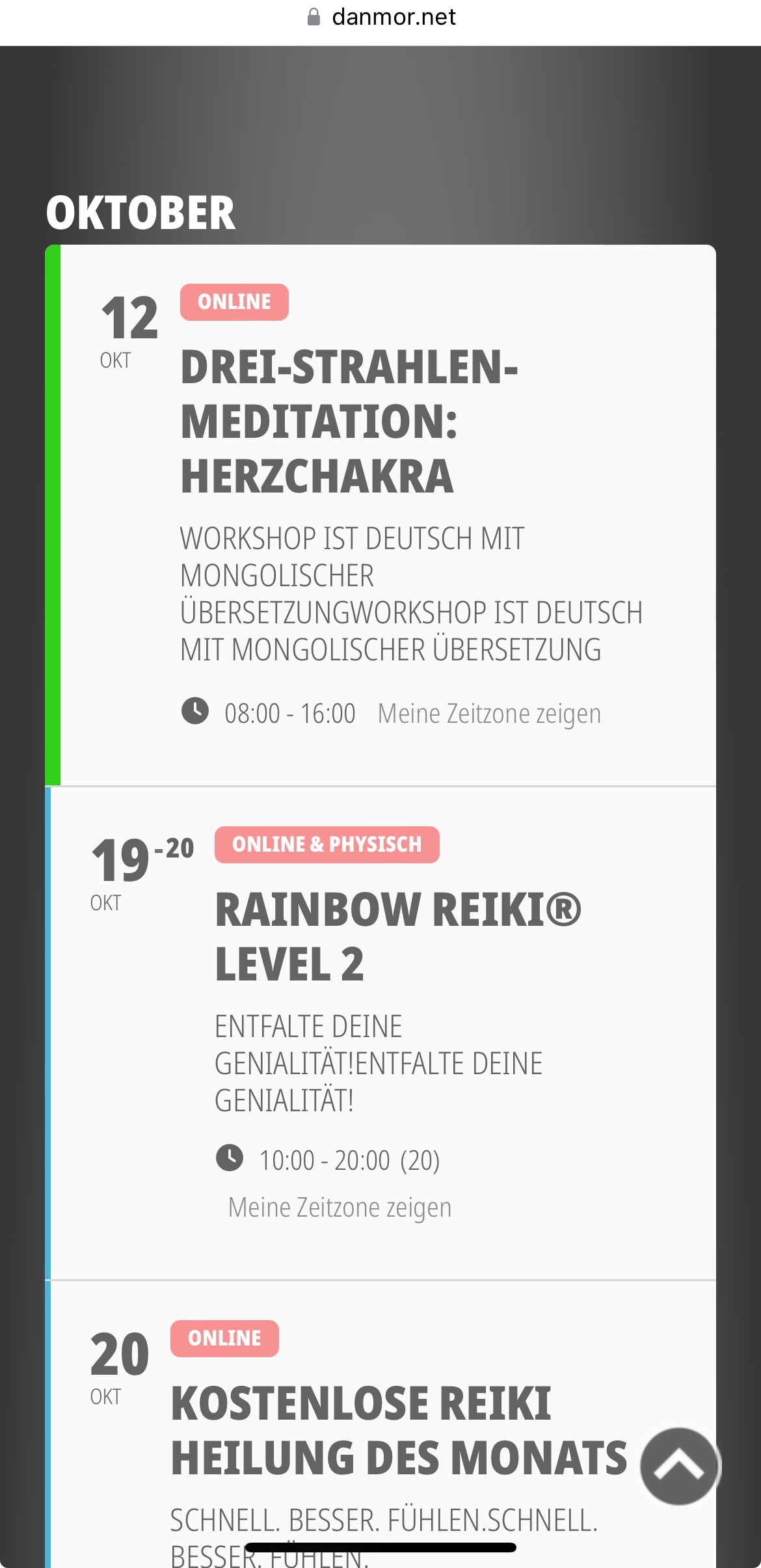
I think the desktop version has it , too
Approximately, since the latest update, 2 days ago
Reply to: tickets(366075)
Reply to: tickets(366075)
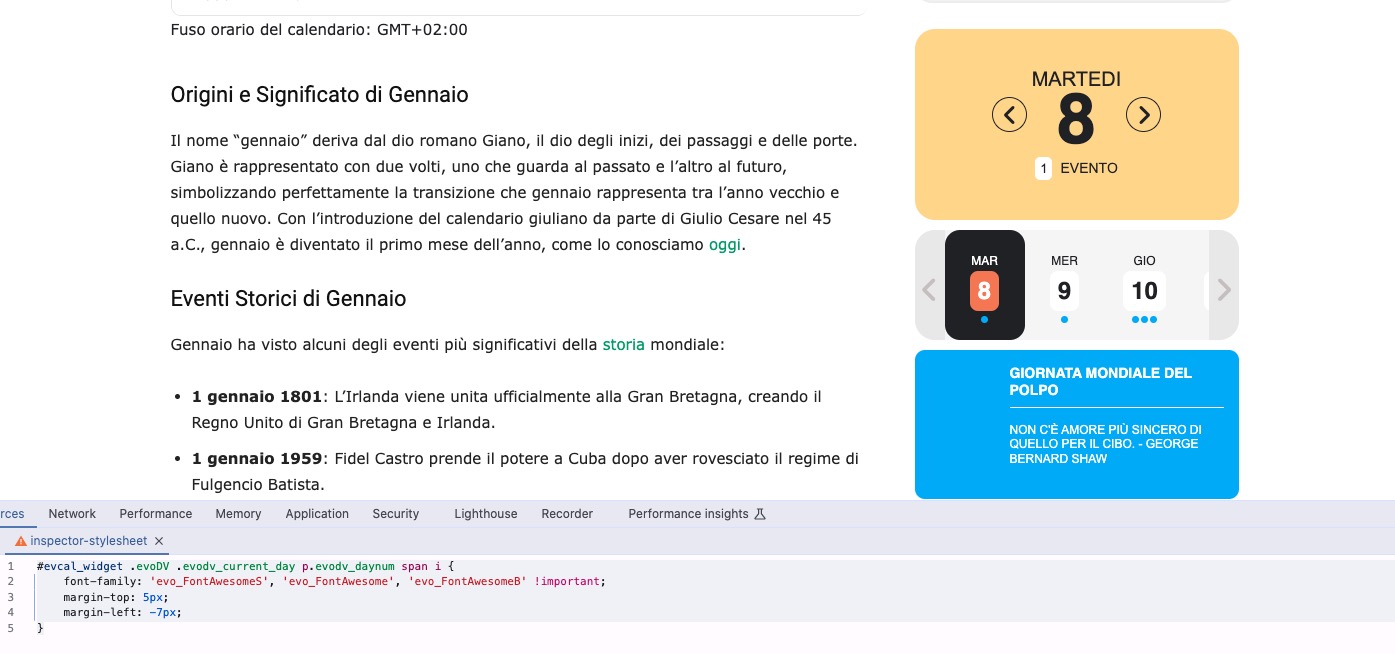
I was referring to the option itself. It needs to be disabled to show Font Awesome icons.
I disabled the option and it enabled left right arrows. Now please add this code to wp-admin > Appearance > Customize > Additional CSS to fix the alignment:
#evcal_widget .evoDV .evodv_current_day p.evodv_daynum span i { font-family: ‘evo_FontAwesomeS’, ‘evo_FontAwesome’, ‘evo_FontAwesomeB’ !important; margin-top: 5px; margin-left: -7px; }
Reply to: tickets(364567)
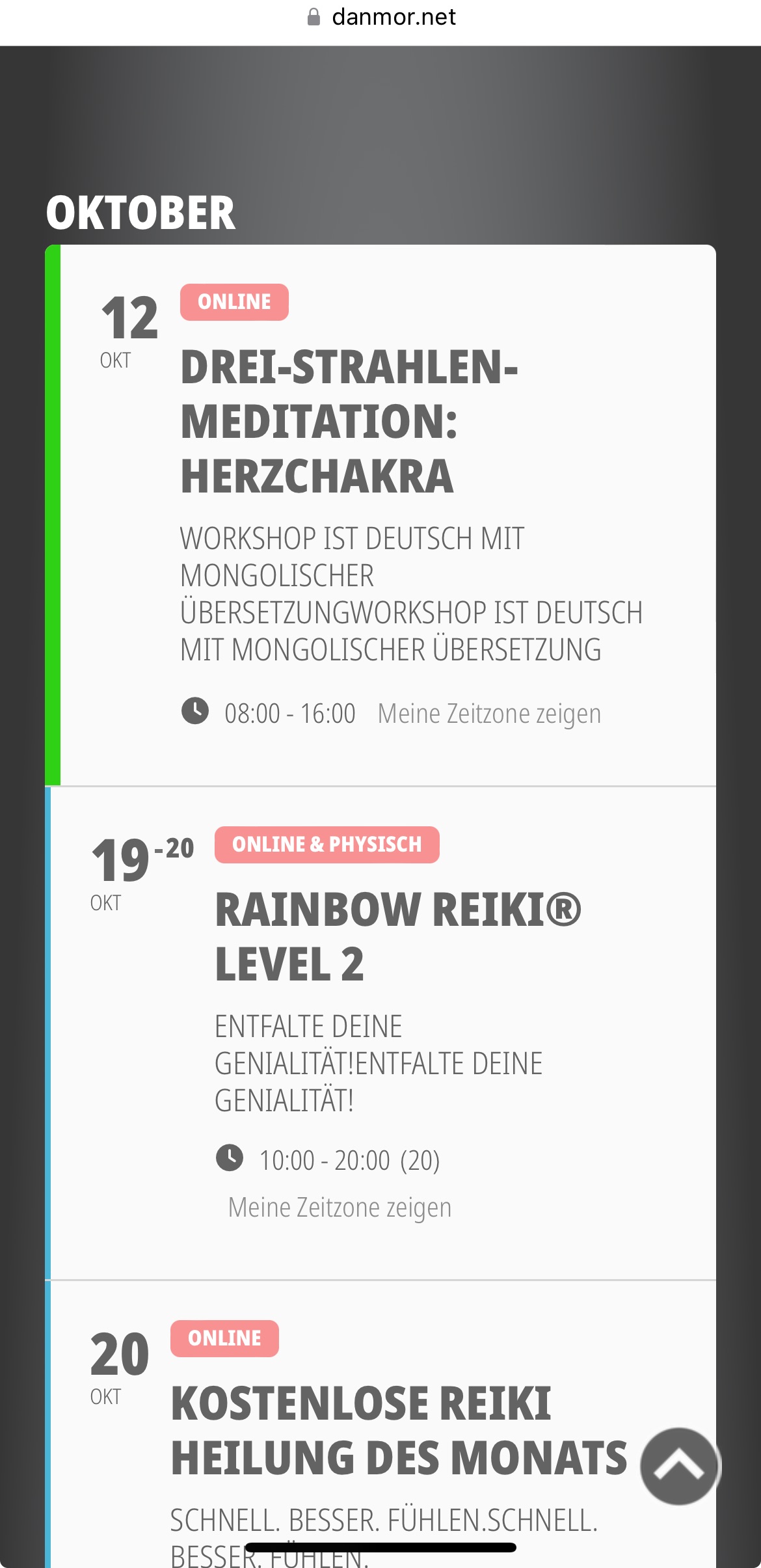
I see, thx
Today, mobile view shows all subtitles double
Any idea why?
Reply to: tickets(366383)
Hello,
Please send us wp-admin access to your site as a private message for us to further assist your situation.
Also follow the instructions in this documentation to activate debug in your site to see any PHP errors recorded that can provide insight on to whats going on. Please reply with a link to debug.log file. If you are not able to do this please send us FTP access to your site so we can do this for you.