Hello,
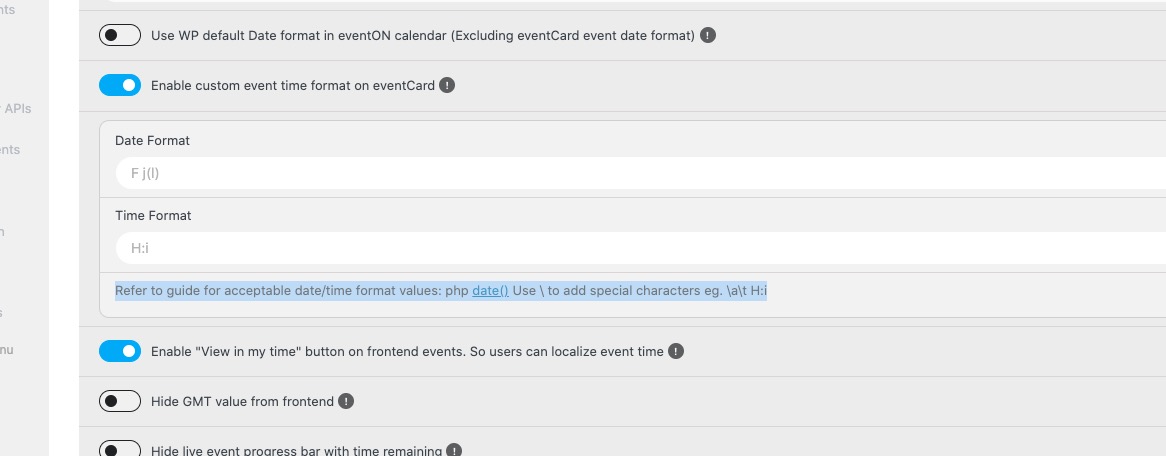
Please go to EventON > Time > enable Enable custom event time format on eventCard > try following this instruction:
Refer to guide for acceptable date/time format values: php date() Use to add special characters eg. at H:i
Replies for tickets on suppota
Hello,
Please go to EventON > Time > enable Enable custom event time format on eventCard > try following this instruction:
Refer to guide for acceptable date/time format values: php date() Use to add special characters eg. at H:i
Hello,
1. Please add this CSS code to EventON > Styles (If you don’t see any change, EventON > Scripts & Styling > turn off Write dynamic styles to header > save settings > turn on Write dynamic styles to header):
.ajde_evcal_calendar .calendar_header .evo_j_dates .legend a { font-weight: 400 !important; }
2. Please go to EventON > Search > disable Enable Search on all calendars by default.
To hide the month jumper button, please use this code:
.calendar_header span.cal_head_btn.vis { display: none !important; }
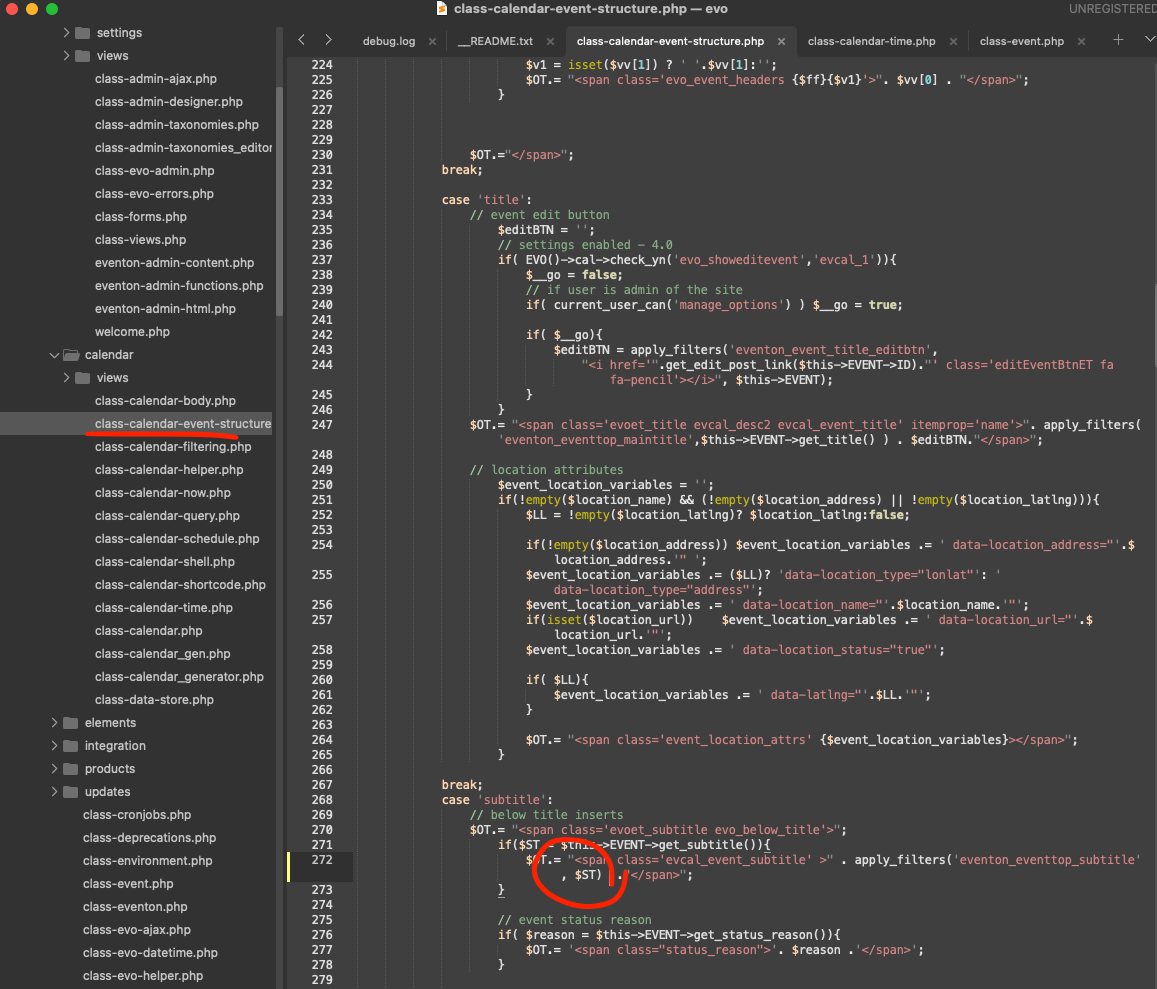
Here is the patch fix for the subtitle issue. To resolve this issue make sure there is only one $ST in your code. We will be including this in the next update which will go out ASAP.
Hello there, yes I sort of remember this issue. It works fine on our end. So let me take another look and see what was causing this.
Hello,
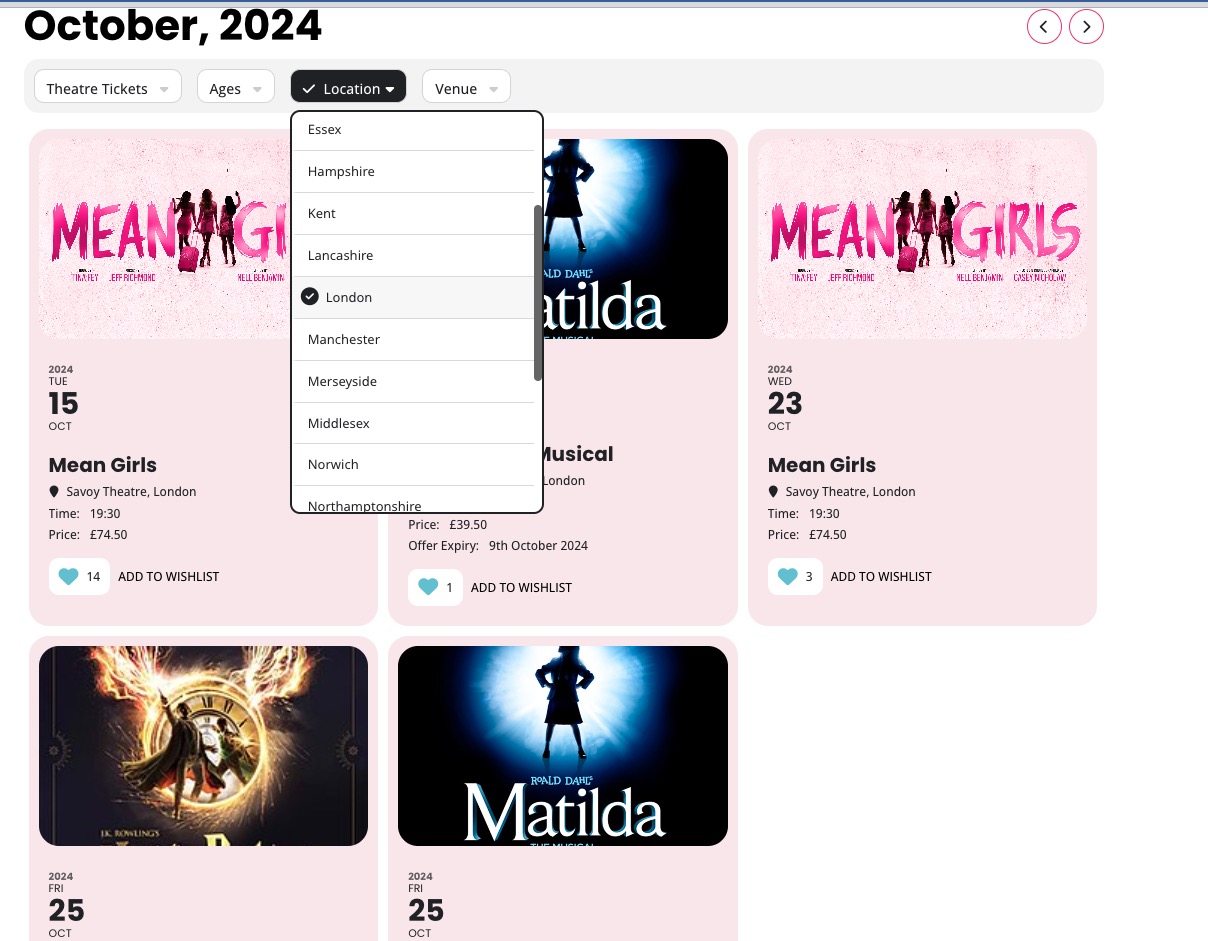
Which location should we select to see the issue:
Could you check and let me know?
Please go to EventON > Single > select Select eventTop style: Clean White.
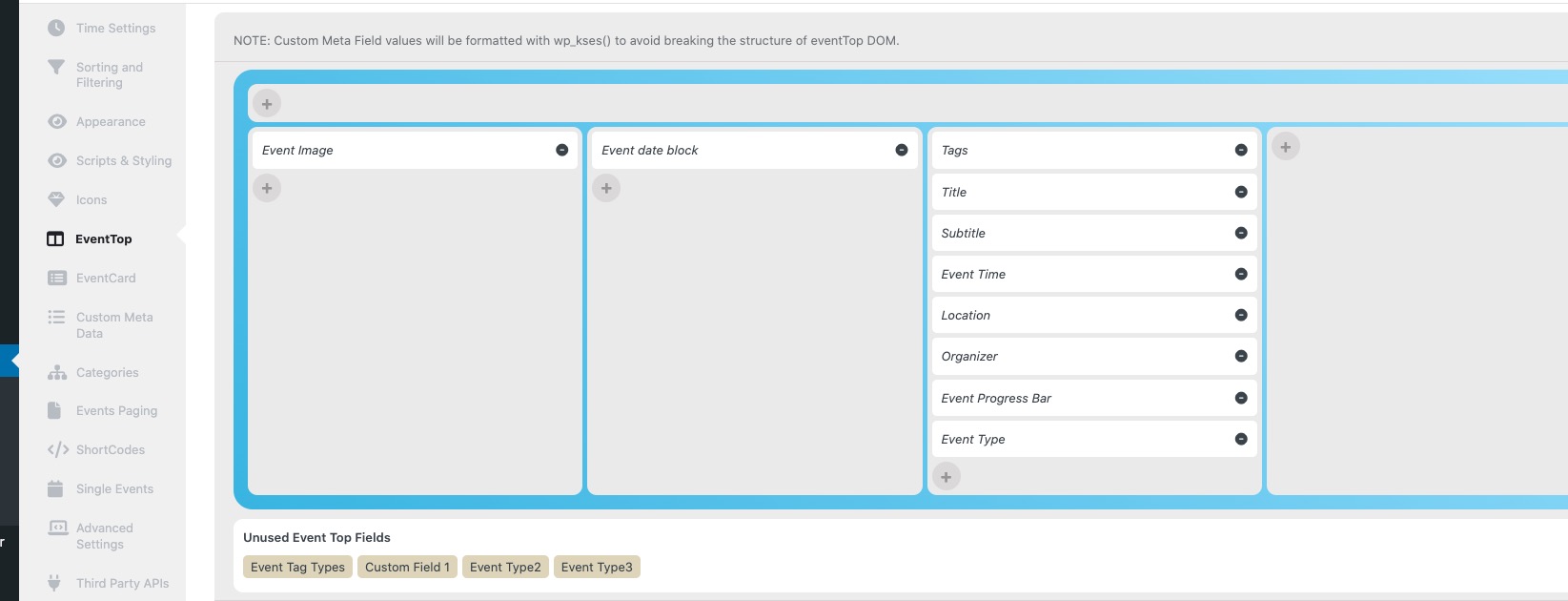
Image. Go to EventON > EventTop > add Event Image to the left column. The fields should be added like this:
Please check and let me know. Also you can send us wp-admin access to check your settings.
We are going to release 4.7.1 ASAP with this fix 🙂
Perfect! If you have any further questions or concerns please create a new ticket.
Ashan,
Another tiles as one column issue.
Hello,
We are aware of this and working on fixing this. Update will be available very soon.