Hello,
I cannot access EventON Settings:
https://vetstownhall.org/wp-admin/admin.php?page=eventon
Could you go to EventON > Event Paging > make sure that “Stop using eventON single event template for single event pages” is disabled?
Replies for tickets on suppota
Hello,
I cannot access EventON Settings:
https://vetstownhall.org/wp-admin/admin.php?page=eventon
Could you go to EventON > Event Paging > make sure that “Stop using eventON single event template for single event pages” is disabled?
Hello any update?
I’ll assign this to Ashan we are aware of this issue just a few days ago and are workingon a fix for it- just doing final tests at the moment
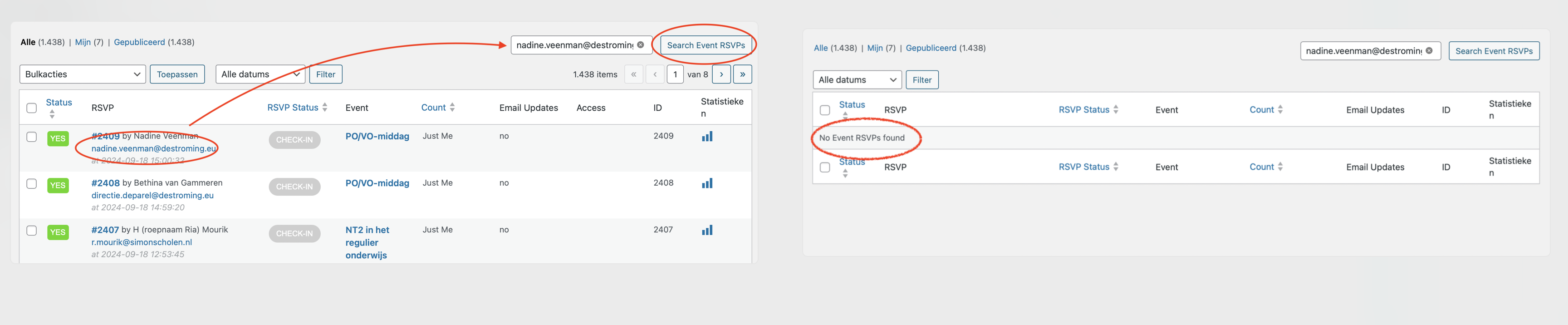
Hello Ashan,
I still don’t see results when I search for email addresses in the list of RSVP’s.
Please can you help?
Jeroen
Thank you.
Looking forward to receiving the update.
Ah I used the subtitle for the desc part & added the price as a custom field . That solves it !
I would also like to display the description and price , is there a way to get this data shown on the event card.
Are the custom fields shown in your attached image a addon ?
EventON changed the font family style correctly: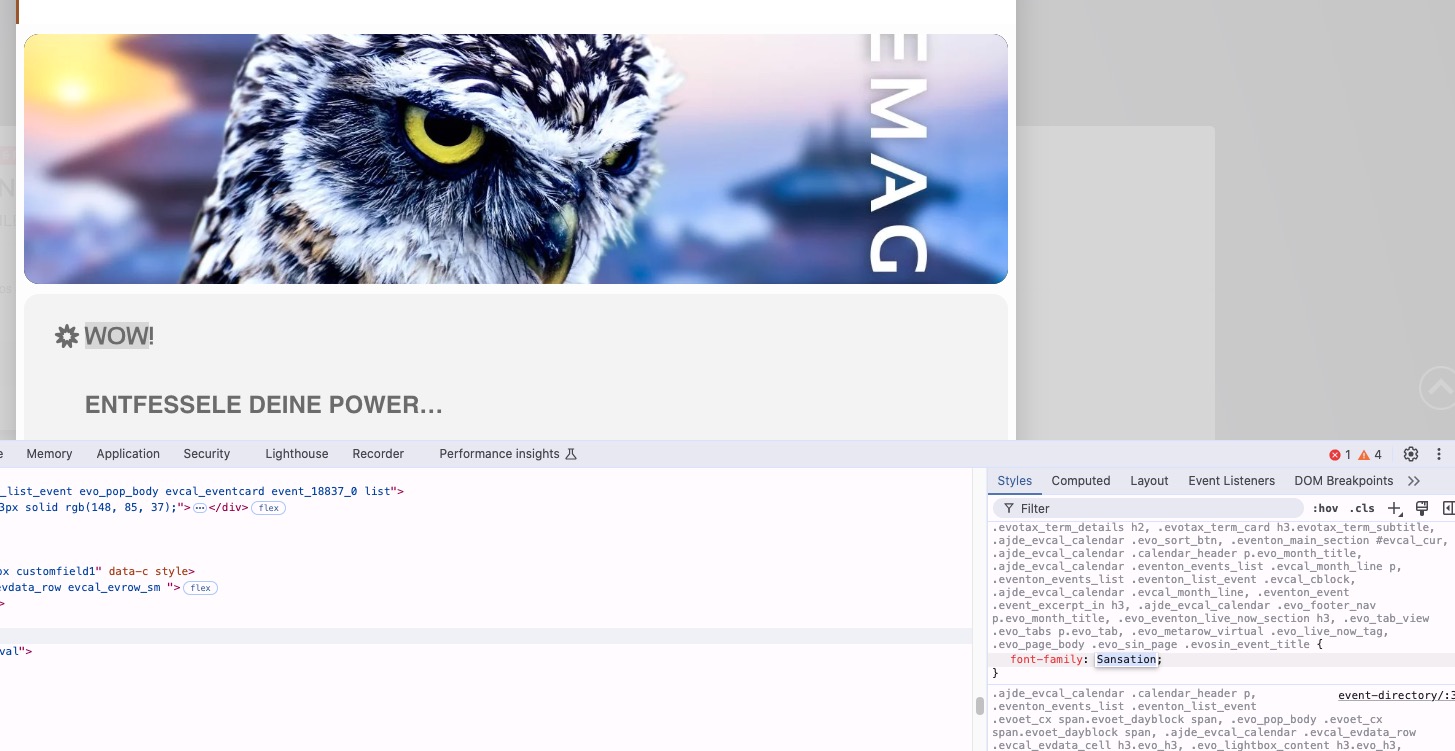
Please make sure that the font file is loaded correctly on the server. Try this or similar plugin to load your own fonts: https://wordpress.org/plugins/olympus-google-fonts/
It seems that we completely removed the globe icon:
https://dev2.myeventon.com/events/test-205/
It’s not available anymore.
We are glad your issue is resolved, if you have any further questions or concerns please create a new ticket.
If you have a moment, we would greatly appreciate if you could kindly leave us a review at Codecanyon. By going to your account > Downloads. We are very grateful for your kind review!
Hello,
https://www.myeventon.com/my-account/ is for add-ons only.
Please go to CodeCanyon.com > your account and download the latest version there.