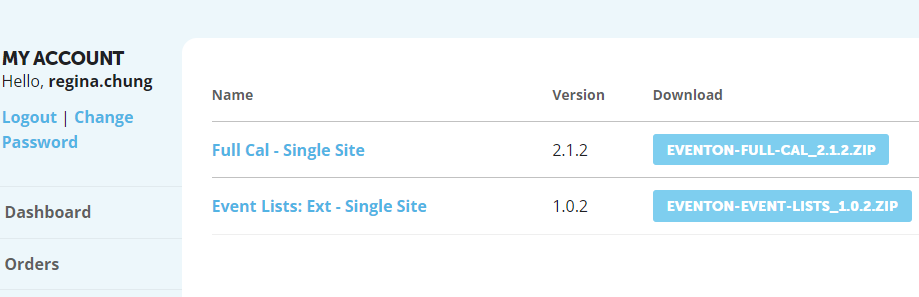
No. EventOn is not listed under my Downloads. See capture.
So, how do I upgrade to EventOn 4.6.8?
Replies for tickets on suppota
No. EventOn is not listed under my Downloads. See capture.
So, how do I upgrade to EventOn 4.6.8?
Thank you Chris for that kind words!! I love hearing the feedback from eventON users like you 🙂 makes it all worthy of all the hard work 🙂
We will develop the infinite repeat feature in the coming months maybe as an addon because not everyone need that. We shall see 🙂
Wish you smooth sailing with your site!!
The shortcode does not work
I already did. Copied and pasted.
Just wanted to update you we have released new version of Slider 2.1 on July 25th. Please try that out and if the issues still persist kindly send us a new ticket as this is 3 months old. Kind Regards!
Hello,
At first, please update EventON to 4.6.8.
To update eventon to latest version: If you are unable to do autoupdate, you can go to codecanyon your account > download and get the latest eventon version as zip file. Then you can go to your website > make sure “Delete eventon settings & data when EventON is uninstalled” is Deslected from eventon settings, delete old eventon, install new one and activate. This link will further explain the process it. Also you can follow us on twitter to get real-time announcements on updates!
Next, please follow the instructions in this documentation to activate debug in your site to see any PHP errors recorded that can provide insight on to whats going on. Please reply with a link to debug.log file. If you are not able to do this please send us FTP access to your site so we can do this for you.
Also update add-ons:
To update eventon addons: You can download latest eventon addons from myeventon > my account. Then you can go to your website, deactivate old addon and install new one and activate then delete the old addon. This link will further explain the process. Also you can follow us on twitter to get real-time announcements on updates!
Yes please update to latest version 4.6.8 where we have improved the sluggish load times in 4.6.7
Could you and can I try moving Shortcode from Section Interior the same as on your other website?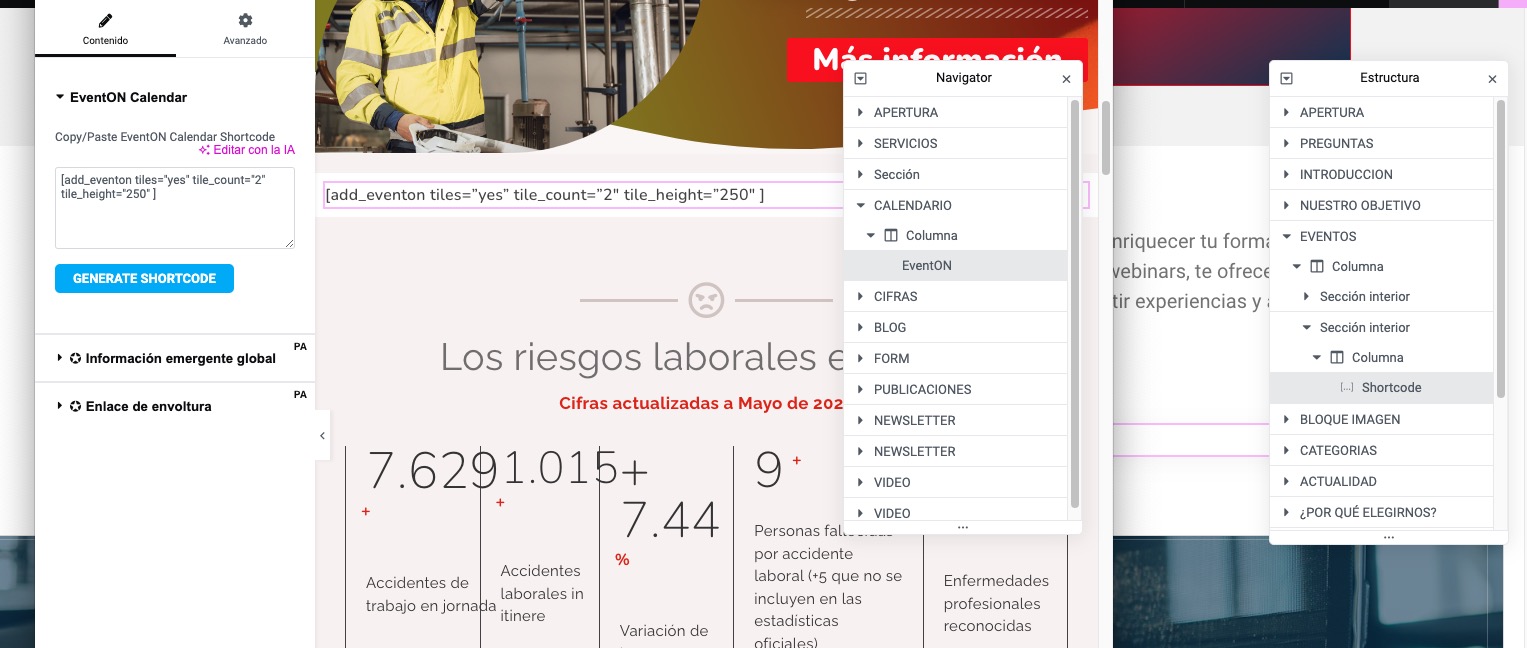
Please go to EventON > Advanced > enable Auto move events to trash when the event date is past. Now WordPress will delete all past events and then Google will update indexed events as well when they aren’t available.
We are glad your issue is resolved, if you have any further questions or concerns please create a new ticket.
If you have a moment, we would greatly appreciate if you could kindly leave us a review at Codecanyon. By going to your account > Downloads. We are very grateful for your kind review!