Hi sorry it has been a while other issue were priority.
https://guide2.co.uk/herefordshire/event-location/courtyard/
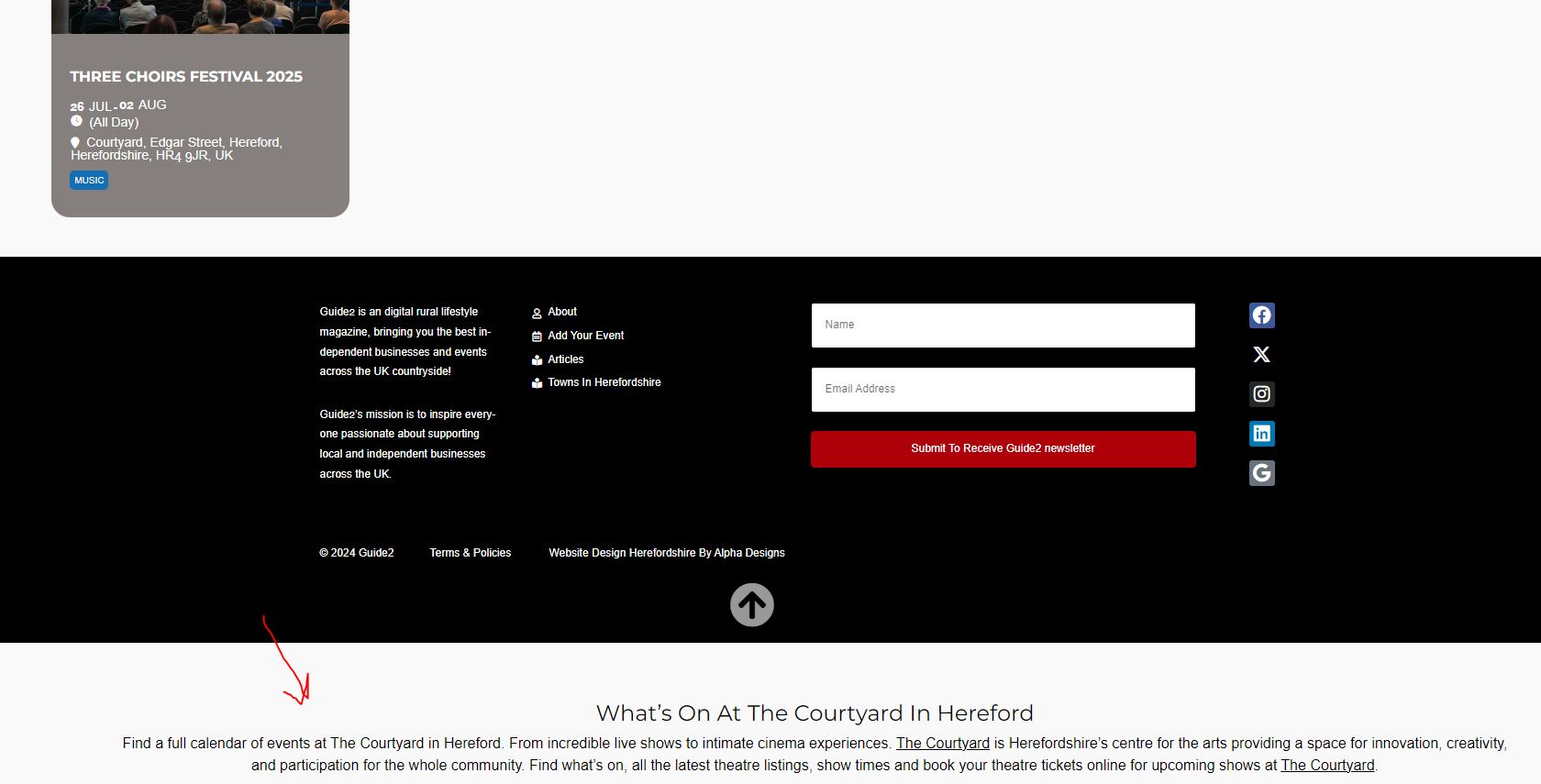
On location pages the description goes below my footer. Which template can be changed to put the text above the footer please
Replies for tickets on suppota
Hi sorry it has been a while other issue were priority.
https://guide2.co.uk/herefordshire/event-location/courtyard/
On location pages the description goes below my footer. Which template can be changed to put the text above the footer please
Just want to ask about the ticket refund please.
hi do i have to perform this task manually everyday. because it does not seem to be working, many thanks
https://kylevincentg12.sg-host.com/notre-horaire/
The first calendar on the page. I want to put different colors for each event to distinguish themselves.
Sorry yes, I can see that the import did work when not saving changes, but it doesn’t export the custom CSS which is why it didn’t seem to work.
So in summary, these issues have caused me to lose several hours and should be addressed in an update.
Thanks
I just tested your advice. It absolutely did not work.
Futhermore, you have written on your import/export dialogue “make sure to hit save after import”
So why the conflicting advice?
Your importer seems like it doesn’t work properly to me. This is really a problem, I have 5 sites to set up. How can I keep them consistent? Please fix your importer.
Please also note that after import, the event cards do not work until you go and explicitly save the event cards template. This cost me a number of hours to figure out. You need to fix this.
Thanks
I’m amazed that such a core UX feature is not available as a global setting / default.
you have not activated your full cal license- thats why its not showing the update available
To update eventon addons: You can download latest eventon addons from myeventon > my account. Then you can go to your website, deactivate old addon and install new one and activate then delete the old addon. This link will further explain the process. Also you can follow us on twitter to get real-time announcements on updates!
the latest version of full cal works with eventon 4.6.1+
your eventon version is 4.6.7 so please update and then we will see if the error continues
perhaps link to the loom instead of embed
Ok if that’s the case it seems like you need to fix something in your UI here. After running import, I shouldn’t have to make an undocumented refresh of the page. Just reload the page in your code after import.
I haven’t had a chance to test this on the next import yet, but I will report back if it works or not.
Thanks