Hi there – since the new update it now works. But now the date selector doesn’t work within the pop-up.
Archives: Replies
Replies for tickets on suppota
Reply to: tickets(360102)
Hello, production site seems to be working fine now. Perhaps Artems fix worked 🙂
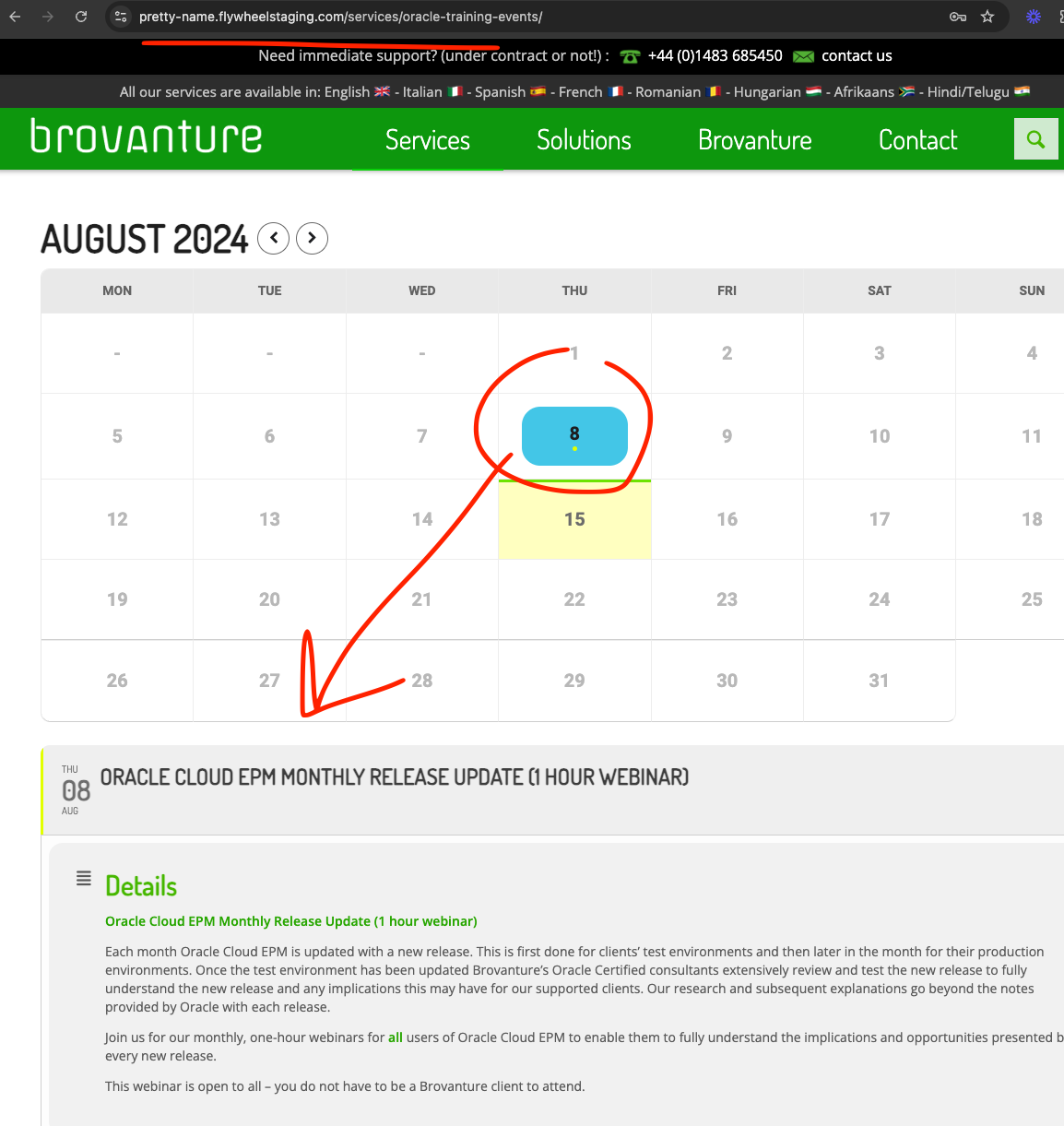
Reply to: tickets(361938)
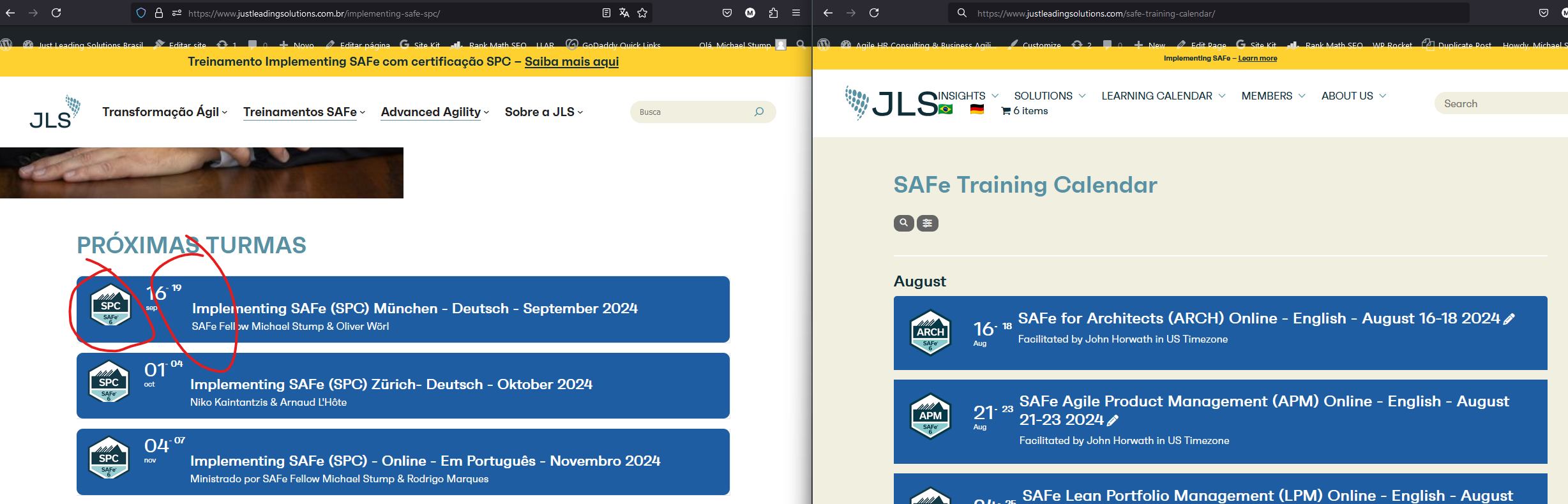
Reply to: tickets(361938)
The shortcodes are:
Oritinal:
[add_eventon_list tile_bg=”1″ event_type_2=”111″ tile_count=”2″ show_et_ft_img=’yes’ number_of_months=”24″ hide_empty_months=”yes” hide_so=”no” exp_so=”no”]
Subsidiary
<script src=”https://ajax.googleapis.com/ajax/libs/jquery/3.2.1/jquery.min.js”></script>
<script type=’text/javascript’ src=’https://www.justleadingsolutions.com/wp-content/plugins/eventon-api/eventon.js?ver=1.0.6′></script>
<script type=’text/javascript’>
jQuery(document).ready(function($){
$(‘#eventoncontent’).evoCalendar({
api: ‘https://www.justleadingsolutions.com/wp-json/eventon/calendar?event_type_2=111&lang=L3&etc_override=yes&number_of_months=6&show_et_ft_img=yes’,
calendar_url: ‘https://www.justleadingsolutions.com’,
new_window: true,
loading_text: ‘Loading Calendar…’,
});
});
</script>
<div id=’eventoncontent’ style=”height:100%; width:100%”></div>
Reply to: tickets(361935)
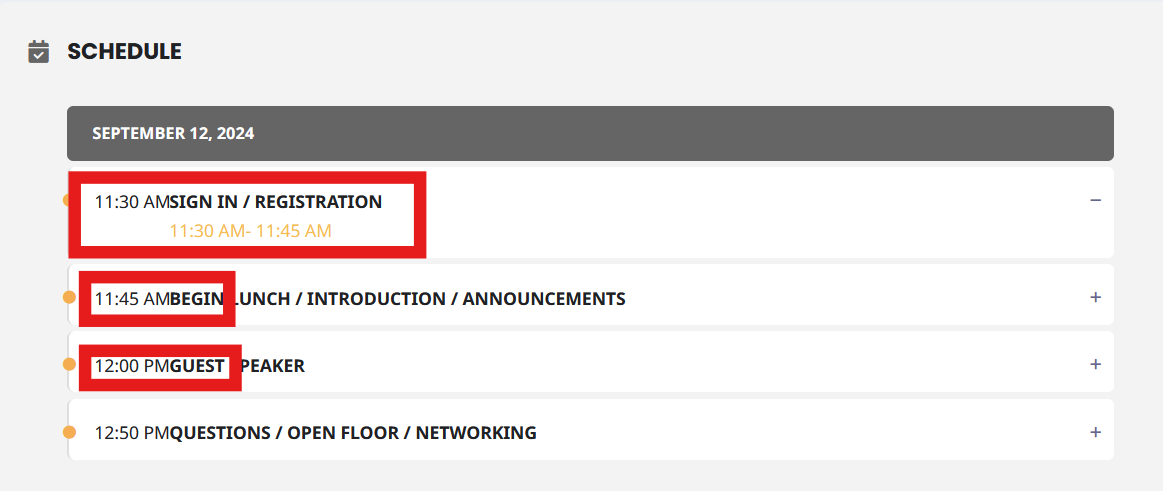
Screenshot attached showing example
Reply to: tickets(360023)
Just checking in as it has been a week. Any updates?
Reply to: tickets(361932)
This is the code i now use:
[add_eventon show_limit=”yes” ux_val=”3″ show_et_ft_img=”yes” etc_override=”yes” eventtop_style=”1″ tiles=”no”]
Reply to: tickets(361736)
Oh sorry,
You can try again now with same access. It will work.
I had to turn off the maintenance mode and put the two events I was using to test back to “draft” instead of “published” because I had to enable the visibility of the website.
If needed, you can test with these two events under events/draft and activate the maintenance mode again.
Thanks
Reply to: tickets(361698)
It tried to allocate 536M, so 512 isn’t enough. Could you try allowing 768M?
Reply to: tickets(361816)
We are glad your issue is resolved, if you have any further questions or concerns please create a new ticket.
If you have a moment, we would greatly appreciate if you could kindly leave us a review at Codecanyon. By going to your account > Downloads. We are very grateful for your kind review!