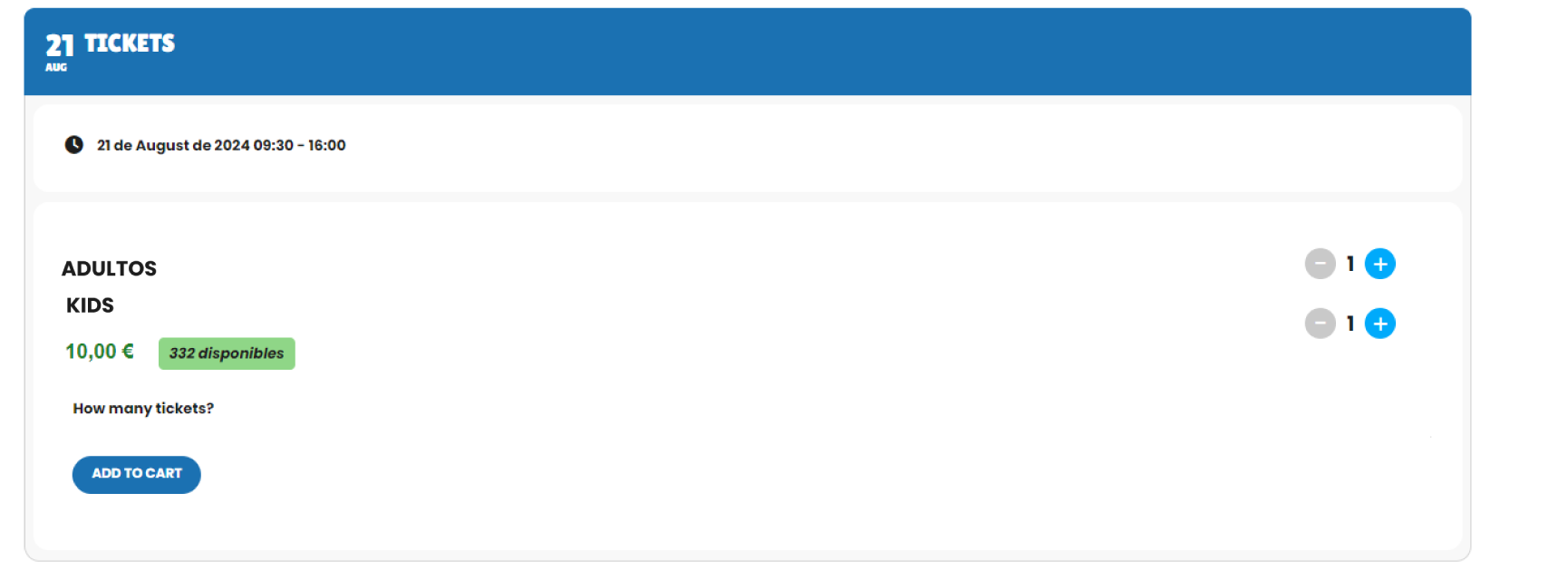
On the front-end it must be something like this:
[add_eventon_list ” tile_bg=”1″ event_type=”82,83″ event_type_2=”110,111,134,135, 149, 151, 153, 154, 155, 156″ tile_count=”3″ hide_mult_occur=”yes” number_of_months=”15″ hide_empty_months=”yes” jumper=”yes” exp_jumper=”yes” search=”yes” show_et_ft_img=’yes’ event_past_future=”future” wpml_l3=’pt-br’ ]
Hi Artem,
I’m working on this topic at the moment and reviewing the documentation https://docs.myeventon.com/documentations/wpml-eventon-front-end/. I’m struggeling with step 3 “Create the shortcode variables.”
How and where do I create those shortcode variables?
I will have 3:
wpml_l1=’en’
wpml_l2=’de’
wpml_l3=’pt-br’
Is there a Feature Request at this moment? We need this too!
On events with RSVP the customer see that there are X spots left, when there are no spots left it disapears so events with tickets looks like that there are no spots left.
Okay. I added the filter_clear to all the short codes (see below) but it didn’t create the ability to clear the filter. Just a note, this shortcode generator was for Evnts List ext
[add_eventon_el el_type=”dr” start_range=”2024/11/08″ end_range=”2024/11/08″ show_limit=”no” tiles=”yes” tile_style=”1″ eventtop_style=”2″ tile_count=”3″ tile_bg=”1″ hide_et_dn=”yes” event_type=”7,8,36,37,38,” etc_override=”yes” show_et_ft_img=”yes” filter_show_set_only=”yes” filter_clear=”yes”]
I stepped through the process of adding the font awesome CSS. I see it in the stylesheets but it doesn’t seem like it’s getting the important. See the screenshots I added when I inspect the element.
Thanks.
Bryan
About the repeat customizer addon: https://www.myeventon.com/addons/repeat-customizer/
Is it possible to add a Rich text element custom field to each recurring event instance?
I was able to do it. I am using this code:
add_filter(‘evo_event_permalink’, ‘custom_eventon_permalink’, 10, 2);
function custom_eventon_permalink($event_link, $event) {
error_log(‘Custom permalink filter aangeroepen voor event ID: ‘ . $event->event_id);
error_log(‘Originele event link: ‘ . $event_link);
if (preg_match(‘/var/ri-d+.l-Ld+/?/’, $event_link, $matches)) {
error_log(‘Matched var/ri- patroon in URL’);
$ri = $event->ri;
error_log(‘Recurrence instance (ri): ‘ . $ri);
$repeat_intervals = get_post_meta($event->event_id, ‘repeat_intervals’, true);
if ($repeat_intervals && isset($repeat_intervals[$ri][0])) {
$start_timestamp = $repeat_intervals[$ri][0];
error_log(‘Start timestamp: ‘ . $start_timestamp);
$event_date = date_i18n(‘j-F-Y’, $start_timestamp); // Formatteer als d-maand-jjjj
error_log(‘Geformatteerde event datum: ‘ . $event_date);
$event_link = str_replace($matches[0], $event_date . ‘/’, $event_link);
error_log(‘Aangepaste event link: ‘ . $event_link);
} else {
error_log(‘Geen geldige repeat intervals gevonden voor event ID: ‘ . $event->event_id);
}
} else {
error_log(‘Geen var/ri- patroon gevonden in URL’);
}
return $event_link;
}
// Aangepaste rewrite rule
add_action(‘init’, ‘custom_eventon_rewrite_rule’);
function custom_eventon_rewrite_rule() {
add_rewrite_rule(
‘^activiteit/([^/]+)/(d{1,2}-[a-zA-Z]+-d{4})/?$’,
‘index.php?post_type=ajde_events&name=$matches[1]&event_date=$matches[2]’,
‘top’
);
}
Hello,
I will try again with another browser and keep you informed. Thanks
Don’t worry about it, we worked out a way to get another view formatted to what we need.
Just tested the download option its appears to be working as normal
see video
perhaps try a different browser or see if you have download blocking on