Excellent!
Archives: Replies
Replies for tickets on suppota
Reply to: tickets(361464)
The time of the day appear only for lightbox version of the filter. As you can see in our addon marketing page. https://www.myeventon.com/addons/filters-plus/
You can use a shortcode like this. [add_eventon fast_filter=”no” filter_style=”lb” filter_side_few=”no”]
and that will include time of the data filter.
Reply to: tickets(361134)
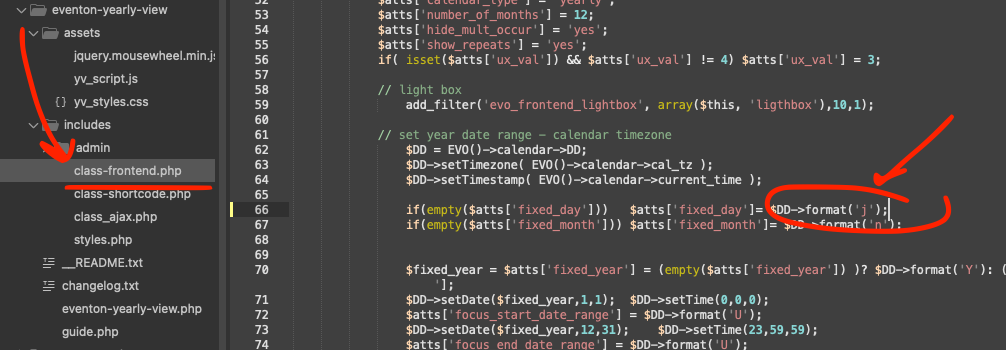
Here is the simple code change to fix this. We will include this in the next version update.
Reply to: tickets(361479)
Hi Zak,
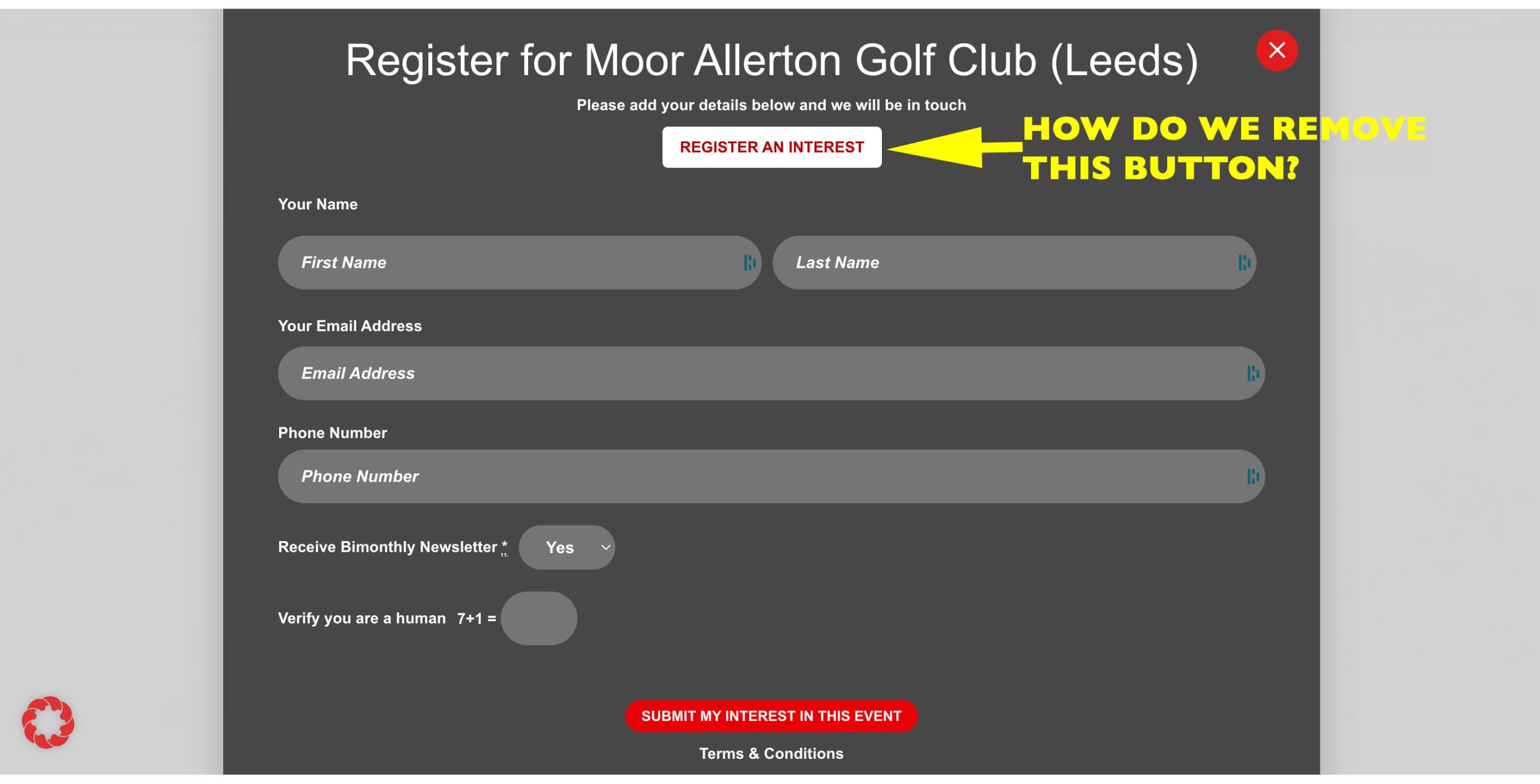
Please add the following custom CSS code to Appearance > Customize > Additional CSS.
.evo_lightbox_body #evorsvp_form .rsvp_status span.set {
display: none;
}
Reply to: tickets(361485)
Hello,
Could you please try some of the options in the tutorial below to help improve your site’s loading speed?
https://docs.myeventon.com/documentations/why-my-site-and-eventon-page-loading-slow/
Please also try EventON > Advanced > try a different Select event calendar WP Query method.
Reply to: tickets(360915)
Hello,
We are glad your issue is resolved, if you have any further questions or concerns please feel free to create a new ticket.
Reply to: tickets(361485)
The Short code is: [add_eventon_el event_count=”15″ event_count_list=”yes” eventtop_style=’0′ sep_month=”yes” add_eventon_now show_et_ft_img=”yes” etc_override=”yes” exp_so=”no” hide_so=”no” hide_past=”yes” ux_val=”3″ event_type=”18517, 18522, 18481, 18484, 18483, 18478, 18476, 18482, 18485, 18477, 18486, 18487″ exp_so=”no” el_type=”dr” ]
Thank You
Reply to: tickets(360915)
- No. The issue seems to have corrected itself? Very odd.
- Done. Thank you.
Reply to: tickets(361479)
Reply to: tickets(361355)
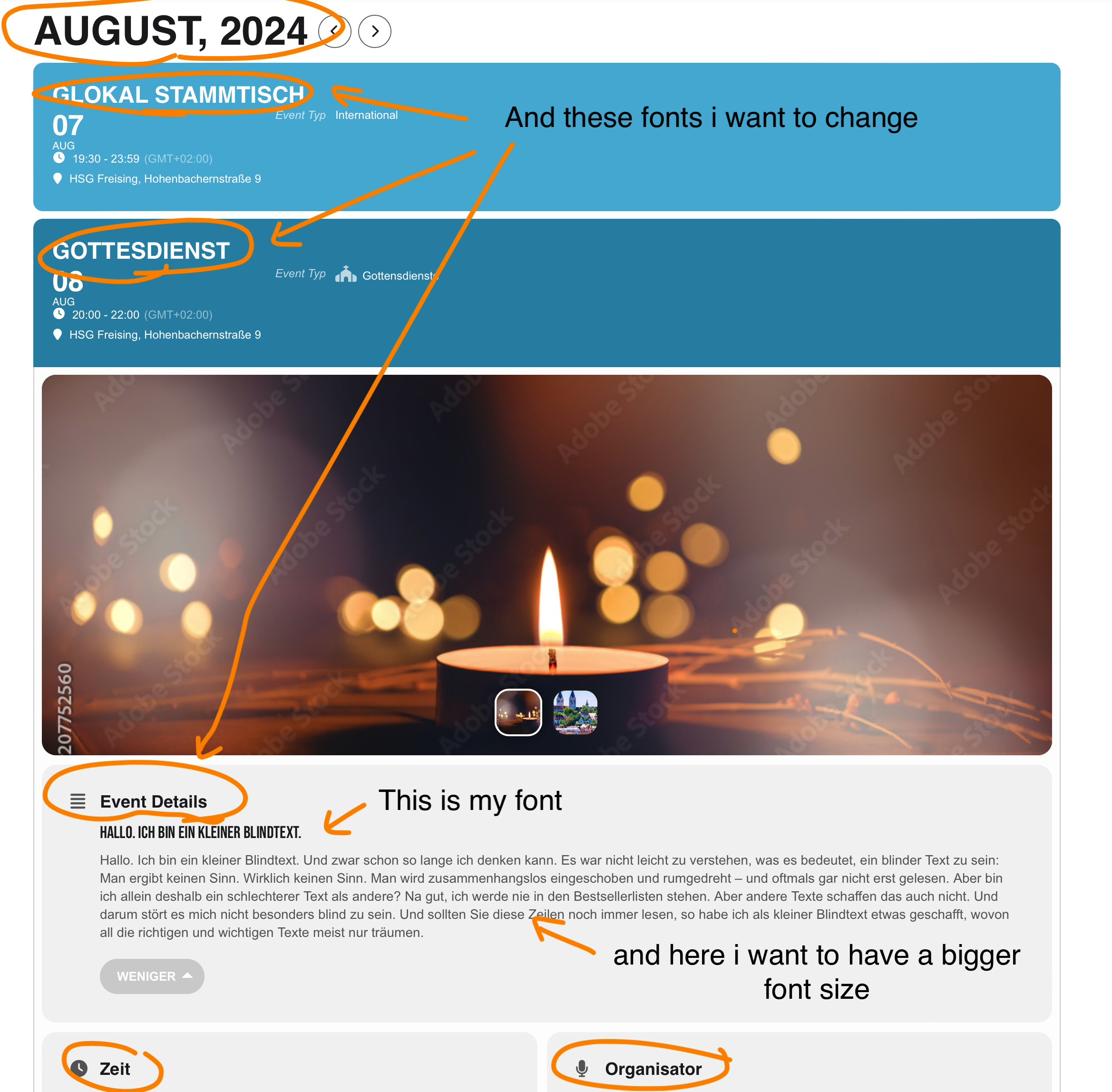
I have tried to set my own fonts, but unfortunately this does not work for the headings
and can I also change the font size of the event text somewhere?