username and or password didn’t work for us
within wordpress (in english) its settings>>>>>general
and theres fields that allow you to put in the way you want your day/month/year and also time fields
Replies for tickets on suppota
username and or password didn’t work for us
within wordpress (in english) its settings>>>>>general
and theres fields that allow you to put in the way you want your day/month/year and also time fields
I have your single events page working now https://360xplore.cat/events-directory/singles/
as your site is in a different language can you tell us what redsys gateaway is? is that part of woocomerce? as I don’t see woocomerce installed.
is this a 3rd party gateway that you wish to embed into the event? and if so where would I get the embed code for such embed?
Once I know that info I should be able to create a walkthrough video on your site on how to set up a calendar and your events
that suggests the calendar timezone is different from the event timezone could we look at the wp-admin to see your settings?
So I added a block, and maybe I am doing something wrong.. because while I got the calendar to work, there is no cross out of the price on the front end nor showing the sale price, which was the whole point. So maybe I have done something wrong.
I am doing this for the event on August 8 (tomorrow).
I still couldn’t get it to work… but then I tried something else.. I tried a different browser. I was using Firefox browser. I tried Google Chrome browser, and now it works.
So, while you might of been semi correct, on it possibly being a javascript or something similar, it has nothing to do with the website itself but the web browser.
It still just seems very odd to me though, I can choose the event date itself on the first page (before going to dynamic pricing options) and the calendar comes up on there, so why it doesn’t on the other page is very odd to me.
Either way, unless there is some setting on my browser I need to check, I still feel like maybe this might be something for you guys to still look in to be compatible with Firefox browser.
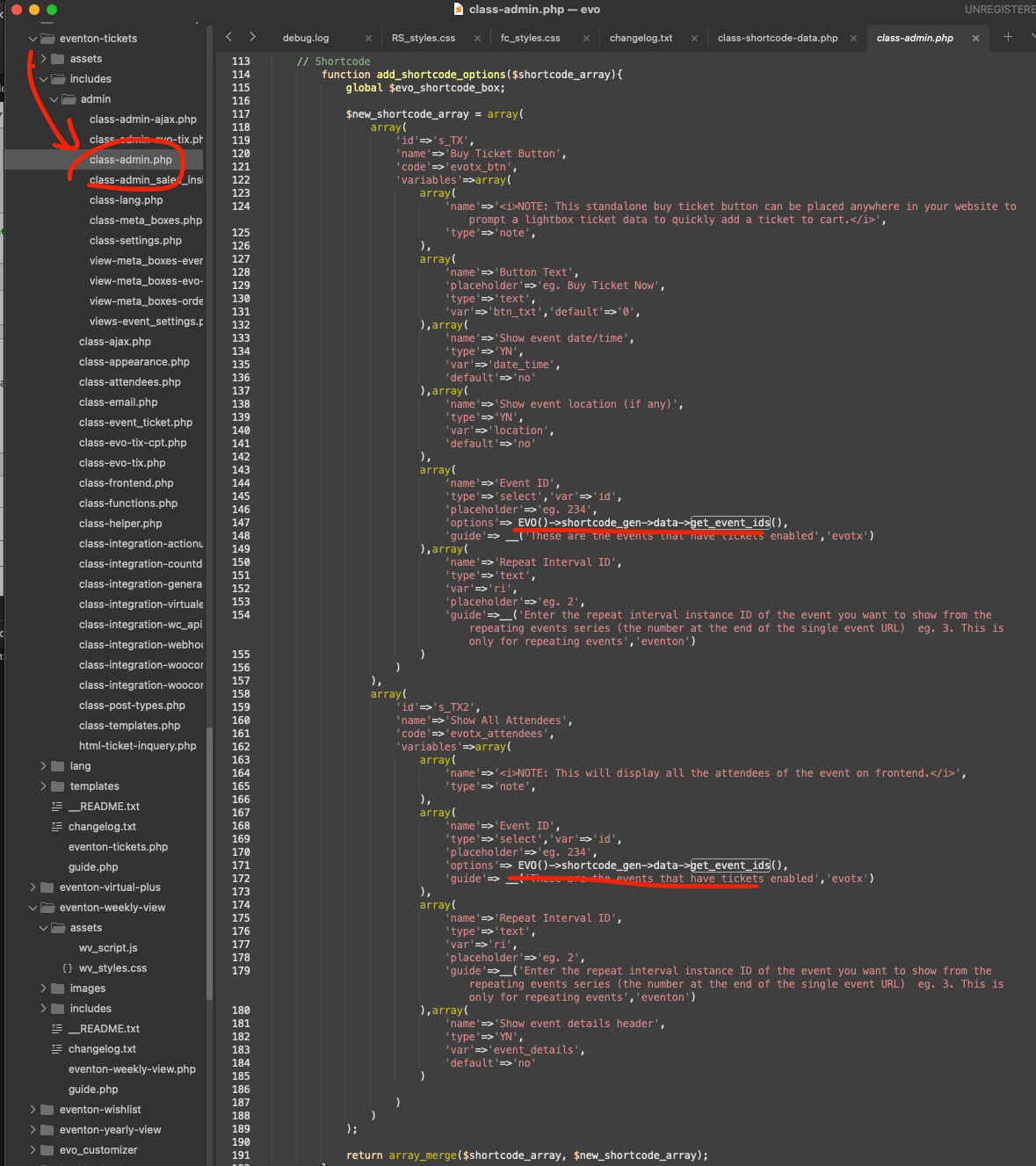
Lets try this code change.
code: EVO()->shortcode_gen->data->get_event_ids(),
this should stop the wp_query from running for shortcodes. We are going to improve on this for the next update to tickets and eventON.
Let me see if Artem will be able to help.
Ned just released the new version 1.4.3 for booking addon that will resolve the month switching issues.
https://docs.myeventon.com/documentations/changelog-bookings/
Glad to hear @Ned!! Do let us know if you have any questions!!
We will also see about adding this change event for a ticket in the future 🙂
Great Kim!! As Kenneth mentioned, if you have any more questions let us know 🙂
If you have a moment, we would greatly appreciate if you could kindly leave us a review at Codecanyon. By going to your account > Downloads. We are very grateful for your kind review!