Ashan,
The same on dev2:
https://helpdeskx.s3.amazonaws.com/wp-content/uploads/2024/08/01073619/Skarmavbild-2024-08-01-kl.-16.33.37.png
https://dev2.myeventon.com/events/booking-2/
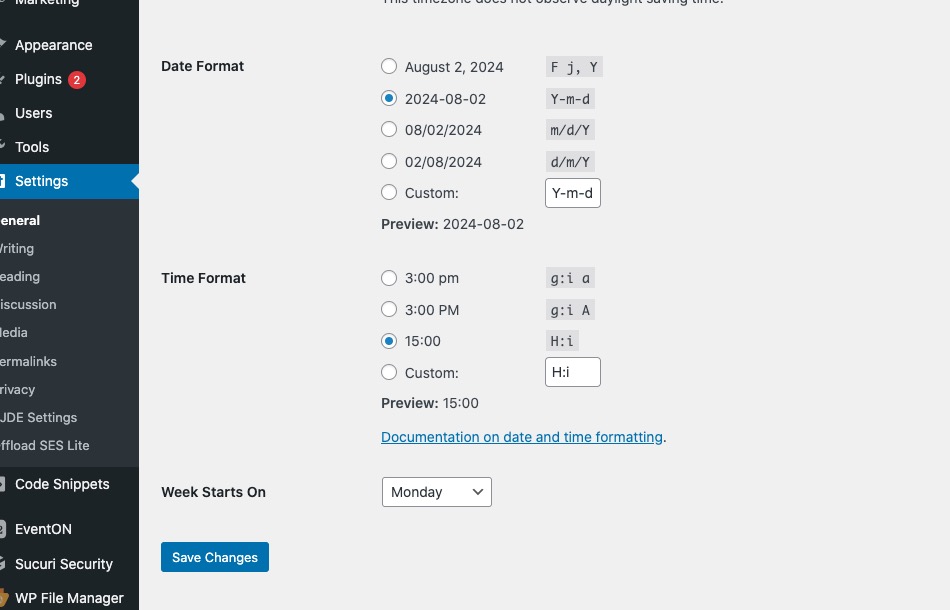
You need to select these:
Replies for tickets on suppota
Ashan,
The same on dev2:
https://helpdeskx.s3.amazonaws.com/wp-content/uploads/2024/08/01073619/Skarmavbild-2024-08-01-kl.-16.33.37.png
https://dev2.myeventon.com/events/booking-2/
You need to select these:
After your confirmation I switched the theme to the default one and got this error:
[02-Aug-2024 20:35:43 UTC] PHP Fatal error: Uncaught Error: Undefined constant “PENCI_PENNEWS_VERSION” in /www/webvol21/h5/mu2630g3j8qb3ny/espressomedia.se/public_html/wp-content/plugins/penci-framework/gutenberg/gutenberg.php:96
Stack trace:
#0 /www/webvol21/h5/mu2630g3j8qb3ny/espressomedia.se/public_html/wp-includes/class-wp-hook.php(324): Penci_Gutenberg->register_block(”)
#1 /www/webvol21/h5/mu2630g3j8qb3ny/espressomedia.se/public_html/wp-includes/class-wp-hook.php(348): WP_Hook->apply_filters(NULL, Array)
#2 /www/webvol21/h5/mu2630g3j8qb3ny/espressomedia.se/public_html/wp-includes/plugin.php(517): WP_Hook->do_action(Array)
#3 /www/webvol21/h5/mu2630g3j8qb3ny/espressomedia.se/public_html/wp-settings.php(700): do_action(‘init’)
#4 /www/webvol21/h5/mu2630g3j8qb3ny/espressomedia.se/public_html/wp-config.php(90): require_once(‘/www/webvol21/h…’)
#5 /www/webvol21/h5/mu2630g3j8qb3ny/espressomedia.se/public_html/wp-load.php(50): require_once(‘/www/webvol21/h…’)
#6 /www/webvol21/h5/mu2630g3j8qb3ny/espressomedia.se/public_html/wp-admin/admin.php(34): require_once(‘/www/webvol21/h…’)
#7 /www/webvol21/h5/mu2630g3j8qb3ny/espressomedia.se/public_html/wp-admin/index.php(10): require_once(‘/www/webvol21/h…’)
#8 {main}
thrown in /www/webvol21/h5/mu2630g3j8qb3ny/espressomedia.se/public_html/wp-content/plugins/penci-framework/gutenberg/gutenberg.php on line 96
It seems there an issue with penci-framework plugin. But I fixed the issue. Now working on the main issue.
I am going to assign this ticket to Ashan and he will be able to take it from here and find you a solution. Please allow some time for him to get back to you, we greatly appreciate your patience and thank you for being a eventon customer! Also please disable any IP blocking on your site if there are any.
We are glad your issue is resolved, if you have any further questions or concerns please create a new ticket. If you have a moment, we would greatly appreciate if you could kindly leave us a review at Codecanyon. By going to your account > Downloads. We are very grateful for your kind review!
Still cannot check the issue on your website. It keeps loading for me.
Do you see the same issue on:
https://dev2.myeventon.com/test-629/
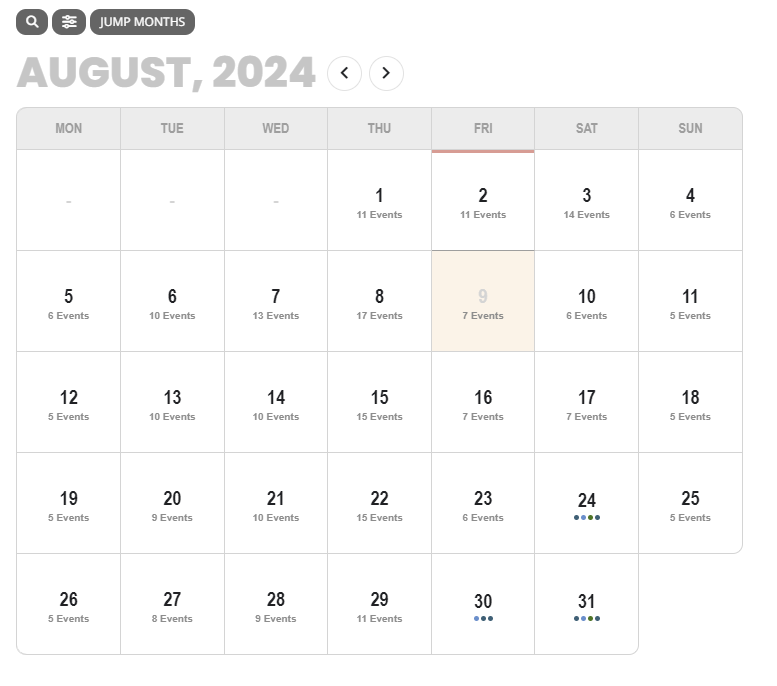
the issue is that the calendar used to be colored as a heat map. darker on days when more events were present, and lighter with less events.
The JS exception above looks to be talking about that heat map.
I can see the skip in month. We can fix this. In your case the August 8 is not selected — because your event goes for entire month. The booking data is for entire month. And the clicked on date from fullCal is not transferred into booking data.
That will have to be some custom code to pass on that date value and adjust the booking current focus date onLoad of the event with booking.
Will get the fix for month skipping. Please allow us some time.
Click on works now. I will release the code changes I made on your website in the next version update to yearlyview calendar.
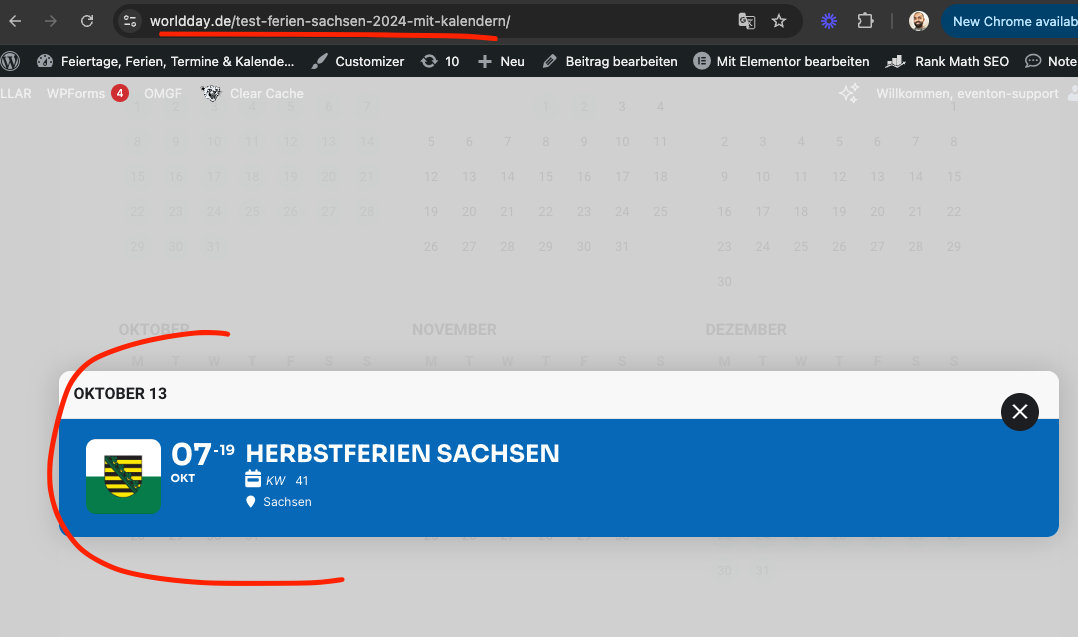
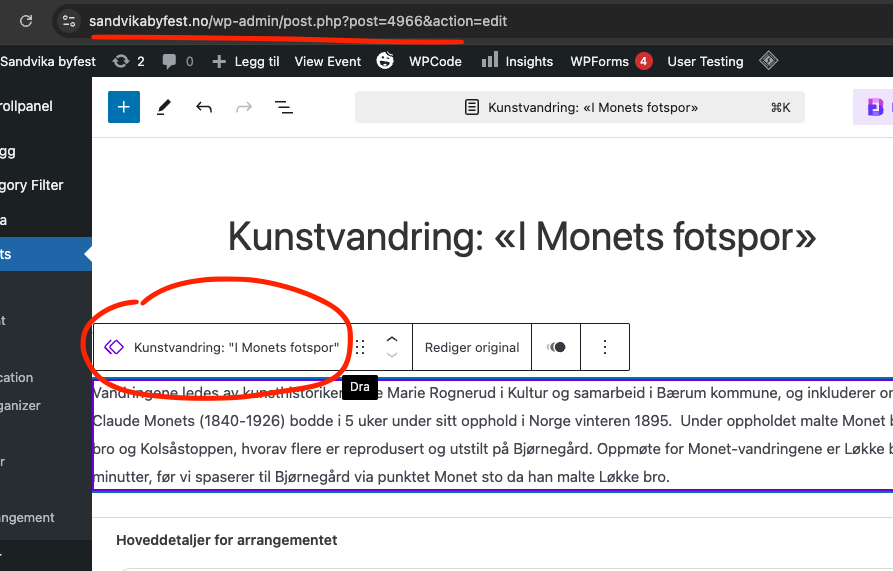
I think you have all the event details like this. Can you please change those to WordPress blocks?
that works.
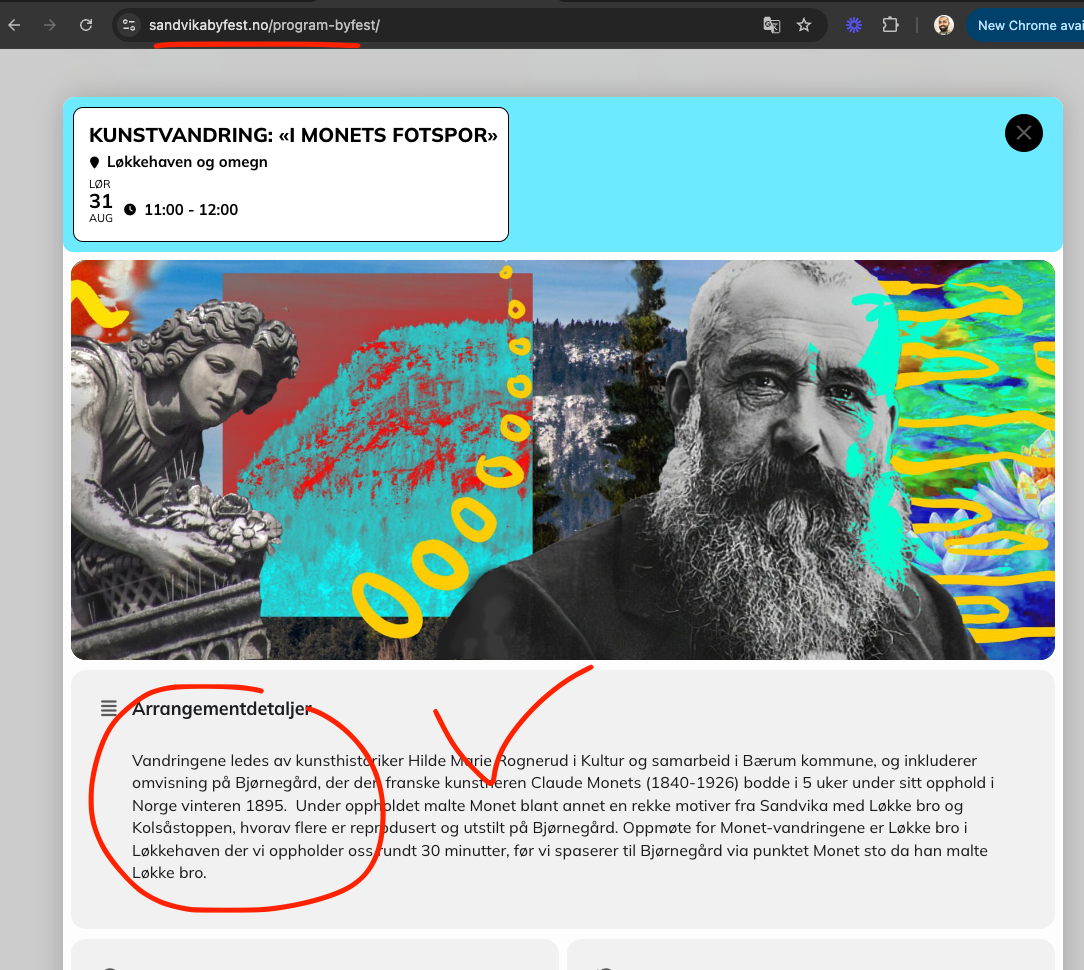
Ok this is happening because of this block type you are using to type the event details. If you just use normal WordPress paragraph block to write the details for event. it works fine.
https://www.sandvikabyfest.no/wp-admin/post.php?post=4966&action=edit
Hello Artem,
awesome! Thank you so much.
Best
Carmen