Ashan,
https://helpdeskx.s3.amazonaws.com/wp-content/uploads/2024/07/28103627/28_07_2024_1.jpg
Not sure why, but even in Troubleshooting Mode it doesn’t show any icons:
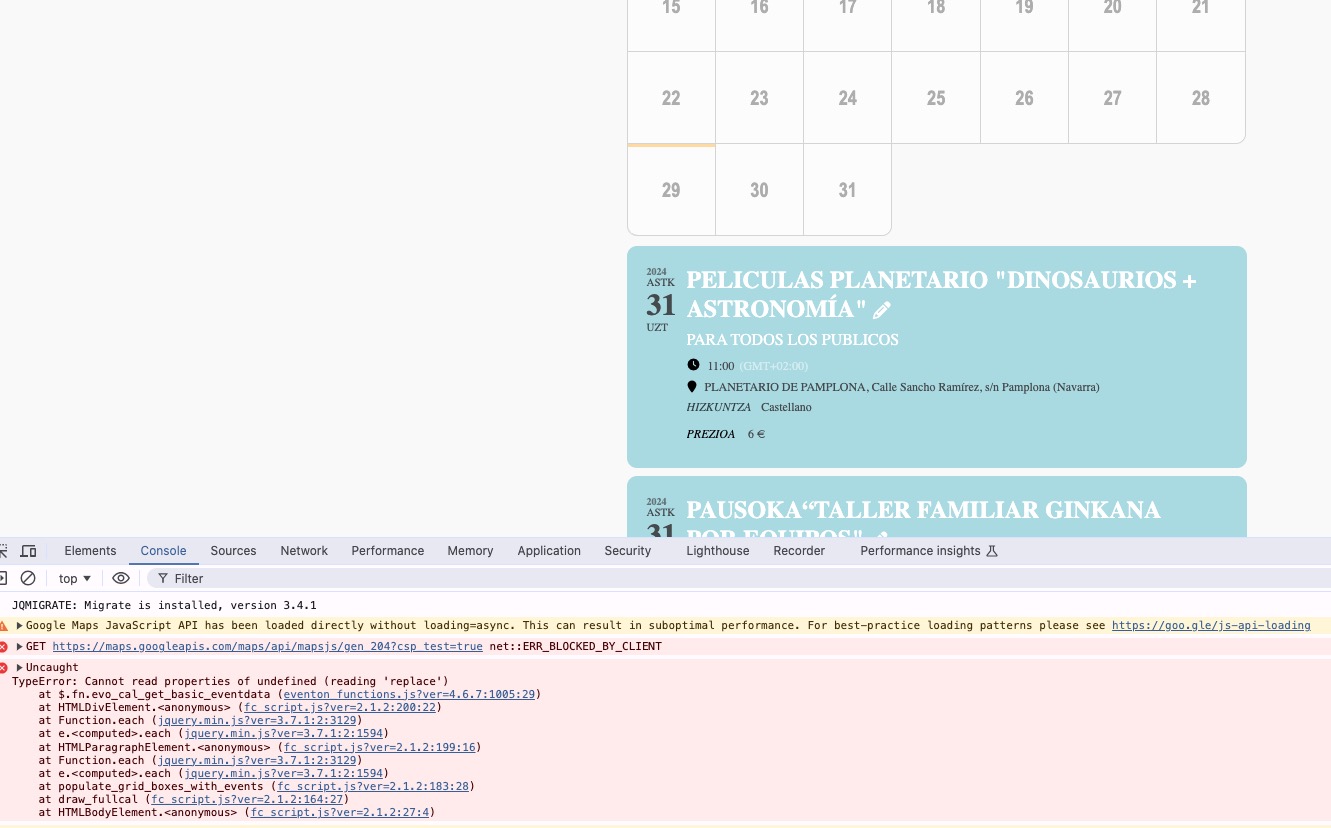
Please take a look at the js error on the screenshot.
Replies for tickets on suppota
Ashan,
https://helpdeskx.s3.amazonaws.com/wp-content/uploads/2024/07/28103627/28_07_2024_1.jpg
Not sure why, but even in Troubleshooting Mode it doesn’t show any icons:
Please take a look at the js error on the screenshot.
Thx. for your help. Ticket can be closed.
Hello,
Thank you for your messages, I am going to assign this ticket to Ashan and he will be able to take it from here and find you a solution. Please allow some time for him to get back to you, we greatly appreciate your patience and thank you for being a eventon customer! Also please disable any IP blocking on your site if there are any.
And if I change to the month of August, the calendar is not seen directly.
Please add this CSS code to EventON > Styles (If you don’t see any change, EventON > Scripts & Styling > turn off Write dynamic styles to header > save settings > turn on Write dynamic styles to header):
.evofc_months_strip { margin-left: 0 !important; }
Thx. for your help. Ticket is closed.
Hello,
Please go to EventON > EventTop > select Select Default Calendar EventTop Style: Clear with left border colors and gaps. This way all your calendars should have the same style.
Hello,
You need to click on this icon:
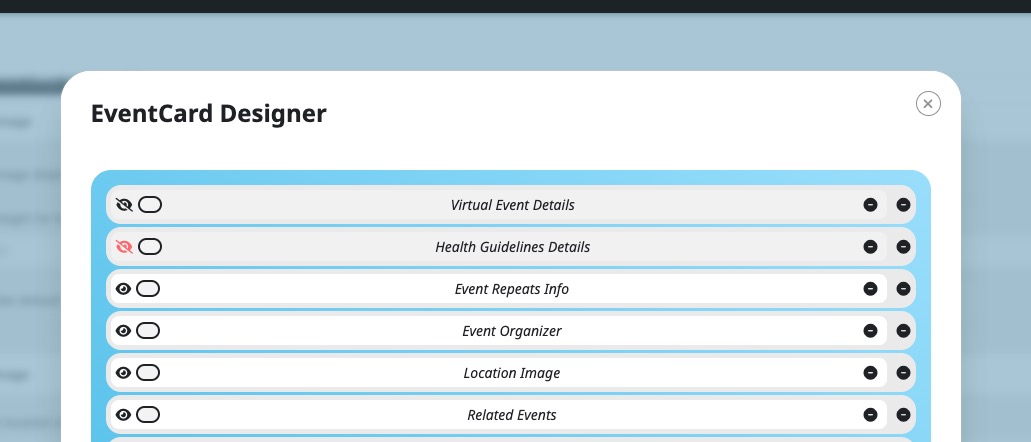
Please check and let me know.
I went to EventON > Scripts > disabled Disable Moment script.
WeeklyView is working now. As for “Cosa si festeggia oggi in Italia” calendar, please try removing event_type, because it seems there are no events to show from the category.
Hello Artem,
I’ve downgrade to an older version. I had too many events to create.
I’ll wait for a new update and hope that the problem will be resolved. I’ll keep this ticket open, in case the issue will continue with the next update.
thank you,
You can add as much fields as you want by following this guide:
https://docs.myeventon.com/documentations/add-additional-fields-rsvp-form/
Hi
The issue is the additional field is not showing in the translation manager. There is no way to input the English text. The shortcode is fine. All other text shows the English translation. It’s simply that the field is not visible in the translations editor.
I’ve attached a screenshot of the translation editor. The field for “Kr. 28.500,00 + moms inkl. ophold og forplejning.” is not registered for translation it seems.
Does this make sense?