Hello,
Could you please update EventON as well as Yearly View add-on?
To update eventon to latest version: If you are unable to do autoupdate, you can go to codecanyon your account > download and get the latest eventon version as zip file. Then you can go to your website > make sure “Delete eventon settings & data when EventON is uninstalled” is Deslected from eventon settings, delete old eventon, install new one and activate. This link will further explain the process it. Also you can follow us on twitter to get real-time announcements on updates!
To update eventon addons: You can download latest eventon addons from myeventon > my account. Then you can go to your website, deactivate old addon and install new one and activate then delete the old addon. This link will further explain the process. Also you can follow us on twitter to get real-time announcements on updates!
We had to change the WordPress Login PW: f&iIL4yj$ls1mLxX(A#5^QrG
Hi there!
Thanks for the tip – we have tried using the CSV without any commas inside the content, but sadly that did not change anything. (We have added the CSVs to the media)
Here are the credentials:
Server htacces
User: worldday-ext
PW: VODugFxwYWdHW6XELWgAeG9jJ
WordPress
User: eventon-support
PW: Ya(bv(5Kws&gR3y)Gl9be922
I was able to get in today
you are using an old version of eventon try to update to 4.6.6
SEE VIDEO BELOW
I suspect the memory limit is whats keeping the generator from loading- just doesn’t have enough processing power to do so
being that it worked once but not the second time its like a computer trying to load too many programs and having not enough memory to load it.
see this article: https://docs.myeventon.com/documentations/increasing-wordpress-memory-limit/
if in doubt ask your hosting provider what your maximum is and set it to that (I asked mine and they said 2000 so I set it to 2000 and well thats me, but yeah if in doubt ask them)
fixed!
just needed to re-save the myeventon>>>settings>>>event card page
We are glad your issue is resolved, if you have any further questions or concerns please create a new ticket.
If you have a moment, we would greatly appreciate if you could kindly leave us a review at Codecanyon. By going to your account > Downloads. We are very grateful for your kind review!
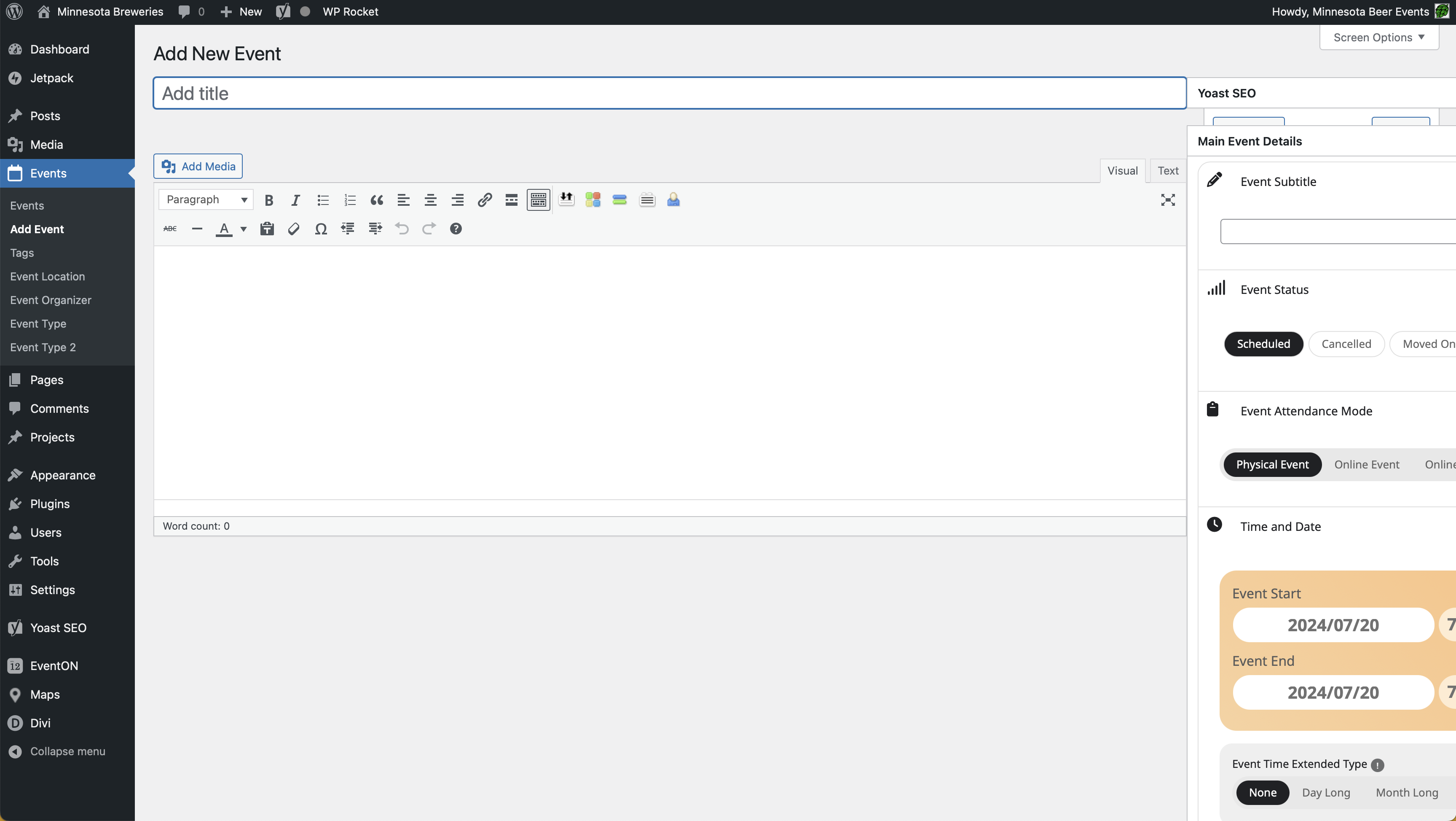
I increased PHP memory to 512MB and it’s working now. But the event area is appearing off-screen to the right, as you can see in the screenshot.
An error of type E_ERROR was caused in line 35 of the file /home/beerbrew/public_html/MinnesotaBreweries.com/wp-content/plugins/eventON/eventon.php. Error message: Uncaught Error: Class “EventON” not found in /home/beerbrew/public_html/MinnesotaBreweries.com/wp-content/plugins/eventON/eventon.php:35
Stack trace:
#0 /home/beerbrew/public_html/MinnesotaBreweries.com/wp-content/plugins/eventON/eventon.php(39): EVO()
#1 /home/beerbrew/public_html/MinnesotaBreweries.com/wp-settings.php(517): include_once(‘/home/beerbrew/…’)
#2 /home/beerbrew/public_html/MinnesotaBreweries.com/wp-config.php(104): require_once(‘/home/beerbrew/…’)
#3 /home/beerbrew/public_html/MinnesotaBreweries.com/wp-load.php(50): require_once(‘/home/beerbrew/…’)
#4 /home/beerbrew/public_html/MinnesotaBreweries.com/wp-login.php(12): require(‘/home/beerbrew/…’)
#5 {main}
thrown
ok, let me look into that.