Great – thank you.
Archives: Replies
Replies for tickets on suppota
Reply to: tickets(359347)
Hello,
eventcard-Metadatafield-block
Meta-datatextfield #3
Could you send us a screenshot of these two?
I am not sure what do you mean by “…button is BEHIND the background color…”.
Reply to: tickets(359334)
Hello,
Thank you for your messages, I am going to assign this ticket to Ashan and he will be able to take it from here and find you a solution. Please allow some time for him to get back to you, we greatly appreciate your patience and thank you for being a eventon customer!
Reply to: tickets(359268)
You have events in August, but they aren’t featured. This parameter only_ft=”yes” shows featured events only.
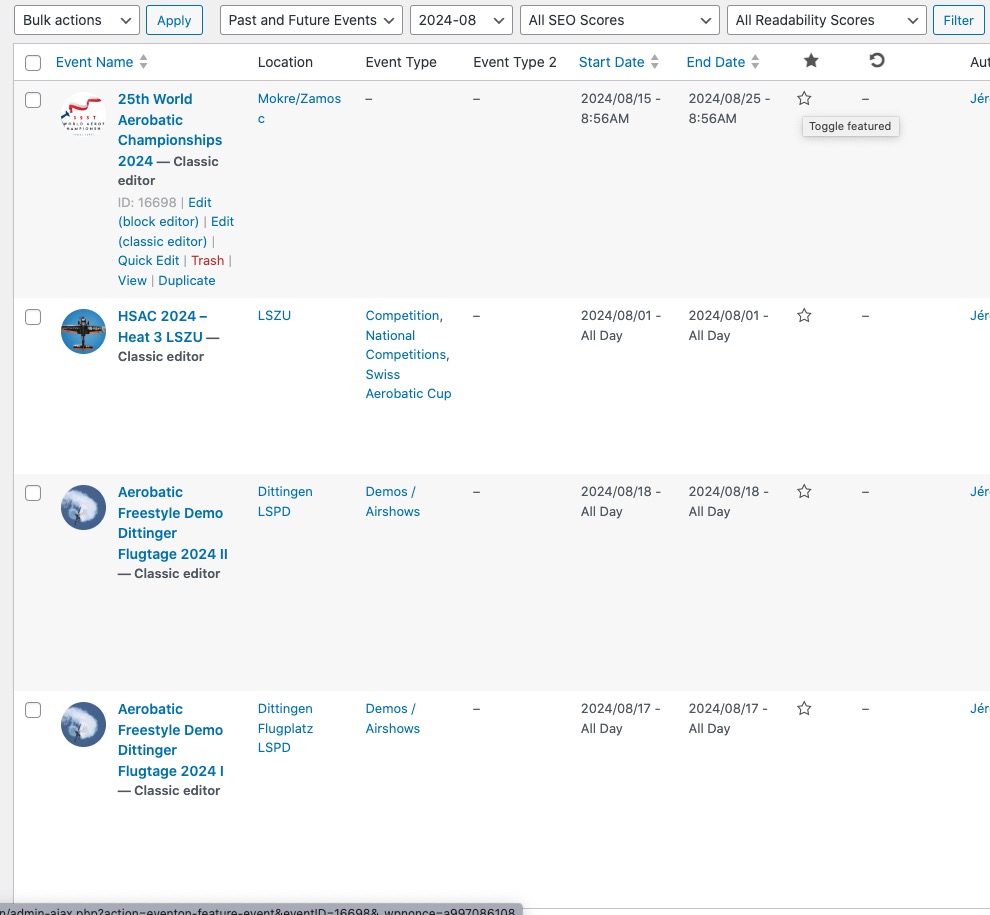
Take a look at the star column.
Reply to: tickets(359337)
Hello,
Not possible with CSV Import, I am afraid. Please take a look at
https://wordpress.org/plugins/wp-all-import/
Reply to: tickets(359338)
Hello,
Please update Tickets to the latest version.
And finally WordPress throws an error when scanning the code on ticket.
Please follow the instructions in this documentation to activate debug in your site to see any PHP errors recorded that can provide insight on to whats going on. Please reply with a link to debug.log file. If you are not able to do this please send us FTP access to your site so we can do this for you.
Reply to: tickets(359347)
So, it is not the background or the color of the button that bothers me, but the fact that the button is BEHIND the background color of the eventcard-Metadatafield-block.
So, how can I change the background color of the Meta-datatextfield #3 to no background color at all? Or transparent with no color.
Reply to: tickets(359315)
we would need admin access in order to diagnose- we need to be able to see eventon settings, any caches and edit the page
Reply to: tickets(359218)
thank you for the review
Reply to: tickets(359343)
these 2 options in this video will help you for future events and your existing uploaded drafts
if you don’t add it it will default to draft on upload