Thank you for your reply. Here are some precisions on Issue 1 because we did multiple test and here is what we observe.
Steps
1- We create an Event with eventon admin
2- It auto creates a product (by default the product created for the event is Product Type: simple)
3 – We set a price and a sku and publish.
-> Sales works and order from purchase order are set to product category Ticket and so QR are sent
Now we want to set the product bihind this same ticket s a product with variation
4 – We edit the pruction
5 – Set 3 attributs
6 – Generate 3 variations
7 – Set prices of the variations ( 1,5,15 )
8 – Publish
-> Sales works but the category of the purchase order is set to product category None Ticket Order and so QR is not sent
Yes all seeems well now. Thank you! Closing this ticket.
Login: flywheel
Password: utter-journey
Please try again. I just logged in and the credentials are working.
Ashan,
Please check:
Issue 2: We have orders made through EventON/WooCommerce that are categorized as “None Ticket Order” instead of “Ticket” due to the previous issue. As a result, QR codes were not sent to the users. We need to resend these QR codes to the clients. Is there a way to switch those orders to the “Ticket” category?
1. Are you referring to this guide:
https://docs.myeventon.com/documentations/set-variable-prices-tickets/
2. Ashan will take a look at this. Please wait for his reply.
Hello,
Please send us wp-admin access to your site as a private message for us to further assist your situation.
Hello,
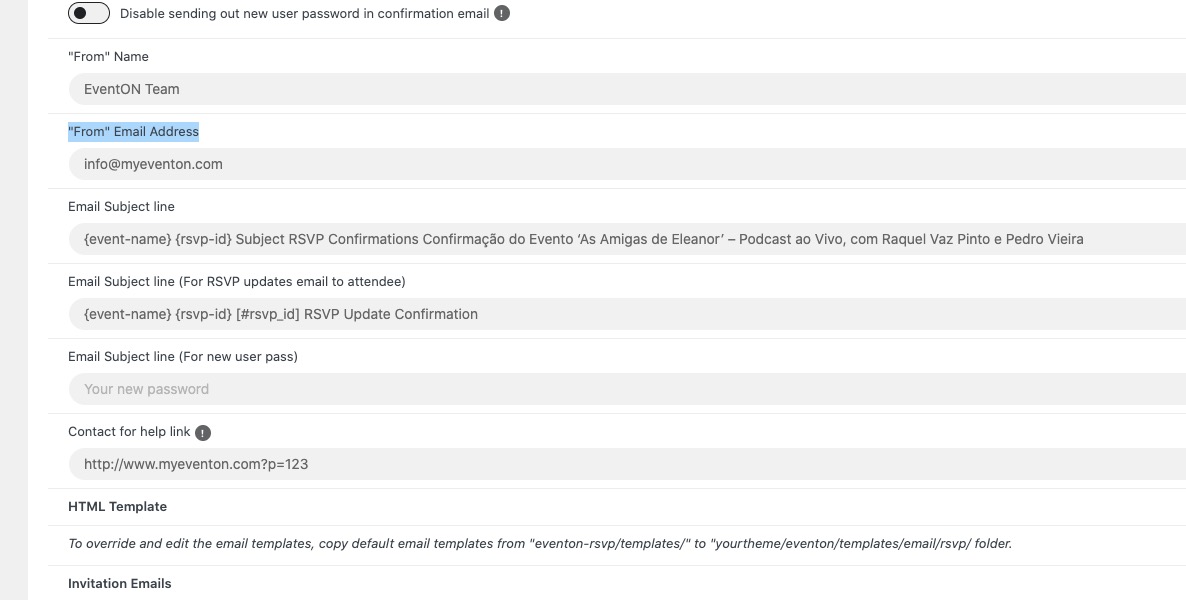
Please take a look at EventON > RSVP > Emails > “From” Email Address:
Hello,
Your shortcode only shows featured events in August. But you don’t have any featured events there. Could you check and let us know?
Hello,
Please take a look at RSVP add-on:
https://www.myeventon.com/addons/rsvp-events/
Try on https://dev.myeventon.com/wp-admin/