Hello,
Thank you for your messages, I am going to assign this ticket to Ashan and he will be able to take it from here and find you a solution. Please allow some time for him to get back to you, we greatly appreciate your patience and thank you for being a eventon customer!
Please take a look at this guide:
https://webdesign.tutsplus.com/build-an-html-email-template-from-scratch–webdesign-12770a
Emails have a completely different HTML structure comparing to regular pages. You cannot even use JS code there and also styles must be included as inline code.
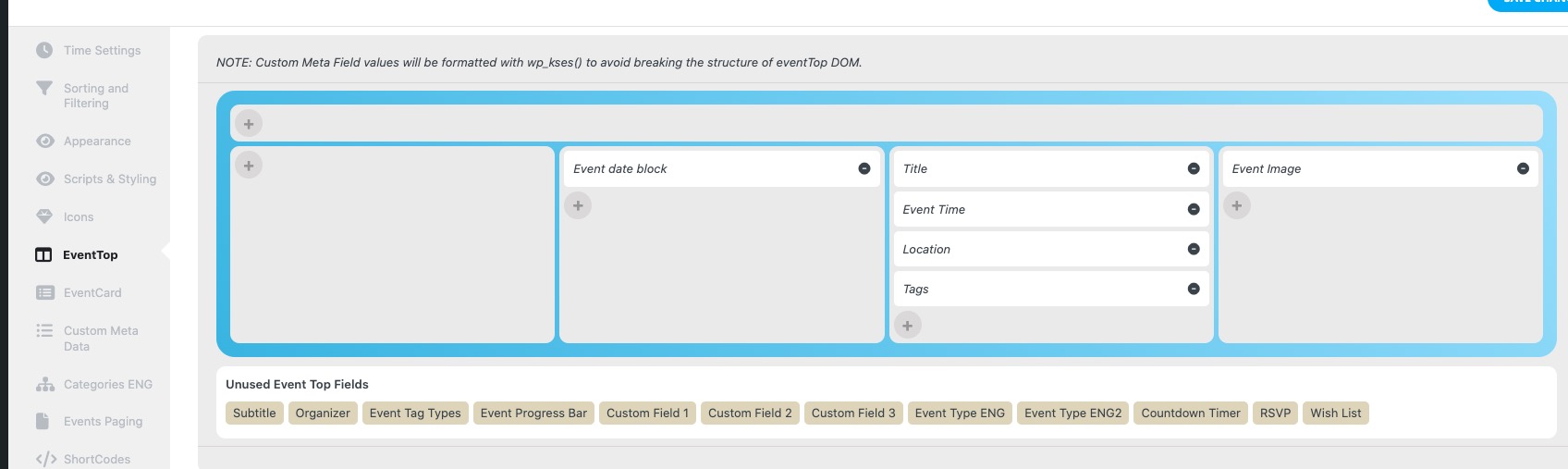
Please go to EventON > EventTop > arrange fields like this:
One other question – is it possible to seperate out ‘list’ ’tiles’ ‘schedule’ and ‘month’?
Only dropdown is available at the moment. Not possible to change this without changing the code.
Hello,
Please send us wp-admin access to your site as a private message for us to further assist your situation.
Please also check for latest version of this software from here Your issue might be related to an older version you are running and we might have resolved this already in the newer version update. If you are on latest version of our software and the issue still persist please let us know.
Could you elaborate? Not sure what you are referring to.
Can we take a look at wp-admin?
Hello,
Please add this CSS code to EventON > Styles (If you don’t see any change, EventON > Scripts & Styling > turn off Write dynamic styles to header > save settings > turn on Write dynamic styles to header):
.eventon_list_event .evo_metarow_details .eventon_full_description p, .eventon_list_event .evo_metarow_details .eventon_full_description li { font-size: 16px !important; }
Hello,
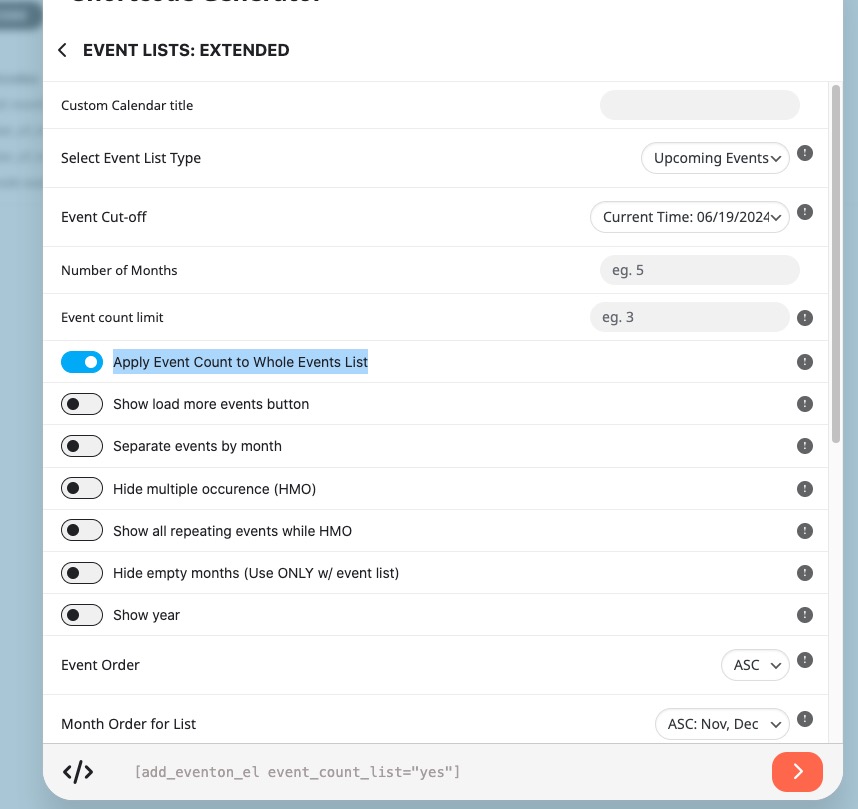
Please also make sure to add event_count_list=”yes” to the shortcode. This option:
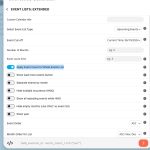
Is there a realtime support option for that?
Hello,
We are glad your issue is resolved, if you have any further questions or concerns please feel free to create a new ticket.