Hello,
Thank you for your messages, I am going to assign this ticket to Ashan and he will be able to take it from here and find you a solution. Please allow some time for him to get back to you, we greatly appreciate your patience and thank you for being a eventon customer! Also please disable any IP blocking on your site if there are any.
Hello,
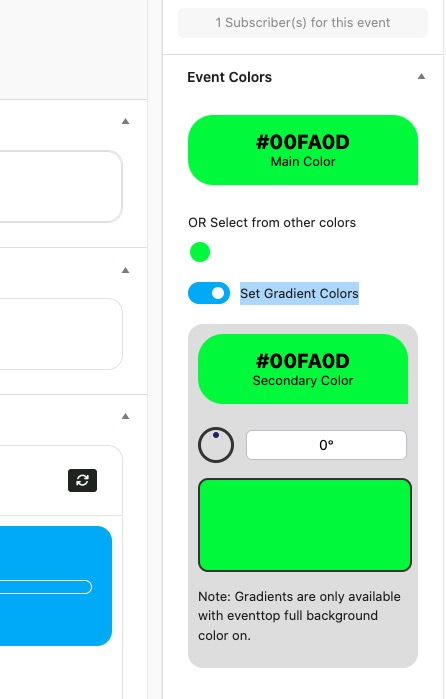
Please go to EventON > EventTop > Select Default Calendar EventTop Style: Colorful with gap between events.
Now go to Edit Event > Set Gradient Colors:
Login info:
https://www.staging2.foodsorcery.co.uk/login
Username
eventON
Pass
Eventevent123!!!
Ashan,
Please take a look at
Somebody booked an event, the payment of £20 failed – if you look in woo-commerce it says complete and £20 paid; no £20 in Paypal…no booking in bookings… we didn’t receive and email.
The person is booked on, however no payment link is showing.
I think that it needs a special developer account on Paypal for the sandbox mode:
https://avada.io/woocommerce/docs/setup-paypal-sandboxs.html
Do you have the required account? Could you check?
Thank you for your messages, I am going to assign this ticket to Ashan and he will be able to take it from here and find you a solution. Please allow some time for him to get back to you, we greatly appreciate your patience and thank you for being a eventon customer! Also please disable any IP blocking on your site if there are any.
Thank you for your messages, I am going to assign this ticket to Ashan and he will be able to take it from here and find you a solution. Please allow some time for him to get back to you, we greatly appreciate your patience and thank you for being a eventon customer! Also please disable any IP blocking on your site if there are any.
Hello,
In order to see Acceptable CSV file fields, please go to EventON > CSV Import > GUIDE FOR CSV FILE. For the rest, please follow
https://docs.myeventon.com/documentations/import-additional-fields-using-hooks/
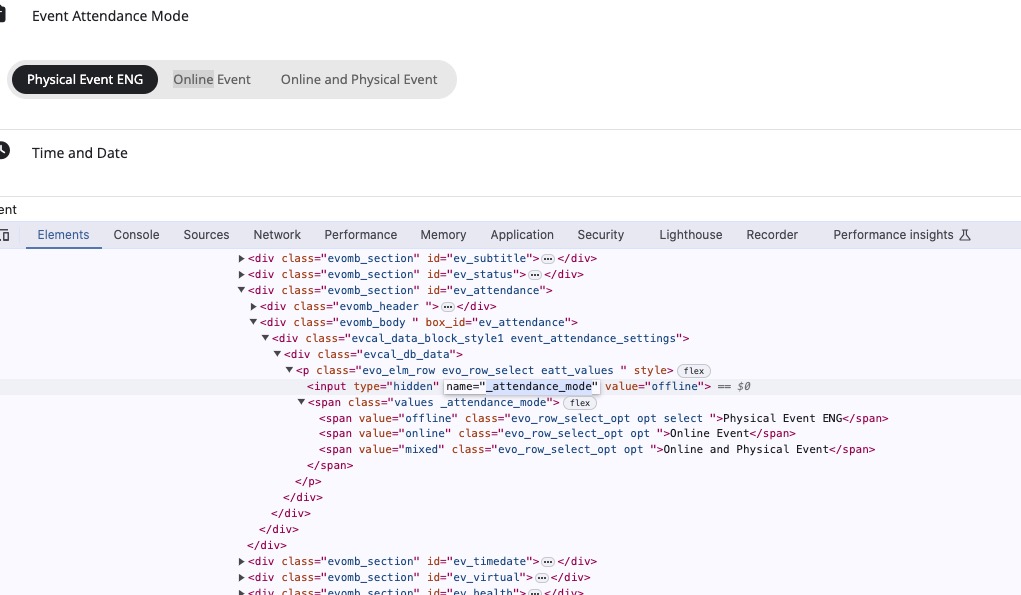
1. Please follow the guide above and use _attendance_mode variable name.
2. Please make sure that your date/time formats are:
event_start_date & event_end_date – Start/End date in format mm/dd/YYYY
event_start_time & event_end_time – Start/End time in format h:mm:AM/PM
Also note that you need to add both (date and time) otherwise 1970 will be imported.
3. Please see the guide above and use _evo_tz.
4. Guide + _virtual.
5. Please take a look
User Interaction Fields:
_evcal_exlink_option => UX_val from 1-4 (integer)
evcal_exlink => UX_VAL link to event URL (http://)
_evcal_exlink_target => UX_val link open in new window yes | no
6. Please go to EventON > Single Events > enable Disable comments section on single event template page.
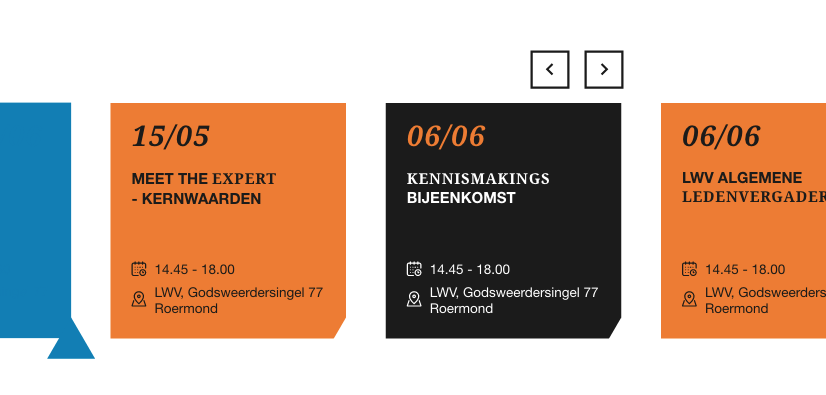
Okay thanks for the reply. Do you maybe have another suggestion for this issue perhaps?
We want the regular eventon view on the event page but on the homepage we want a the mini slider view with less information on it so it will fit in the mini slider views. The problem is that the layout is determined universally.
I’ve added an image of the desired design of the mini_slider.
Hello,
Please send us wp-admin access to your site as a private message for us to further assist your situation.
Also check for latest version of this software from here Your issue might be related to an older version you are running and we might have resolved this already in the newer version update. If you are on latest version of our software and the issue still persist please let us know.