Hello,
Please add this CSS code to EventON > Styles (If you don’t see any change, EventON > Scripts & Styling > turn off Write dynamic styles to header > save settings > turn on Write dynamic styles to header):
.EVOWV_content.wk_1 .evowv_col_events .event { color: white; }
Please go to EventON > Tickets > select Upon add to cart redirect customer to: Do not redirect, allow adding more tickets to cart.
Now customers should be able to add more tickets without refreshing the page.
Perfect! If you have any further questions or concerns please create a new ticket.
https://helpdeskx.s3.amazonaws.com/wp-content/uploads/2024/05/19034346/freadals2-1.png
In order to fix this we need to get the error, so please enable WP_DEBUG.
https://helpdeskx.s3.amazonaws.com/wp-content/uploads/2024/05/19035506/Freadals3-1.png
Let’s fix the first issue first. I think this is because there is some kind of issue with Event Date/Time.
Hello,
Not possible with DailyView, but please take a look at Event Map add-on:
https://www.myeventon.com/addons/events-map/
Try on https://dev.myeventon.com/wp-admin/
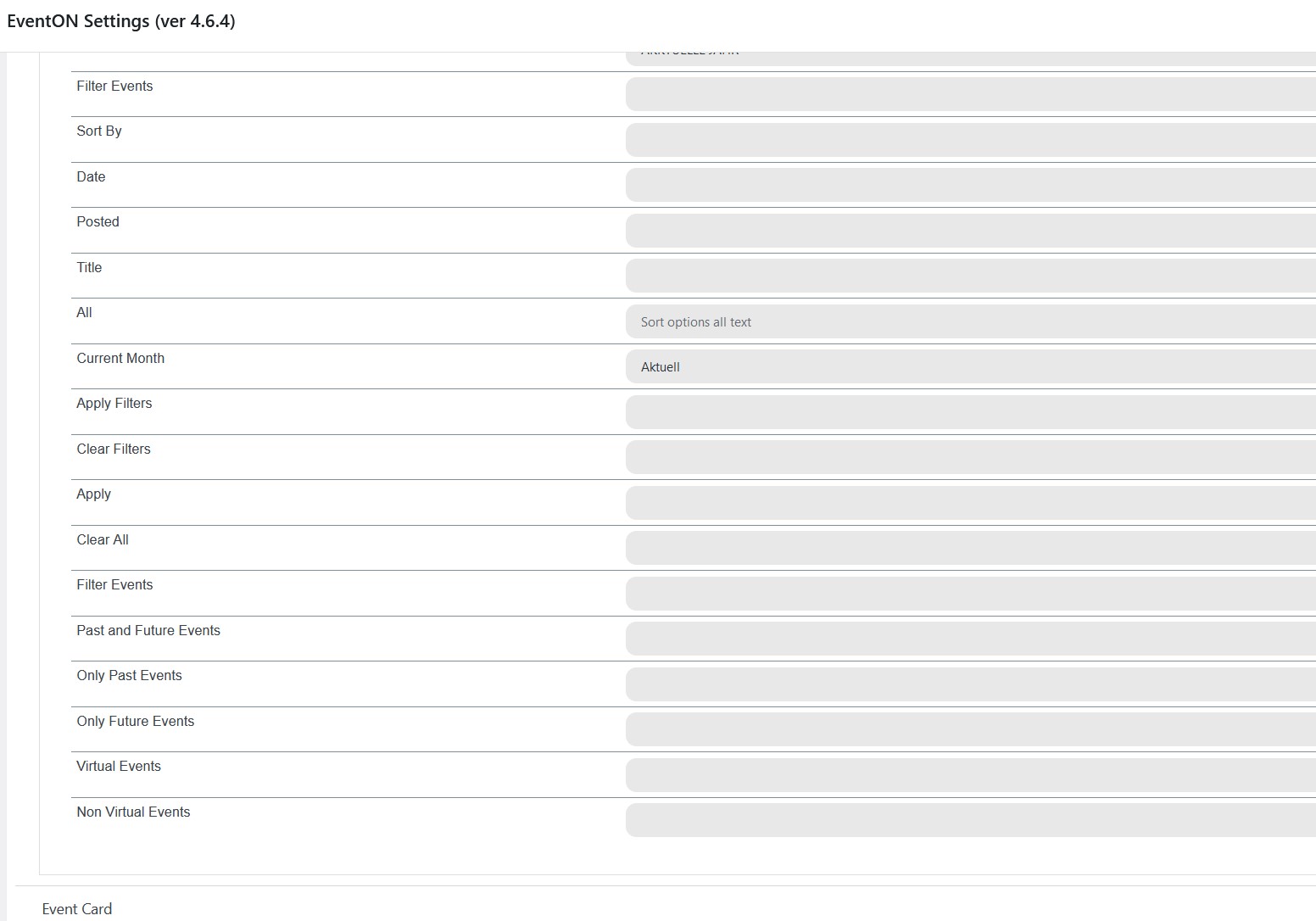
It’s been several days and I don’t have an answer.
There is no current year in the translation
Thank you
Hi,
Sorry for the late reply. Can you please let me know your IP address so that I can whitelist you?
Thank you,
Aljaz
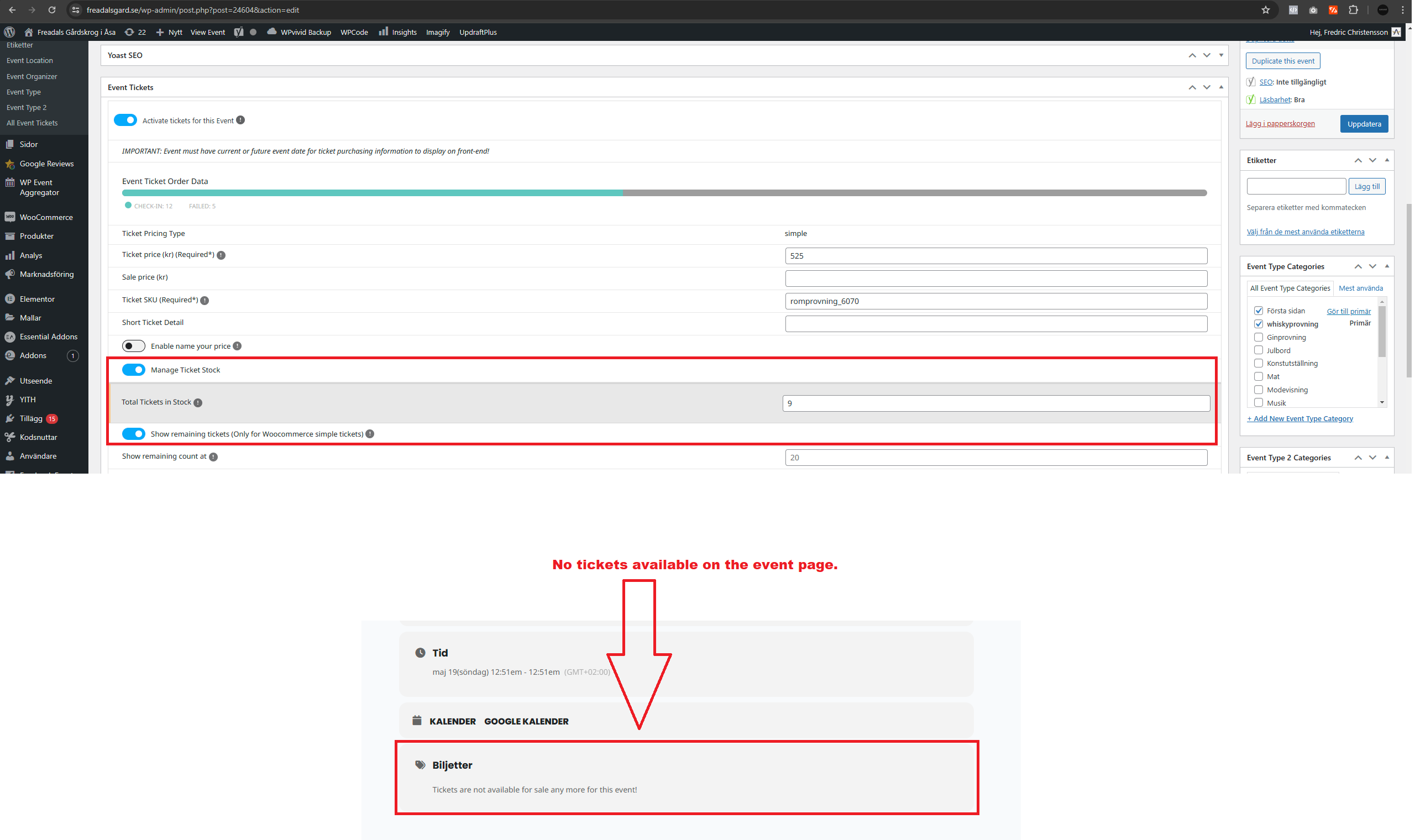
Also, visitors arent able to purchase tickets for this event. There are 9 tickets left, but on the event listing it shows as ” No tickets available ”
Hi, I will do this shortly.
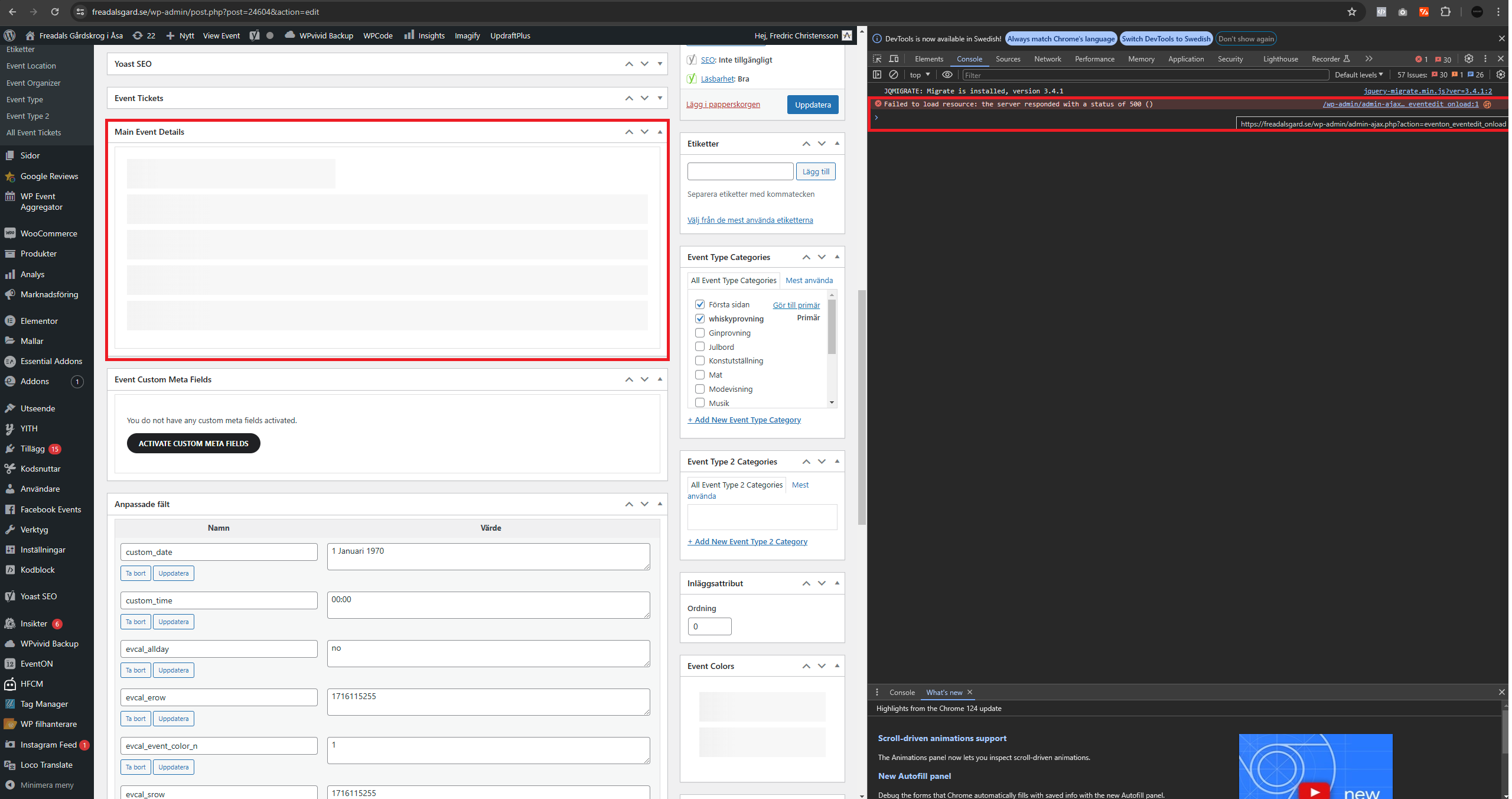
Meanwhile, this issue also needs to be resolved ”Also when attempting to post a new event or change any event, the box ”Main event details” is just loading forever and don’t let us change the information in this box.”