Quotes around yes were wrong. Please check now.
Archives: Replies
Replies for tickets on suppota
Reply to: tickets(352948)
In order to request a refund, please create a new ticket under Billing & Accounts and be sure to include the order ID for which you need a refund for and the reason for requesting a refund.
Reply to: tickets(353597)
Hello,
What’s your version of EventON?
Are you having the same issue on our test site with EventON 4.6.4:
https://dev2.myeventon.com/events/ticket-13/
Reply to: tickets(353499)
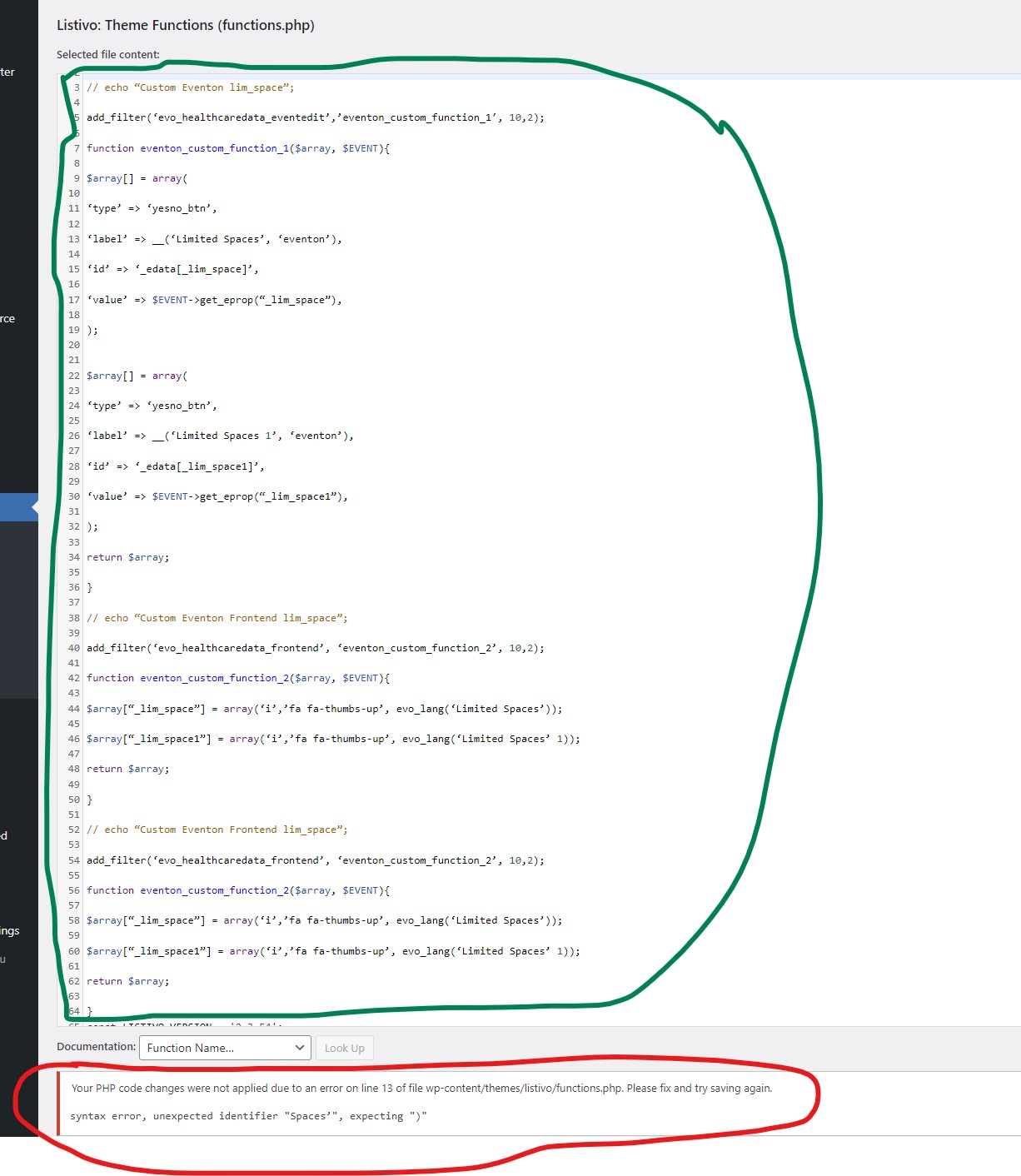
Reply to: tickets(353499)
That code when I add it exactly as i have copied it returns this error>
syntax error, unexpected identifier "Spaces’", expecting ")"
Reply to: tickets(353607)
Hello,
Ticket Variation Price is empty:
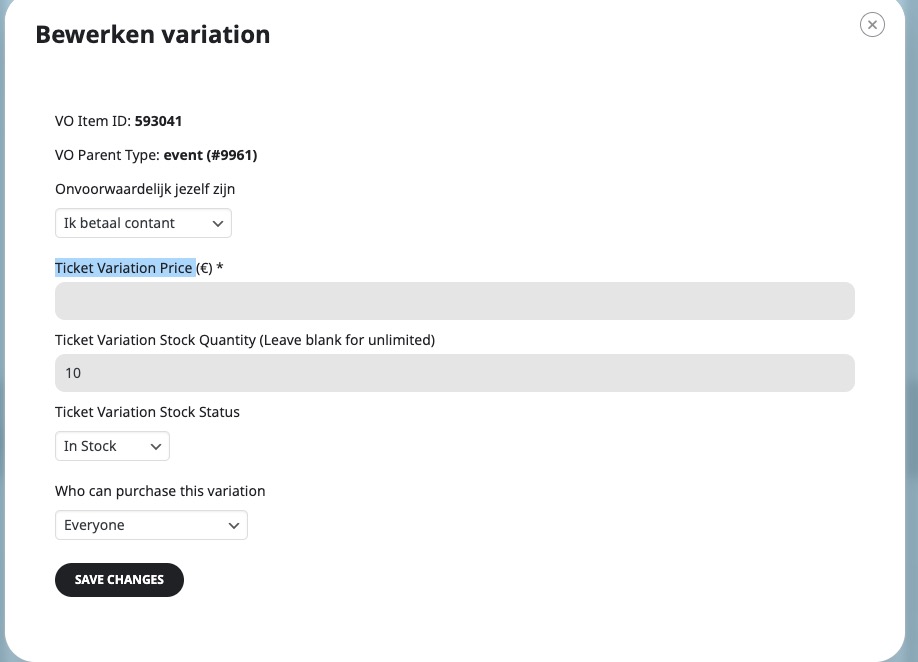
Could you make sure that all variations have price?
Reply to: tickets(353496)
Also note that for the main plugin, you need to contact CodeCanyon, since we don’t have any access to your account there.
Reply to: tickets(353496)
Thank you for your messages, I am going to assign this ticket to Ashan and he will be able to take it from here and find you a solution. Please allow some time for him to get back to you, we greatly appreciate your patience and thank you for being a eventon customer!
Meanwhile, please cancel your add-on subscriptions:
https://docs.myeventon.com/documentations/how-to-cancel-addon-subscription-before-auto-renew/
Reply to: tickets(353224)
Please create a new ticket and select Feature Request as category so others can vote on your idea and get it moved into development faster.
We are glad your issue is resolved, if you have any further questions or concerns please create a new ticket.
If you have a moment, we would greatly appreciate if you could kindly leave us a review at Codecanyon. By going to your account > Downloads. We are very grateful for your kind review!
Reply to: tickets(353632)
Hello,
1. Please go to EventON > Time Settings > enable Enable custom event time format on eventCard. Change the format according to https://www.php.net/manual/en/datetime.format.php
2. Create an additional field and put it before the sharing section:
https://docs.myeventon.com/documentations/show-additional-custom-data-eventcard/