Ah sorry. At first, could you let us know why exactly do you want the discount? Because you can simply cancel your subscriptions and don’t pay for them for some time:
https://docs.myeventon.com/documentations/how-to-cancel-addon-subscription-before-auto-renew/
Hello,
Thank you for your messages, I am going to assign this ticket to Ashan and he will be able to take it from here and find you a solution. Please allow some time for him to get back to you, we greatly appreciate your patience and thank you for being a eventon customer!
Please update to EventON 4.6.3.
To update eventon to latest version: If you are unable to do autoupdate, you can go to codecanyon your account > download and get the latest eventon version as zip file. Then you can go to your website > make sure “Delete eventon settings & data when EventON is uninstalled” is Deslected from eventon settings, delete old eventon, install new one and activate. This link will further explain the process it. Also you can follow us on twitter to get real-time announcements on updates!
My SSH skills are very limited, How else can I install Varnish?
We unable to help with this, I am afraid.
So now the calendar, slider and featured event image all load slow, which means the entire website is slow as hell. Obviously this is a major problem. What is the solution please? Helppppp
Could you let us know more about your server? CPU, RAM, SSD and so on.
Nikolay Pavlov,
Could you create a new private ticket? We are going to send you the link there.
Unfortunately, I cannot get past the “Sign In” window:
Could you check?
Could you try adding ml_toend=”yes” yl_toend=”yes” to the shortcode?
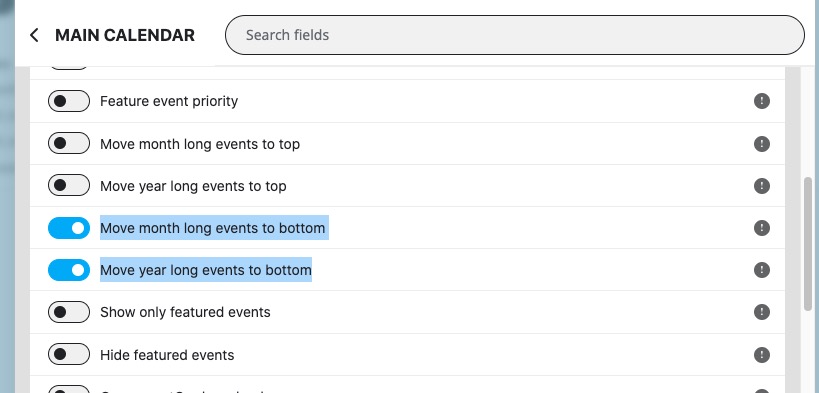
Main Calendar has these options, but not sure about WeeklyView:
Could you please update EventON and Tickets add-on? QR Code add-on as well.
To update eventon to latest version: If you are unable to do autoupdate, you can go to codecanyon your account > download and get the latest eventon version as zip file. Then you can go to your website > make sure “Delete eventon settings & data when EventON is uninstalled” is Deslected from eventon settings, delete old eventon, install new one and activate. This link will further explain the process it. Also you can follow us on twitter to get real-time announcements on updates!
To update eventon addons: You can download latest eventon addons from myeventon > my account. Then you can go to your website, deactivate old addon and install new one and activate then delete the old addon. This link will further explain the process. Also you can follow us on twitter to get real-time announcements on updates!
Please also add tile_count=”3″ to the shortcode.
Hello,
What’s your version of Action User? Please make sure to update to the latest version.
Please follow the instructions in this documentation to activate debug in your site to see any PHP errors recorded that can provide insight on to whats going on. Please reply with a link to debug.log file. If you are not able to do this please send us FTP access to your site so we can do this for you.