Dear Artem,
All “Save Settings” option are working fine elsewhere.
Only “RSVP Save Settings” is not working.
The “old RSVP” version Save Settings works.
The log is not showing any error.
So, it is something in your latest RSVP update that has caused the issue. This is very obvious.
Of course you can say it works in troubleshooting mode but this is not a professional answer. I need the issue to be resolved. You were saying the same thing when I reported the problem in RSVP submission and email problem and after lots of emails back and force you said AHA! this is QR plugin issue!
I really appreciate your try to support your clients, but I need this issue to be escalated to the development team and being addressed.
Hello, it works in the full cal view but in the rest of the shortcodes it still doesn’t work. I leave you as an example 3 links to pages where it is happening, but it happens to me on more pages.
https://www.planconpeques.com/planes-ninos-pamplona/
https://www.planconpeques.com/primaria/
https://www.planconpeques.com/infantil/
I hope you can solve it as soon as possible.
Thank you so much
Hi,
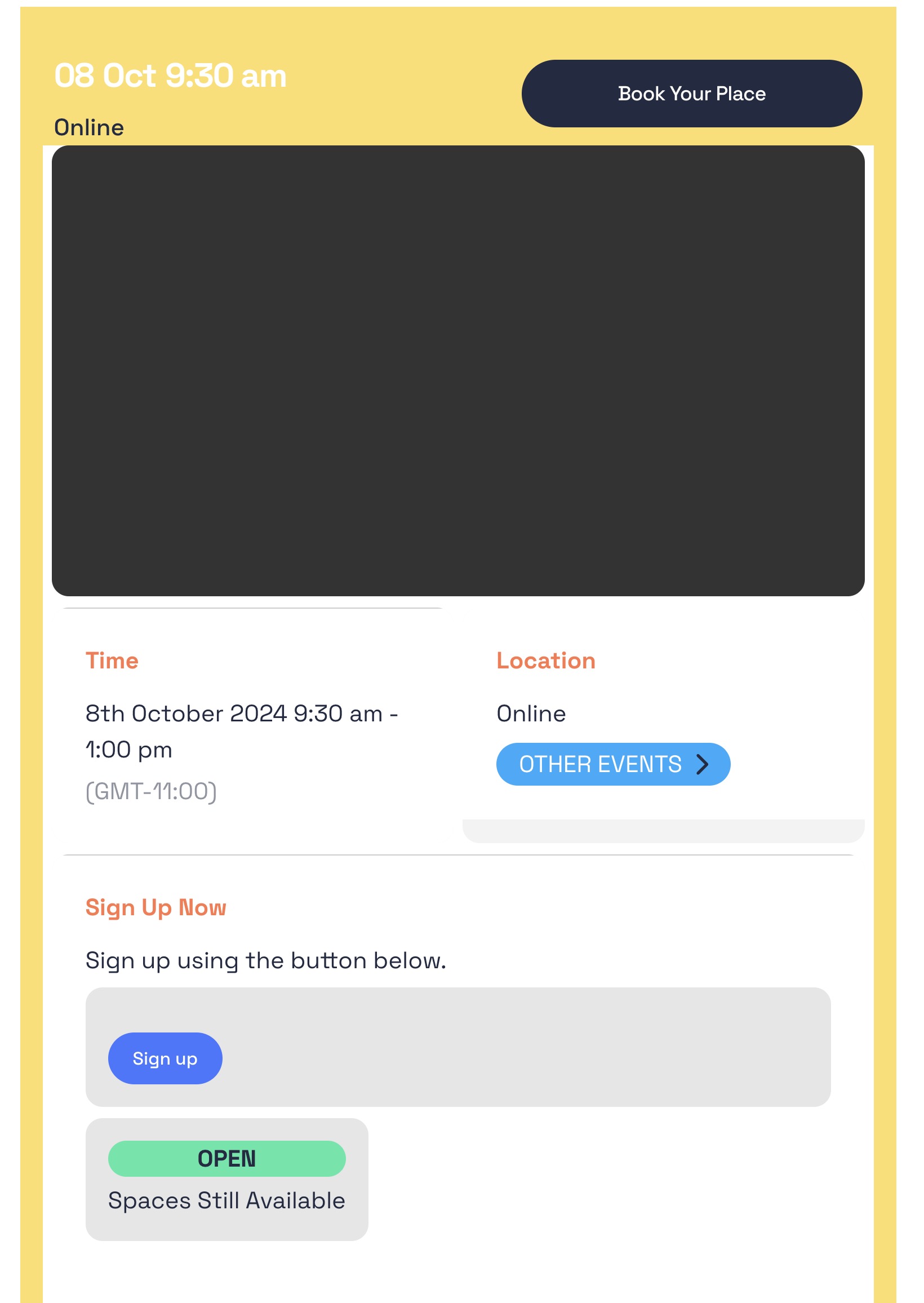
On closer inspection, I think the RSVP option may have been corrected now, however all our events have a large black box at the top of them. I suspect there would be an image here if we had set one but we don’t have the need for images here. How do we get rid of this large black box?
Hi Artem,
We have updated the EventON plugins to their latest versions now, however the issue persists.
A course with spaces on this page are showing as RSVP is closed at this time: https://www.radiocentre.org/how-to-do-it/training/
The event on 23 Apr 9:30 am under the second accordion ‘Intro to Radio Advertising’ has 8 open places available however in the front-end this event is showing as closed to RSVPs.
Thanks
Martin
I have embedded them in the page template. Here is the markup:
<?php
/*
Template Name: Calendar New Page
*/
get_header(); ?>
<div class=”content” id=”page-content”>
<?php if (have_posts()) : while (have_posts()) : the_post(); ?>
<?php get_template_part( ‘parts/page’, ‘header’ ); ?>
<div class=”grid-container”>
<div class=”inner-content grid-x grid-margin-x grid-padding-x”>
<main class=”main small-12 medium-8 large-8 cell” role=”main”>
<?php the_content(); ?>
<?php echo do_shortcode(‘[add_eventon tiles=”yes” tile_count=”3″ tile_height=”250″]’); ?>
</main> <!– end #main –>
<sidebar class=”sidebar small-12 medium-4 large-4 cell”>
<div class=”events-wrapper medium-margin-bottom”>
<?php echo do_shortcode(“[add_eventon eventtop_style=’0′]”); ?>
</div>
</sidebar>
</div> <!– end #inner-content –>
</div> <!– end #content –>
<?php// echo get_template_part(‘parts/about-us’,’team-section’); ?>
<?php endwhile; endif; ?>
</div>
<?php get_footer(); ?>
The issue with QR Code can be fixed by updating the add-on.
“Save Settings” starts working in Troubleshooting Mode, so unfortunately, we cannot do much from our side since clearly something else affects EventON.
1. Font size of Calendar Header:
.ajde_evcal_calendar .calendar_header p, .ajde_evcal_calendar .evo_footer_nav p { font-size: 30px; }
2. & 3. Please also add this code:
.evosv_grid .row { margin-left: 80px; }
Hello,
1. Please try EventON > Scripts & Styling > turn off Write dynamic styles to header > save settings > turn on Write dynamic styles to header.
Please add this CSS code to EventON > Styles (If you don’t see any change, EventON > Scripts & Styling > turn off Write dynamic styles to header > save settings > turn on Write dynamic styles to header):
.w-socials-item-link i.fa-x-twitter:before { content: none !important; }
Hello,
Please follow and create a new repeating event with Weekly Repeats:
https://docs.myeventon.com/documentations/setting-up-repeating-events/
Now save the event, refresh the page and switch to Custom Repeats. Delete repeats that you don’t need.