When working with variations, please manage the capacity from Edit Product: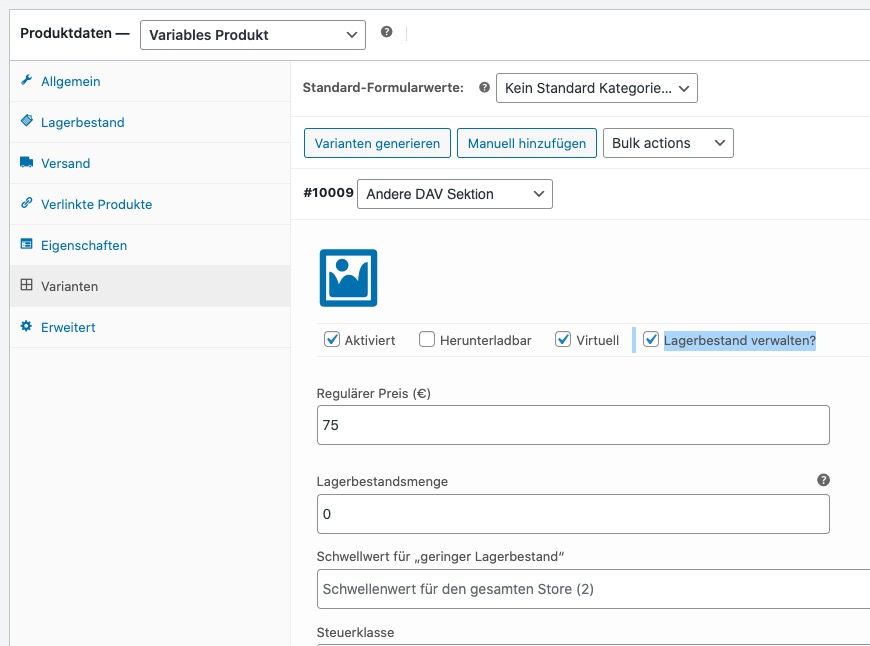
Archives: Replies
Replies for tickets on suppota
Reply to: tickets(349330)
Perfect! Please keep us updated.
Reply to: tickets(348756)
Ashan,
This code doesn’t work on dev2:
https://docs.myeventon.com/documentations/auto-complete-ticket-order/
https://dev2.myeventon.com/wp-admin/admin.php?page=edit-snippet&id=8
Autocomplete WooCommerce Order plugin doesn’t completes EventON’s orders:
https://dev2.myeventon.com/wp-admin/plugins.php
Event:
https://dev2.myeventon.com/events/seats-10/
Reply to: tickets(346747)
So we have been testing. And in gmail, if you get the email in spam folder. You get this option to “Report not spam” and once you click that the admin notification email comes to inbox next time with no issues.
Are you able to try something similar on your mail clients?
Reply to: tickets(348756)
Thank you for your messages, I am going to assign this ticket to Ashan and he will be able to take it from here and find you a solution. Please allow some time for him to get back to you, we greatly appreciate your patience and thank you for being a eventon customer! Also please disable any IP blocking on your site if there are any.
Reply to: tickets(349046)
We are glad your issue is resolved, if you have any further questions or concerns please create a new ticket. If you have a moment, we would greatly appreciate if you could kindly leave us a review at myeventon/my-account!. Cheers!
Reply to: tickets(349051)
JS errors are all referring to builder_name
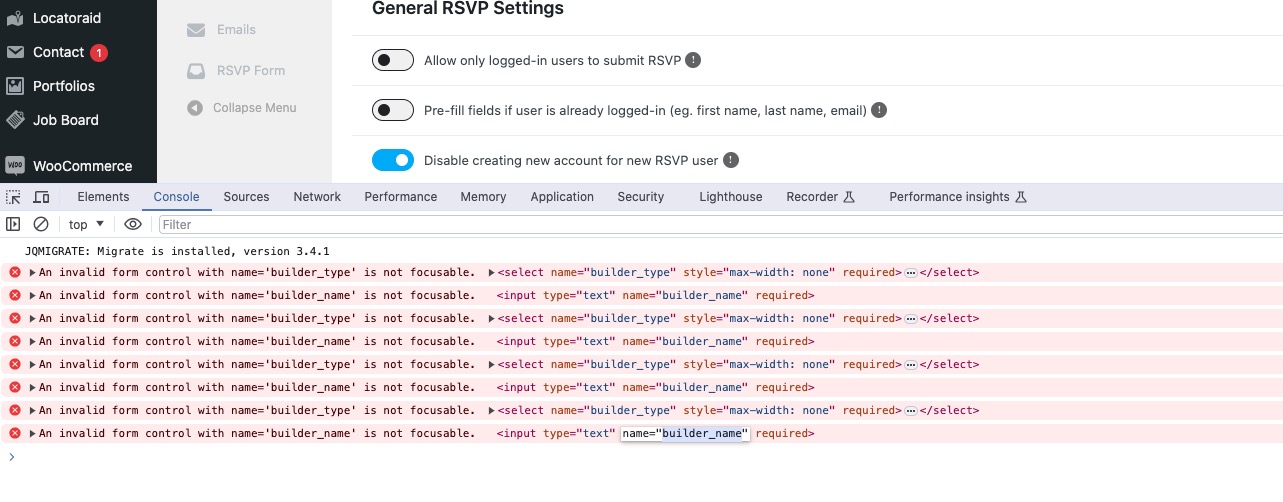
And builder_name seems to be referring to Porto Builder. Could you try disabling the plugin?
Also, attendees do not receive any email confirmation.
I think that this issue can be related to this custom version of Single Event Page:
https://ccsyr.org/wp-admin/theme-editor.php?file=eventon%2Fsingle-ajde_events.php&theme=porto-child
Please follow the instructions in this documentation to activate debug in your site to see any PHP errors recorded that can provide insight on to whats going on. Please reply with a link to debug.log file. If you are not able to do this please send us FTP access to your site so we can do this for you.
Reply to: tickets(349838)
Hello,
Usually the issue is with memory limit:
https://docs.myeventon.com/documentations/increasing-wordpress-memory-limit/
Please follow the instructions in this documentation to activate debug in your site to see any PHP errors recorded that can provide insight on to whats going on. Please reply with a link to debug.log file. If you are not able to do this please send us FTP access to your site so we can do this for you.
Reply to: tickets(349845)
Hello,
Please add this to your shortcodes:
ux_val=”4a”
You can also go to wp-admin > Events > Edit Event > User Interaction for event click. > enable Open in new window.
Reply to: tickets(345972)
There new updated to EventON and Subscriber add-on. Please update.