Hello,
Could you try downgrading EventON to 4.5.9 while we are working on fixing this:
https://helpdeskx.s3.amazonaws.com/wp-content/uploads/2024/03/28044059/eventON-4.5.9.zip
Replies for tickets on suppota
Hello,
Could you try downgrading EventON to 4.5.9 while we are working on fixing this:
https://helpdeskx.s3.amazonaws.com/wp-content/uploads/2024/03/28044059/eventON-4.5.9.zip
Hello,
Could you try downgrading EventON to 4.5.9:
https://helpdeskx.s3.amazonaws.com/wp-content/uploads/2024/03/28044059/eventON-4.5.9.zip
Hello,
With Action User’s Event Manager you can access this info:
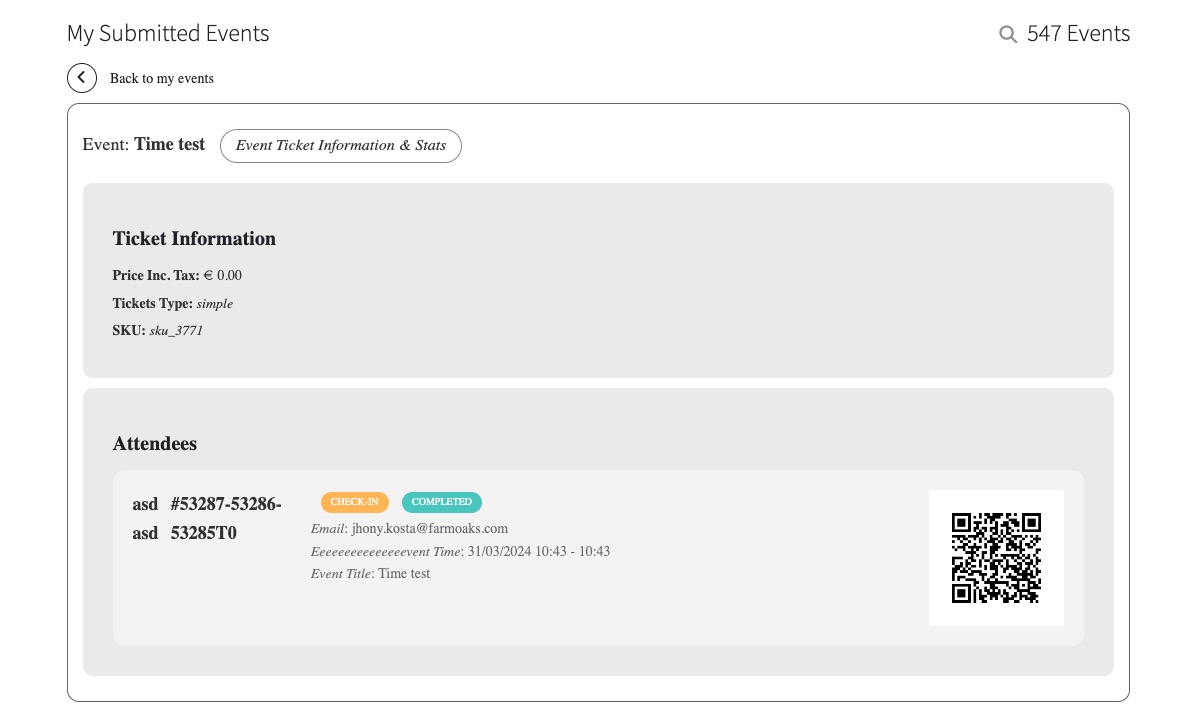
Add-on:
https://www.myeventon.com/addons/action-user/
Try [evo_event_manager] on
https://dev.myeventon.com/wp-admin/
Hello,
Could you try updating EventON to 4.5.9 and Tickets add-on to 2.2.8?
EventON 4.5.9 can be found here:
https://helpdeskx.s3.amazonaws.com/wp-content/uploads/2024/03/28044059/eventON-4.5.9.zip
To update eventon to latest version: If you are unable to do autoupdate, you can go to codecanyon your account > download and get the latest eventon version as zip file. Then you can go to your website > make sure “Delete eventon settings & data when EventON is uninstalled” is Deslected from eventon settings, delete old eventon, install new one and activate. This link will further explain the process it. Also you can follow us on twitter to get real-time announcements on updates!
To update eventon addons: You can download latest eventon addons from myeventon > my account. Then you can go to your website, deactivate old addon and install new one and activate then delete the old addon. This link will further explain the process. Also you can follow us on twitter to get real-time announcements on updates!
Hello,
Please go to EventON > EventCard > try a different Feature image display style.
Hello,
What versions of Tickets and QR Code add-ons on your website are? Could you try updating them?
To update eventon addons: You can download latest eventon addons from myeventon > my account. Then you can go to your website, deactivate old addon and install new one and activate then delete the old addon. This link will further explain the process. Also you can follow us on twitter to get real-time announcements on updates!
Guys! I need a starting point to search for restriction from the hoster. Which external ressources are used? Is there a required PHP version? Any other starting settings to be checked?
Ashan,
The same on dev2:
https://dev2.myeventon.com/wp-admin/admin.php?page=eventon#evcal_005
Event:
https://dev2.myeventon.com/events/test-133/
Hello,
Thank you for your messages, I am going to assign this ticket to Ashan and he will be able to take it from here and find you a solution. Please allow some time for him to get back to you, we greatly appreciate your patience and thank you for being a eventon customer! Also please disable any IP blocking on your site if there are any.
Please stay on the current version. 4.6.1 has an issue we are fixing at the moment.