Thank you for your messages, I am going to assign this ticket to Ashan and he will be able to take it from here and find you a solution. Please allow some time for him to get back to you, we greatly appreciate your patience and thank you for being a eventon customer! Also please disable any IP blocking on your site if there are any.
Archives: Replies
Replies for tickets on suppota
Reply to: tickets(343844)
looks good
We are glad your issue is resolved, if you have any further questions or concerns please create a new ticket.
If you have a moment, we would greatly appreciate if you could kindly leave us a review at myeventon/my-account!. Cheers!
Reply to: tickets(344748)
The message I am receiving:
Error: The password you entered for the username ***** is incorrect.
Could you check?
Reply to: tickets(343919)
Please check now.
Reply to: tickets(344847)
Ashan,
The same on dev2:
https://dev2.myeventon.com/test-434/
Reply to: tickets(344847)
Hello,
Thank you for your messages, I am going to assign this ticket to Ashan and he will be able to take it from here and find you a solution. Please allow some time for him to get back to you, we greatly appreciate your patience and thank you for being a eventon customer! Also please disable any IP blocking on your site if there are any.
Reply to: tickets(344273)
No issues with designs:
https://culteve.fr/test
Simply use Shortcode Generator:
https://docs.myeventon.com/documentations/shortcode-generator/
You can enable, for example, Tile Design and then copy the shortcode and put it on a page.
Only one event is showing because you are using Main Calendar shortcode, when you need to use Event Lists shortcode.
So instead of [add_eventon] it should be [add_eventon_list number_of_months=”12″ hide_empty_months=”yes”]
https://culteve.fr/test-event-lists
Also since you enabled “Enable language corresponding events” you need to make sure all of you events have L1 or L2 selected. But from this column I can see that most of them don’t have any values:
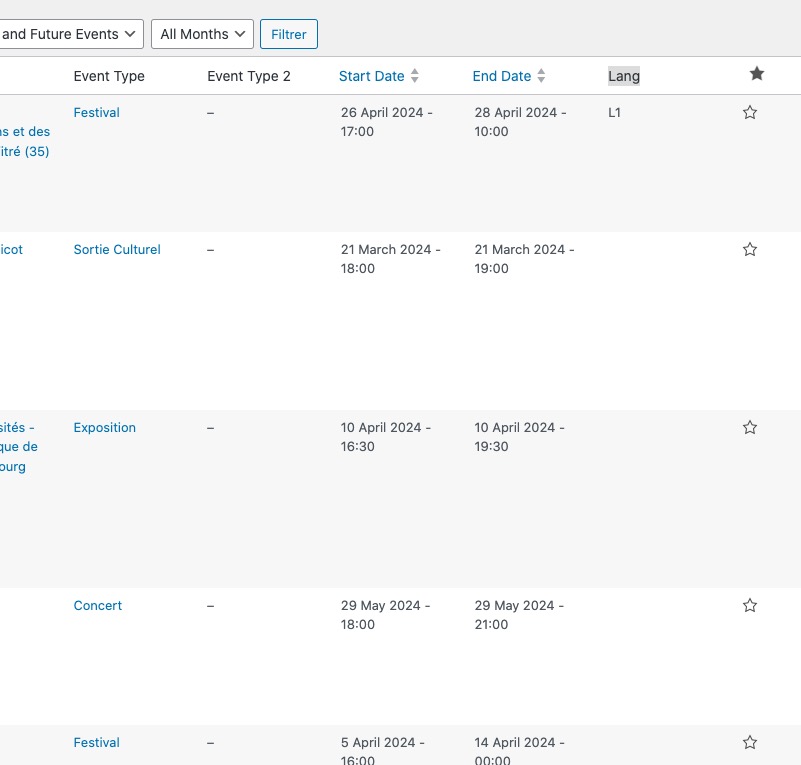
Please go to Edit Event and save the event. It will set Lang to L1.
About the language. It seems that the french version is coming together:
https://culteve.fr/wp-admin/admin.php?page=eventon&tab=evcal_2
However, just in case all the info on how to translate the calendar:
https://docs.myeventon.com/documentations/how-to-translate-calendar-front-end/
This is how to show events in different languages in different calendars:
https://docs.myeventon.com/documentations/setup-language-corresponding-events/
If you need to translate the back-end:
https://docs.myeventon.com/documentations/translating-eventon-backend/
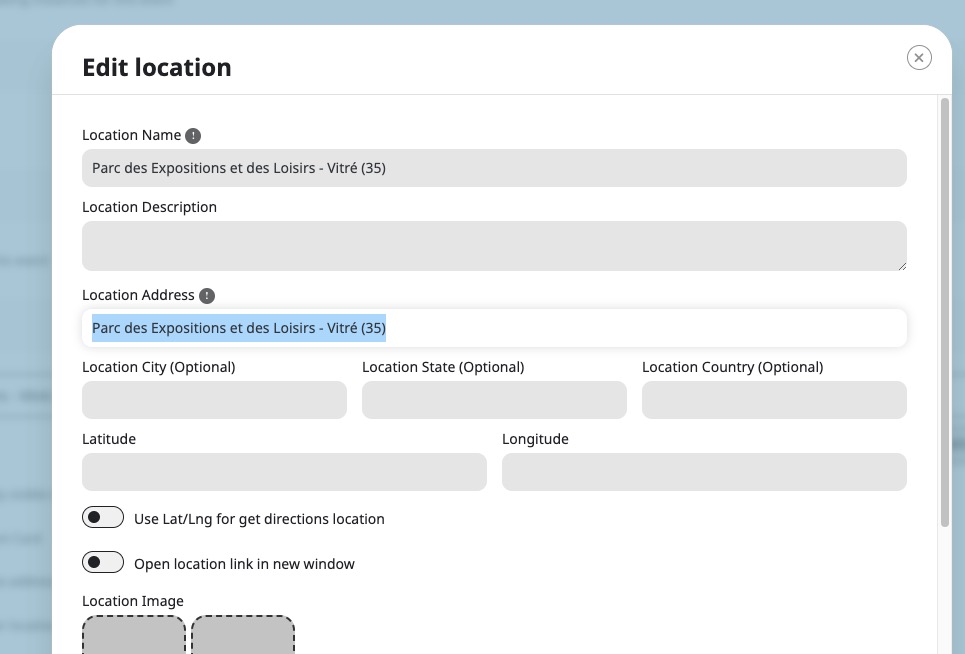
Most of your locations have incorrect Location Address:
Still the same error with Google Map API:
Google Maps JavaScript API error: ApiTargetBlockedMapError
https://developers.google.com/maps/documentation/javascript/error-messages#api-target-blocked-map-error
Could you send us a link to one of your other websites?
Reply to: tickets(343844)
yes indeed you need a space between the number and the .
Thanks for this trick
You are very kind
Reply to: tickets(344743)
Try with !important:
.eventon_list_event .evoet_cx em.evo_mytime.tzo_trig, .eventon_list_event .evcal_evdata_cell .evo_mytime.tzo_trig { color: white !important; }
You can also add the code to wp-admin > Appearance > Customize > Additional CSS.
Reply to: tickets(344836)
Hello,
I am sorry, the access information you have provided did not work for us. Please check them and post the correct login information as a private message, thank you!
Could you go to wp-admin > Events > Event Locations > make sure that Lat/Long values are filled in?