I am really sorry. Thank you for your messages, I am going to assign this ticket to Ashan and he will be able to take it from here and find you a solution. Please allow some time for him to get back to you, we greatly appreciate your patience and thank you for being a eventon customer! Also please disable any IP blocking on your site if there are any.
Archives: Replies
Replies for tickets on suppota
Reply to: tickets(344748)
Hello,
I am sorry, the access information you have provided did not work for us. Please check them and post the correct login information as a private message, thank you!
I think this is related to your version of EventON. Could you update?
To update eventon to latest version: If you are unable to do autoupdate, you can go to codecanyon your account > download and get the latest eventon version as zip file. Then you can go to your website > make sure “Delete eventon settings & data when EventON is uninstalled” is Deslected from eventon settings, delete old eventon, install new one and activate. This link will further explain the process it. Also you can follow us on twitter to get real-time announcements on updates!
Reply to: tickets(344615)
Hello,
Please take a look at QR Code add-on:
https://www.myeventon.com/addons/qr-code/
They can simply check customers in without knowing kind of info with a simple phone app.
Try on
dev.myeventon.com/wp-admin/
Or you can use this or similar plugin
https://wordpress.org/plugins/restrict-user-access/
To restrict access to certain parts of the back-end.
Reply to: tickets(344750)
Hello,
Since you are trying to use the same event twice, but with different date and time, please take a look at Repeating Events:
https://docs.myeventon.com/documentations/setting-up-repeating-events/
You can simply create two repeats according to
Orari dell’evento Live:
venerdì 7 giugno dalle 9:00 alle 18:00
sabato 8 giugno dalle 9:00 alle 13:00
Reply to: tickets(344753)
Hello,
There is no compatibility between our products and MoMo-Themes plugins from our side, I am afraid. So with any questions related to their products, please contact them.
Reply to: tickets(344754)
Closed as duplicate.
Reply to: tickets(344757)
Hello,
Could you update manually by following:
To update eventon to latest version: If you are unable to do autoupdate, you can go to codecanyon your account > download and get the latest eventon version as zip file. Then you can go to your website > make sure “Delete eventon settings & data when EventON is uninstalled” is Deslected from eventon settings, delete old eventon, install new one and activate. This link will further explain the process it. Also you can follow us on twitter to get real-time announcements on updates!
Reply to: tickets(344675)
Perfect! If you have any further questions or concerns please create a new ticket.
Reply to: tickets(344769)
Hello,
You can find all your purchased products in your Account. Please check this guide “Method #2“:
https://docs.myeventon.com/documentations/how-to-deactivate-eventon-addon-licenses/
Reply to: tickets(344770)
Hello,
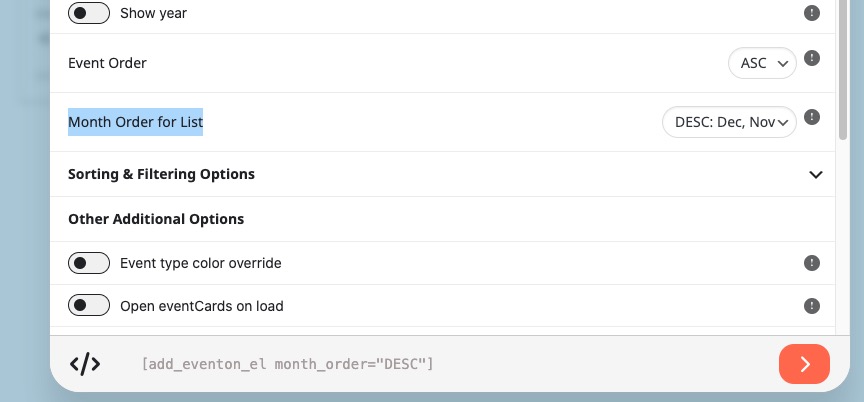
You need to use Event Lists: Ext add-on
https://www.myeventon.com/addons/event-lists-extended/
with added:
Try on
https://dev.myeventon.com/wp-admin/