Hello,
Thank you for your great suggestion, at the moment it is not supported. However please create a new ticket and select Feature Request as category so others can vote on your idea and get it moved into development faster.
Replies for tickets on suppota
Hello,
Thank you for your great suggestion, at the moment it is not supported. However please create a new ticket and select Feature Request as category so others can vote on your idea and get it moved into development faster.
Hello,
Please update EventON to 4.5.9.
To update eventon to latest version: If you are unable to do autoupdate, you can go to codecanyon your account > download and get the latest eventon version as zip file. Then you can go to your website > make sure “Delete eventon settings & data when EventON is uninstalled” is Deslected from eventon settings, delete old eventon, install new one and activate. This link will further explain the process it. Also you can follow us on twitter to get real-time announcements on updates!
Also make sure that https://visitscottsbluff.com/wp-admin/admin.php?page=eventon#evcal_001b > Default Event Timezone is the same as your server’s.
Hello,
None of js script files are loading correctly:
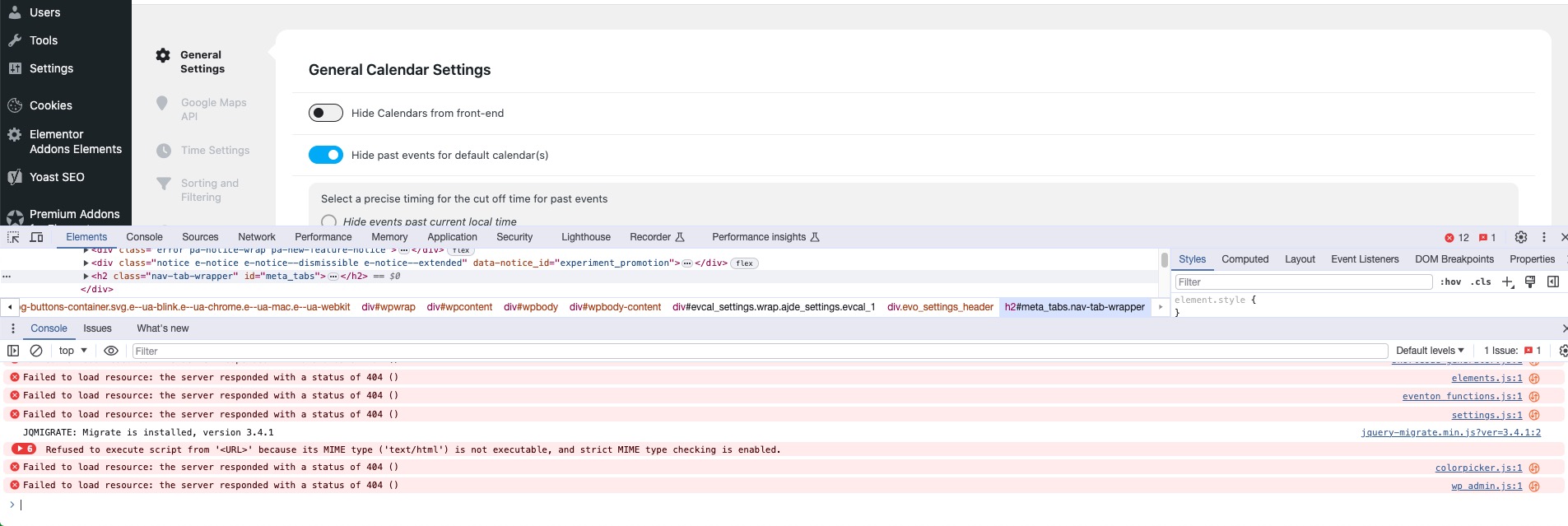
Did you install it correctly? Could you try updating by following:
To update eventon to latest version: If you are unable to do autoupdate, you can go to codecanyon your account > download and get the latest eventon version as zip file. Then you can go to your website > make sure “Delete eventon settings & data when EventON is uninstalled” is Deslected from eventon settings, delete old eventon, install new one and activate. This link will further explain the process it. Also you can follow us on twitter to get real-time announcements on updates!
The same issue with the front-end. Script files aren’t available.
Hello,
Could you update Tickets to the latest version?
The main issue is that I cannot change the date:
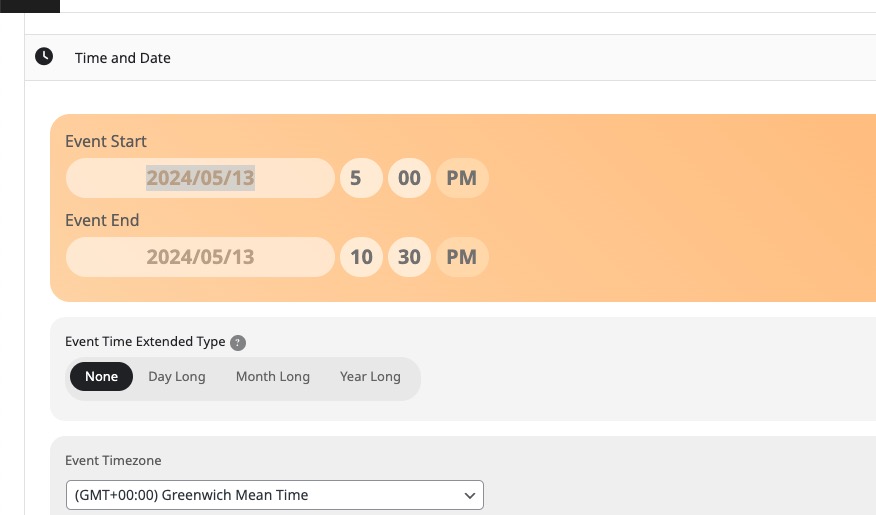
Are you experiencing the same issue? Could you please try the instructions mentioned in this documentation?
Please try following:
https://docs.myeventon.com/documentations/why-my-site-and-eventon-page-loading-slow/
Hello,
1. Could you send us a screenshot? Are you referring to EventCard’s titles?
2. Please follow:
https://docs.myeventon.com/documentations/hook-eventtop/
Or use:
https://docs.myeventon.com/documentations/setup-use-custom-meta-fields-events/
Hello,
Please go to EventON > EventTop > add Tags. The event will look like this but in a list:
https://dev2.myeventon.com/events/bracket/
Hello CeNedra,
We are glad your issue is resolved, if you have any further questions or concerns please feel free to create a new ticket.
Ok, we increased memory to 1024M. That seemed to resolve the issue. Our site is experiencing large amount of memory being used, causing the calendar to fail. This is resolved as-is unless you have any suggestions/updates to add!
We can’t have this issue continuously/periodically coming up. Any way to prevent this with future updates?