if you create a new user in the backend of your site with admin access- create a password for it and simply reply in a private message with the link, username and password you set
Archives: Replies
Replies for tickets on suppota
Reply to: tickets(343844)
you could also try this shortcode
so its not the events list but the main calendar with the easy ability at the top to switch months negating the need to click click to several months ahead
[add_eventon ux_val=”3a” event_past_future=”future” exp_so=”no” jumper=”yes” exp_jumper=”yes” jumper_count=”2″ jumper_offset=”2″]
paste into the html editor not the visual editor to avvoid copying additional code from this forum
Reply to: tickets(343844)
you could also try this shortcode
[add_eventon ux_val=”3a” event_past_future=”future” exp_so=”no” jumper=”yes” exp_jumper=”yes” jumper_count=”2″]
so its not the events list but the main calendar with the easy ability at the top to switch months negating the need to click click to several months ahead
Reply to: tickets(343844)
Please send us wp-admin access to your site as a private message for us to further assist your situation.
access to edit the page the shortcode is on
access to eventon settings
access to plugins would be helpful
Reply to: tickets(343972)
Thats not possible at this time
Thank you for your great suggestion, at the moment it is not supported. However please create a new ticket and select Feature Request as category so others can vote on your idea and get it moved into development faster.
the only way to do that would be to create a dedicated page for it and using the shortcode generator create a calendar that only shows that month
so yeah you would create 12 pages one for each month- not a great solution
in your feature request as a alternative you could ask that each month on an events list has an ID so you could create an anchore link to that said month which would be easier to implement
Reply to: tickets(343427)
Hi Michael,
We are glad your issue is resolved, if you have any further questions or concerns please feel free to create a new ticket.
Reply to: tickets(343779)
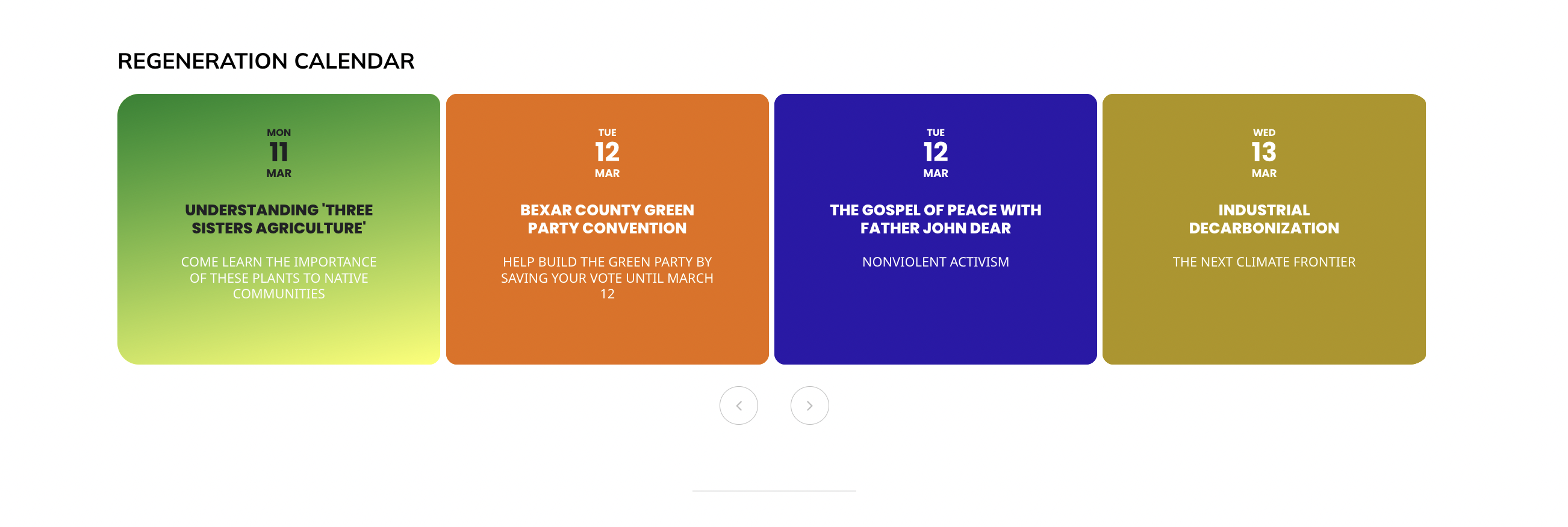
i don’t understand “any email you like” as i think it needs to send you a confirmation email to login, no? i tried creating a temp user w/ fictitious email and i couldn’t see any of my menus … anyway, the popup issue seems to have resolved but the popup now does not display either related events or social media sharing functions at bottom or top of window. … some posts are doing ok. such as: three sisters agriculture (displaying in black headline, where the others are white) displays both related events and social media shares. the others (w/ white headlines) show neither (this is under slider on top page: https://deceleration.news). … same problem on calendar page at https://deceleration.news/regeneration/
Reply to: tickets(340789)
Update. I have tried something else and I’m now wanting for real orders to confirm if this is fixed. Stay tuned.
Reply to: tickets(343844)
i remove the second calendar and put my form in an other page
Its better 🙂
For trying to limiting the number of event by event count : it has no effect on speed i test with lots of possibilities of number i gain a few hundredths of a second. (Is it possible that I am doing this incorrectly? )
With show_limit_ajax=”yes” it’s better but i lose sep_month=”yes” and my visitors have to click a lot of times
I test also cal_init_nonajax=”yes” no effect on my speed
Do you have a other idea for speed this page ? Maybe Can you advise me on a maximum number of events to display at the start?
thanks you in advance
Reply to: tickets(341318)
@Artem hello! Just wondering if you can point me in the direction where I can make the CSS update myself. I’m not sure which element needs to be modified in order to fix this breakpoint (the viewport above is for iPhone 15 Pro Max and Pixel 8. The display slightly changed so the mobile version needs to be displayed “sooner”
Thanks in advance!