Reply to: tickets(341932)

add_filter(‘evoics_additional_ics_fields’, ‘evoics_fields’, 10, 1);

function evoics_fields($fields){

$fields[] = ‘evcal_subtitle’;

$fields[] = ‘evcal_subtitle1’;

return $fields;

}

add_filter(‘evoics_additional_data_validation’, ‘evoics_validate’,10,1);

function evoics_validate($ics_data){

if(!empty($ics_data[‘SUBTITLE’])){

$ics_data = array_merge($ics_data, array(

‘evcal_subtitle’=>$ics_data[‘SUBTITLE’]

));

}


if(!empty($ics_data[‘SUBTITLE1’])){

$ics_data = array_merge($ics_data, array(

‘evcal_subtitle1’=>$ics_data[‘SUBTITLE1’]

));

}

return $ics_data;

}

add_action(‘evoics_save_event_custom_data’,’evoics_save_inloop’,10,3);

function evoics_save_inloop($post_id, $post_data, $field){

if($field!= ‘evcal_subtitle’) return false;

if($field!= ‘evcal_subtitle1’) return false;

// perform your own saving function

update_post_meta($post_id, $field, $post_data[$field]);

// You can use below to save taxonomy values eg. for event type category terms

// wp_set_post_terms( $post_id, $post_data[$field], ‘event_type’);

}

The code above shows how you can add multiple fields. Please try and let us know.
Reply to: tickets(342532)

The test event works for me: https://live.aloha-more.com/events/test/

In Troubleshooting Mode?

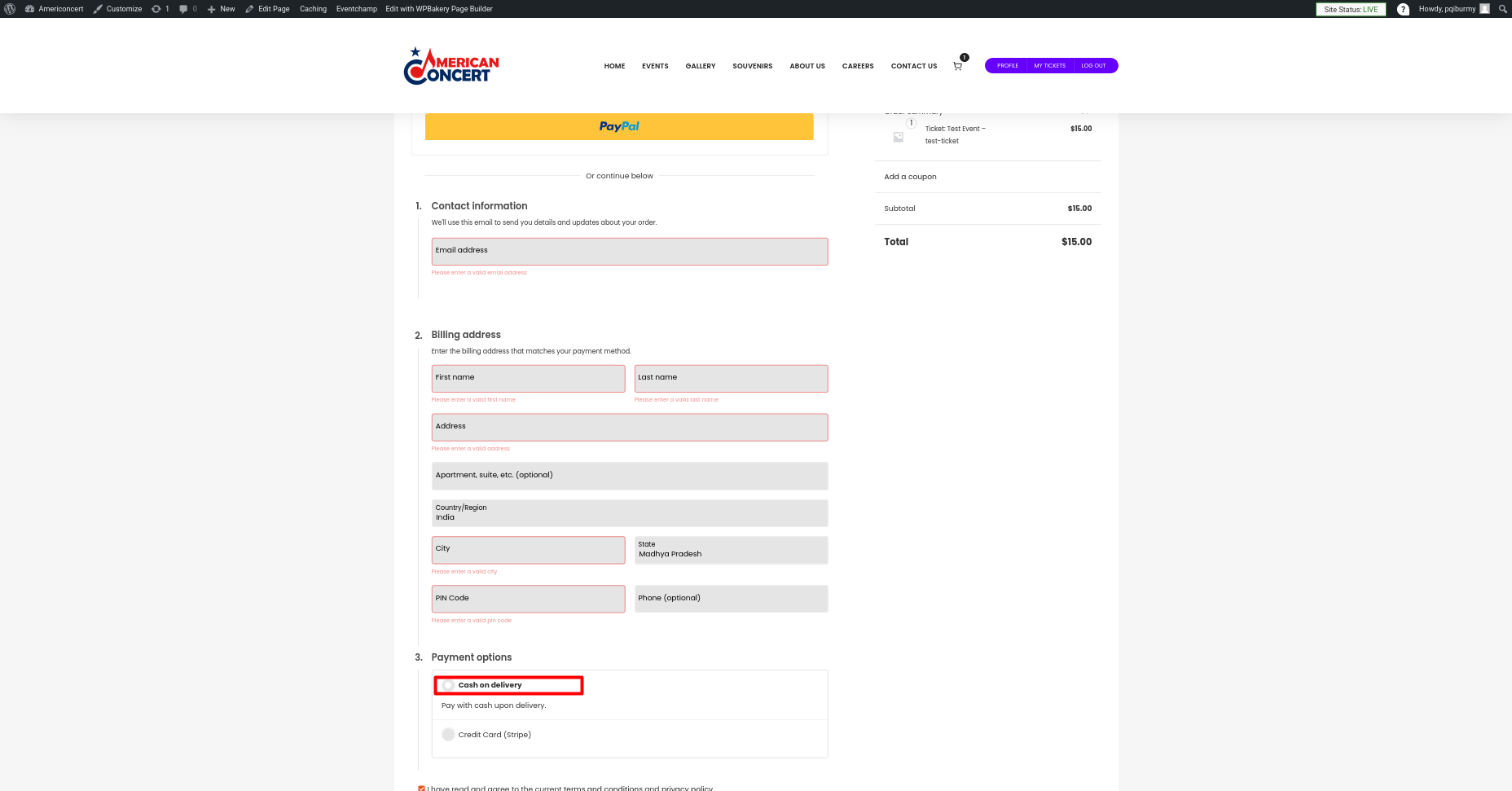
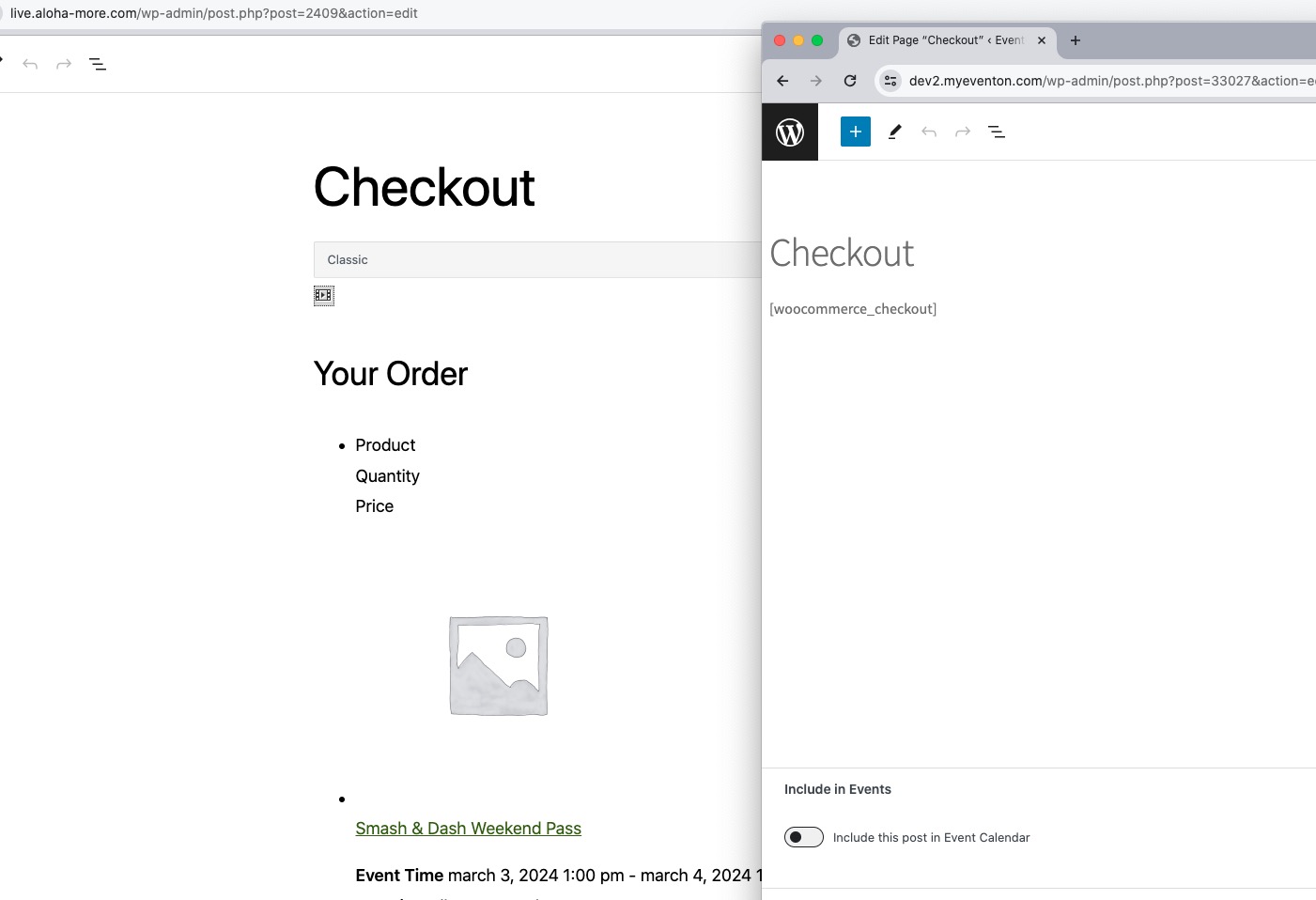
Your checkout page is different from the one we have on our test server:

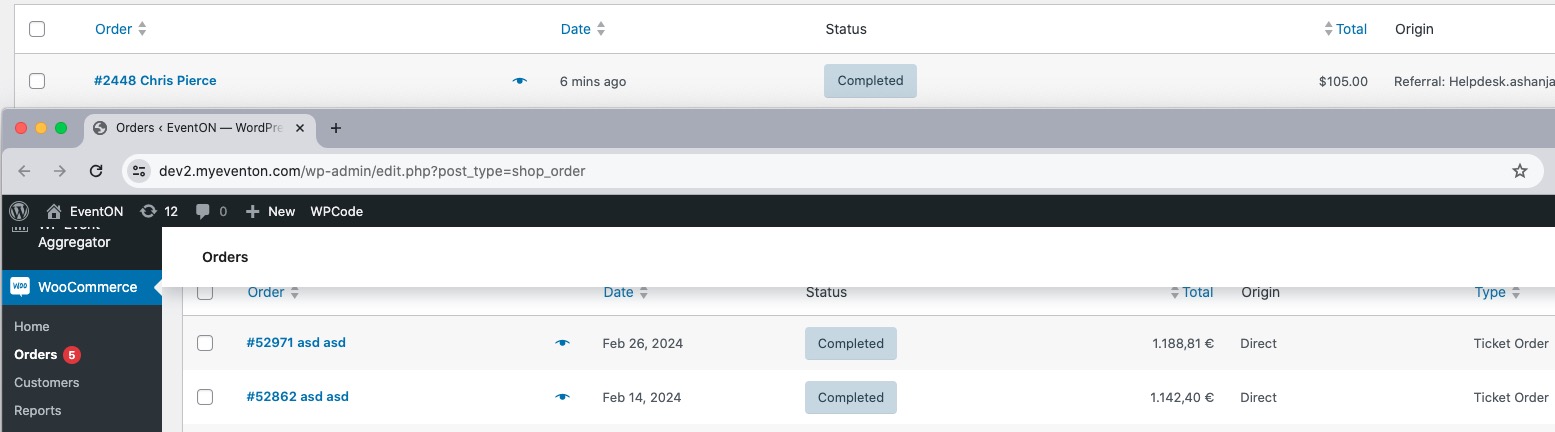
Orders page is also different:

Orders from EventON should be labeled as “Ticket Order”.

Reply to: tickets(342934)

Of course. Please do not activate or deactivate Plugins, it is a very complex Website with multiple connections!!

eventon-support

PW: Ajn2)LBrO(xcU@^fOO)$wy&leven


You can see it:

Check the Events in the Backend – This is the right time

And then go to the Ticket and WooCommerce Order, there you will see a other time

I attached you some Screenshots

Reply to: tickets(342936)

Hello,

Could you send us a screenshot of what you are trying to achieve?

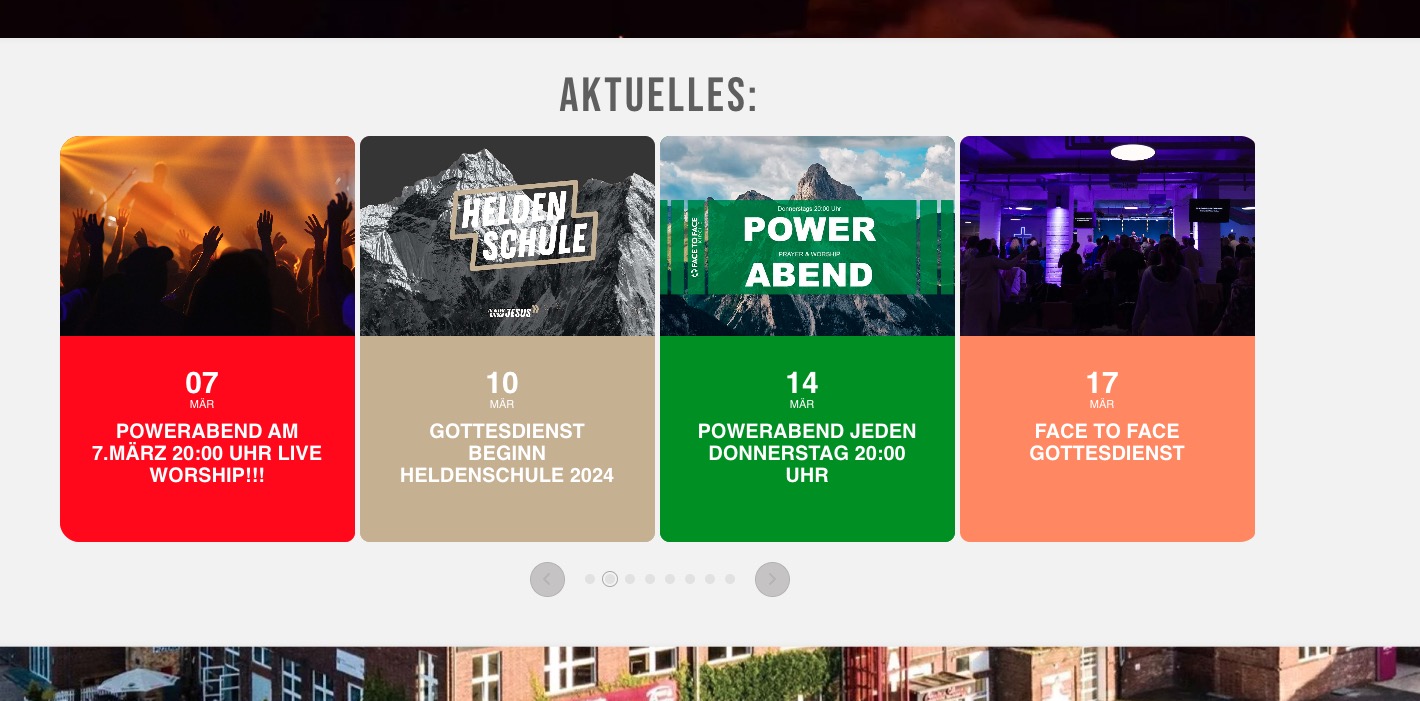
All sliders are the same size on my side:

Reply to: tickets(342941)

Hello,

Please follow the instructions in this documentation to activate debug in your site to see any PHP errors recorded that can provide insight on to whats going on. Please reply with a link to debug.log file. If you are not able to do this please send us FTP access to your site so we can do this for you.

Reply to: tickets(342934)

Please send us wp-admin access to your site as a private message for us to further assist your situation.