Reply to: tickets(342649)
Replies for tickets on suppota
And maybe this should be in the documentation somewhere. I hunted for a long time trying to find out exactly how to do this.
ah ok. Hopefully there’s an enhancement coming that will populate this like the other fields.
https://pagespeed.web.dev/analysis/https-thebeatbali-com-bali-events/pfmyyji8uc?form_factor=mobile
Please check this report for the bail-events page.
The only thing we have on that page are the two calendars. According to Linode, the resources are enough for anything.
“Thanks for sending over that output from your Linode. While I can’t tell you how this impacts your application or services running on your Linode directly, I can definitely interpret this in regards to the resources you’re using on your Linode. I’ll go into more detail, but based on what you’ve shared, there should be no issue running the website or resources your need to.”
So what could be causing this page to be so slow to open? Cheers
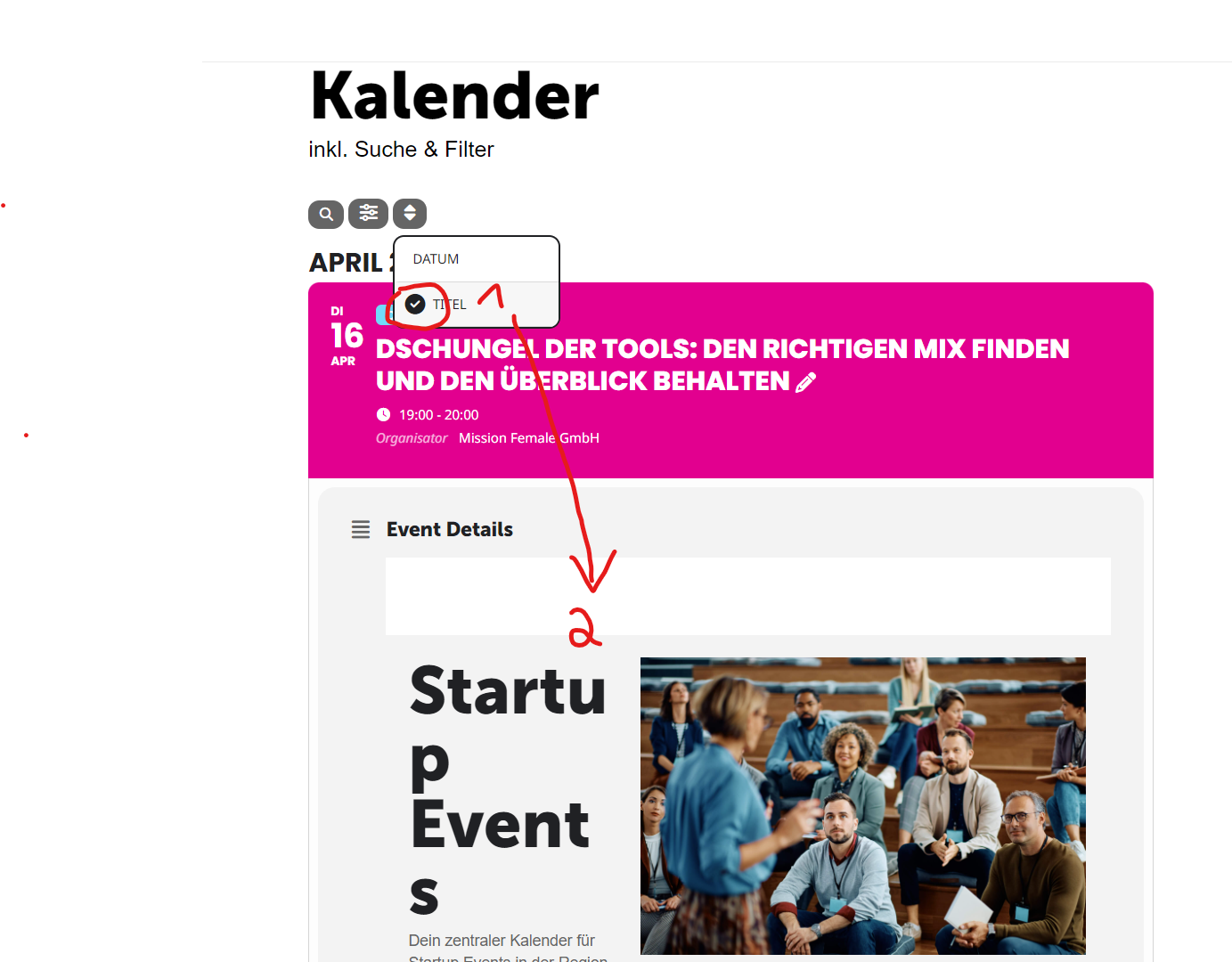
You can reproduce my problem when you change the filter or sort by “TITEL”.
When I change the settings from “Standard WordPress Filter” (Default WordPress Filter”) to “Kein Filter” (no filter) it seems to solve my new problem (homepage content in event details) and my old problem (spacing beetween list elements).
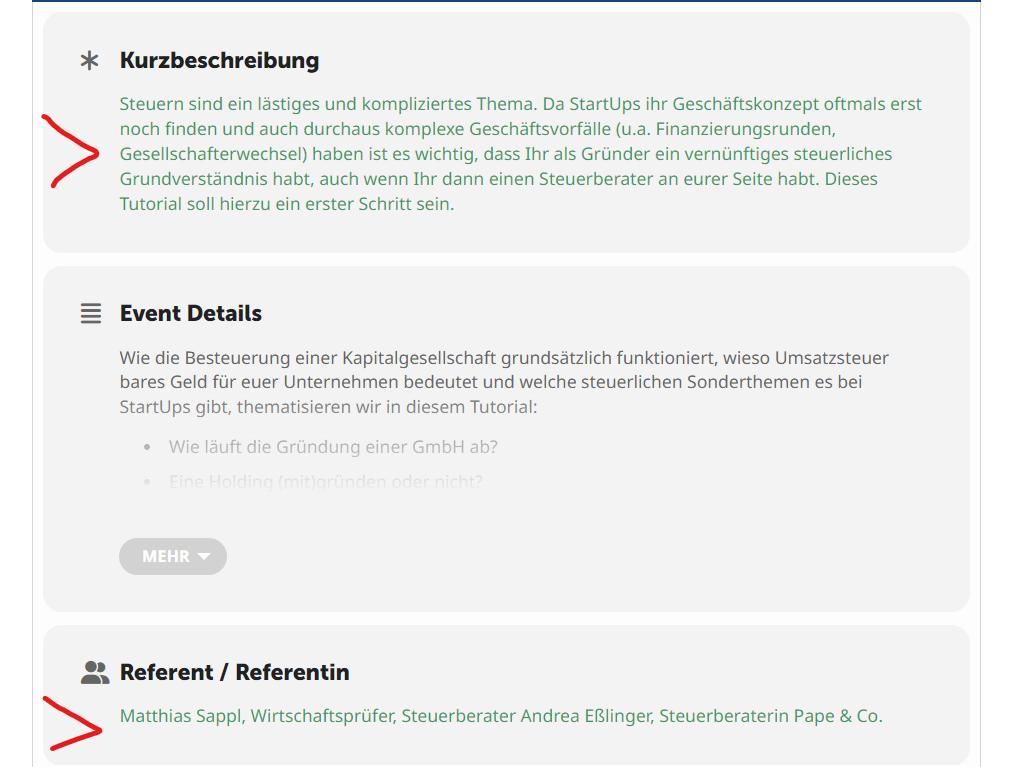
But I got a new problem: The text in the custom fields is colored green. See 2. screenshot.
thankyou. this worked
is there a reason for the line breaks between the date info and the title?
Hi there,
Unfortunately, the update did not help. I was able to login with the credentials I provided so I am not sure why you’re unable to login. Here they are again.
admin access: https://live.aloha-more.com/wp-admin/
un:eventon
pw: poFcrEAZsgzG*F#dMvVRnFSy
Hi there,
Yes, the orders are set to complete and I was able to login successfully with the same credentials I provided.
Here they’re just to be sure.
admin access: https://live.aloha-more.com/wp-admin/
un:eventon
pw: poFcrEAZsgzG*F#dMvVRnFSy
Please follow the instructions in this documentation to activate debug in your site to see any PHP errors recorded that can provide insight on to whats going on. Please reply with a link to debug.log file. If you are not able to do this please send us FTP access to your site so we can do this for you.