Thanks for the fast answer.
Yes, send me the code for testing.
One suggestion: as there is a conflict with privacy rules in the European Union and Google and maps can not be shown directly, there could be an easy way in just having the choice of showing a link (instead of the map) to google maps directly as in the “get the direction” link for organization / location.
Another way would be just having a blocker before loading a google map as with the script of Mathias Altmann https://www.altmann.de/en/blog-en/code-snippet-consent-for-external-content/
Thanks a lot
The “more” button is active on the page for which I submitted the link (Rome May).
The pages you are referring to (like Liste der Ausstellungen) have no more button and are wrapped in an accordion. Even these lists did not work until I delayed a generatepress script.
The shortcode with button is
[add_eventon_list number_of_months=”1″ month_incre=”0″ fixed_month=”05″ fixed_year=”2024″ show_et_ft_img=”yes” etc_override=”no” tiles=”no” tile_count=”3″ show_year=”no” hide_month_headers=”no” lang=”L2″ event_type=”3993,” eventtop_style=”5″ accord=”no” show_limit=”yes” event_order=”DESC” event_count=”3″]
The shortcode without button
[add_eventon_list number_of_months=”1″ month_incre=”0″ fixed_month=”05″ fixed_year=”2024″ show_et_ft_img=”yes” etc_override=”no” tiles=”no” tile_count=”3″ show_year=”no” hide_month_headers=”no” lang=”L1″ event_type=”3993,” eventtop_style=”5″ accord=”no” show_limit=”no” event_order=”DESC”]
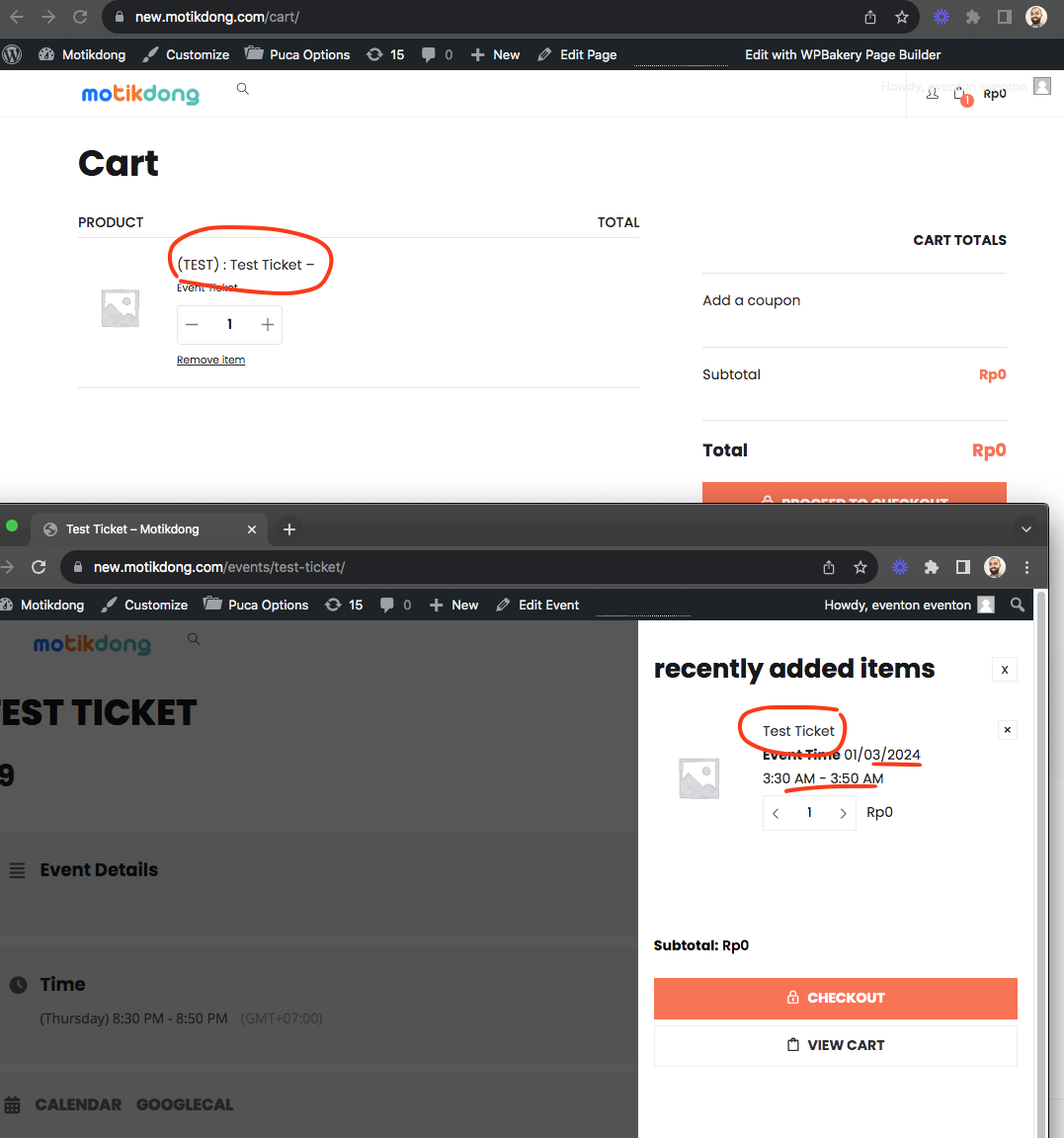
It seems like the theme is ignoring the WC product meta data passed on about the event.
Perhaps why the checkout orders do not register as tickets.
Please allow us sometime to debug this and get a good fix out 🙂
Hello,
Please use these styles (first desktop/second mobile):
.evofc_months_strip.names .eventon_fc_days .evo_fc_day.has_events span i {}
@media (max-width: 960px) { .evofc_months_strip.names .eventon_fc_days .evo_fc_day.has_events span i {} }
Just add your styles to {}, just make sure to use !important.
Hello,
Please send us wp-admin access to your site as a private message for us to further assist your situation.
Hello,
Please send us wp-admin access to your site as a private message for us to further assist your situation.
Please add this CSS code to EventON > Styles (If you don’t see any change, EventON > Scripts & Styling > turn off Write dynamic styles to header > save settings > turn on Write dynamic styles to header):
.evcal_eventcard .evo_metarow_tix .tx_wc_notic { display: none; } .evotx_orderonline_add_cart .stock.in-stock { display: none !important; }
Hello,
Unfortunately, this is the correct way of showing a multi-day event. However please create a new ticket and select Feature Request as category so others can vote on your idea and get it moved into development faster.
Ashan,
The same issue:
https://helpdesk.ashanjay.com/ticket/sku-gets-overwritten-when-updating-an-event/
Hello,
Thank you for your messages, I am going to assign this ticket to Ashan and he will be able to take it from here and find you a solution. Please allow some time for him to get back to you, we greatly appreciate your patience and thank you for being a eventon customer! Also please disable any IP blocking on your site if there are any.