Hello,
1. That is added in the code to support for UTF-8 special characters where we had issues in the past with customers special characters not converting correctly.
2. Where do you put the phone number? Could you send us a screenshot?
Replies for tickets on suppota
Hello,
1. That is added in the code to support for UTF-8 special characters where we had issues in the past with customers special characters not converting correctly.
2. Where do you put the phone number? Could you send us a screenshot?
Hi,
Can you please let us know if you had opportunity to check this issue? Our client is asking us about it.
Thank you
Ashan,
The same on dev2:
https://dev2.myeventon.com/wp-admin/post.php?post=52786&action=edit
Hello,
Thank you for your messages, I am going to assign this ticket to Ashan and he will be able to take it from here and find you a solution. Please allow some time for him to get back to you, we greatly appreciate your patience and thank you for being a eventon customer! Also please disable any IP blocking on your site if there are any.
Hello,
Seems to be working when I put the flag like this:
https://dev2.myeventon.com/events/readersmagnet-preps-for-london-book-fair-2024-discover-the-future-of-creative-content/
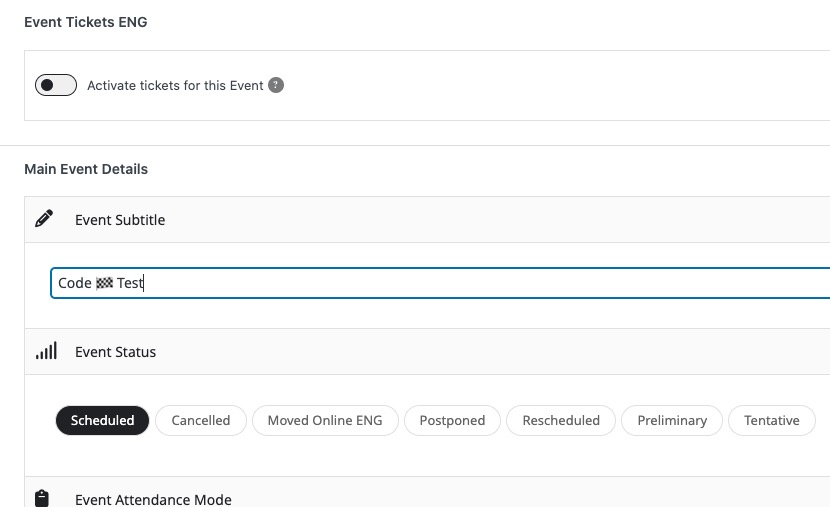
Got it from here:
https://www.alt-codes.net/flags
thank you.
Just sent the login details for you to help me.
Hello,
Thank you for the reply. I’ve created an admin user for you:
https://eventos.flad.pt/wp-admin
user: eventon
pass: eventon_support24
Looking forward for you reply.
Hello,
There is a new version of DailyView that is available. Please update as it should solve the issue.
To update eventon addons: You can download latest eventon addons from myeventon > my account. Then you can go to your website, deactivate old addon and install new one and activate then delete the old addon. This link will further explain the process. Also you can follow us on twitter to get real-time announcements on updates!
Please keep us updated.
We are glad your issue is resolved, if you have any further questions or concerns please create a new ticket.
If you have a moment, we would greatly appreciate if you could kindly leave us a review at myeventon/my-account!. Cheers!