You are correct. It seems that it still shows the entire event even if you make it password protected.
Thank you for your messages, I am going to assign this ticket to Ashan and he will be able to take it from here and find you a solution. Please allow some time for him to get back to you, we greatly appreciate your patience and thank you for being a eventon customer! Also please disable any IP blocking on your site if there are any.
Kenneth, Thank you–
I tried it but it didn’t work for the social icons–
Also, is there just a way to disable the learn more button under organizer or toggle on and off?
We updated and now we our days are filled with events that are not on that day – our days are an endless stream of events. We are an events site so the reason people come to our site and advertise with us is because of the way we keep a clear and correct calendar. We have very upset advertisers and now readers. Is there a way to fix this today?
Hi Sara,
Please update your Daily View Addon to the latest version 2.1.5.
To update eventon addons: You can download the latest eventon addons from myeventon > my account. Then you can go to your website, deactivate the old addon and install a new one, and activate then delete the old addon. This link will further explain the process.
despite having the event access password enabled, it still displays the event information below the password field. Maybe I have a misunderstanding on how this feature works?
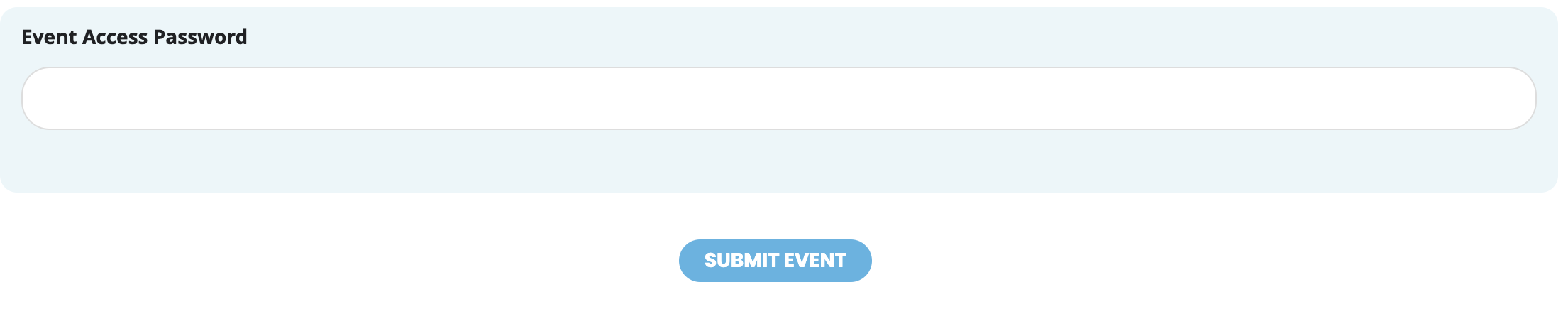
No, I am referring to the option, “event access password” that is available to action users when setting up their events. See attached screen shots.
Hey,
I always buy seats in the second movie “zweiter Film” at https://kino-seeblick.de/programm.
The seats
Row A – Seat 06-08
Row B – Seat 14-16 &
Row C – Seat 22-24
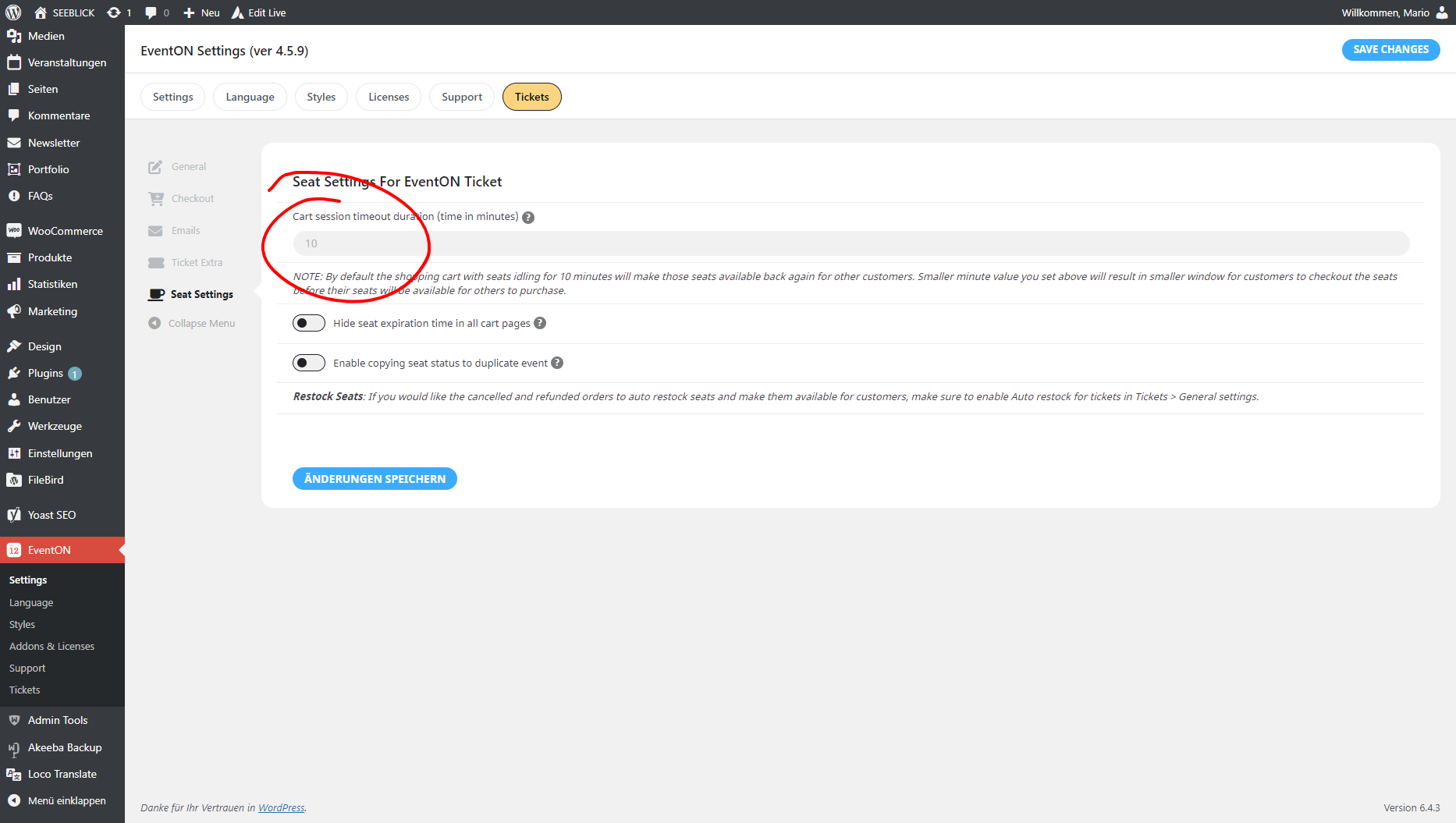
If I change the time in Seat Settings For EventON Ticket, e.g. 2 minutes, the seats are unlocked after this time.
Where exactly, and how can I update Single Event Template in my child theme?
Where can I find the new version at EventON folder?
Thanks