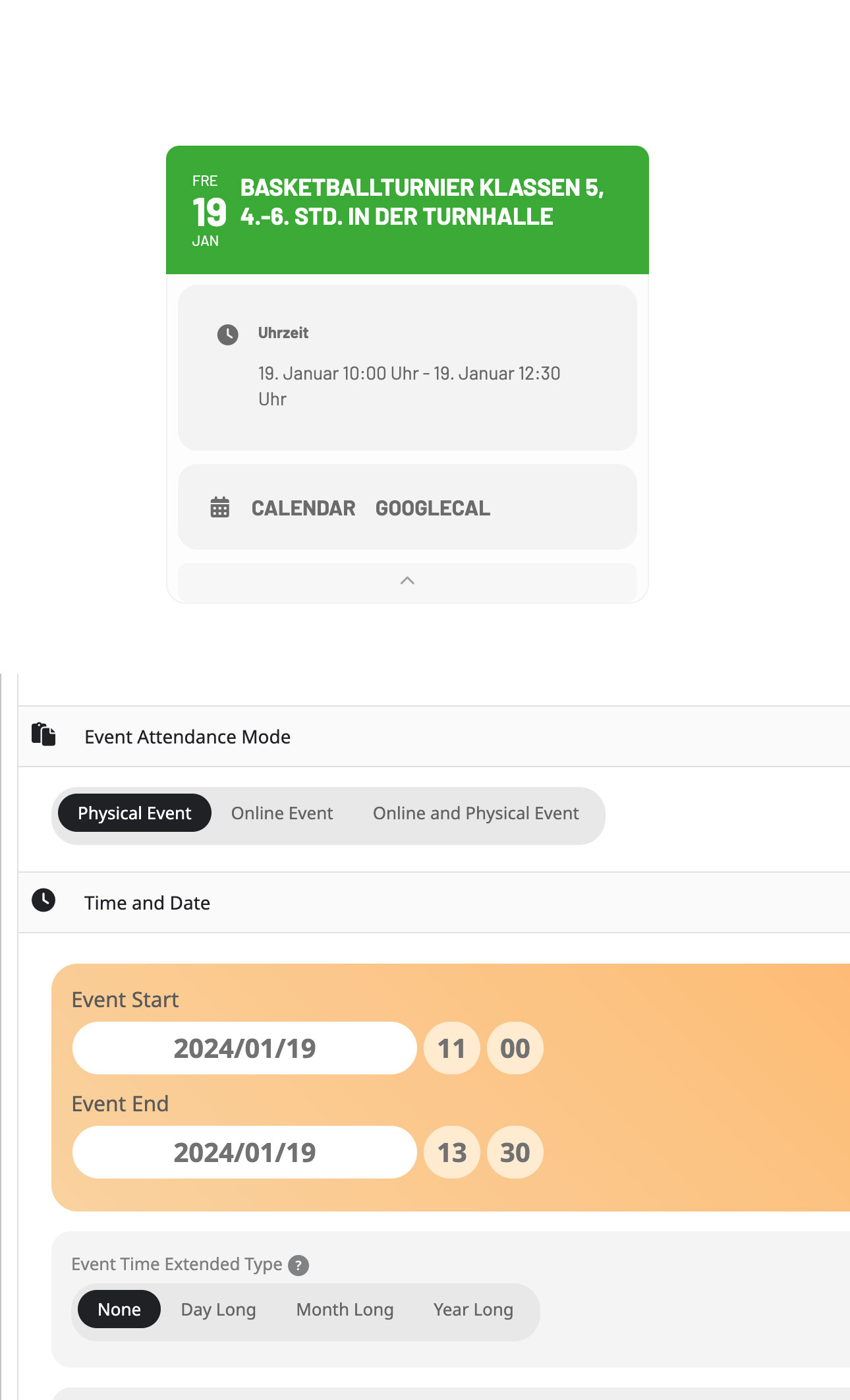
Hi, yes i have this option enabled. The problem is still there.
See my screenshots. Backend setting is 11 – 13.30 and in frontend it shows 10 – 12.30.
Replies for tickets on suppota
Hi, yes i have this option enabled. The problem is still there.
See my screenshots. Backend setting is 11 – 13.30 and in frontend it shows 10 – 12.30.
Sorry, this was the wrong ticket i’m refering to. 🙁
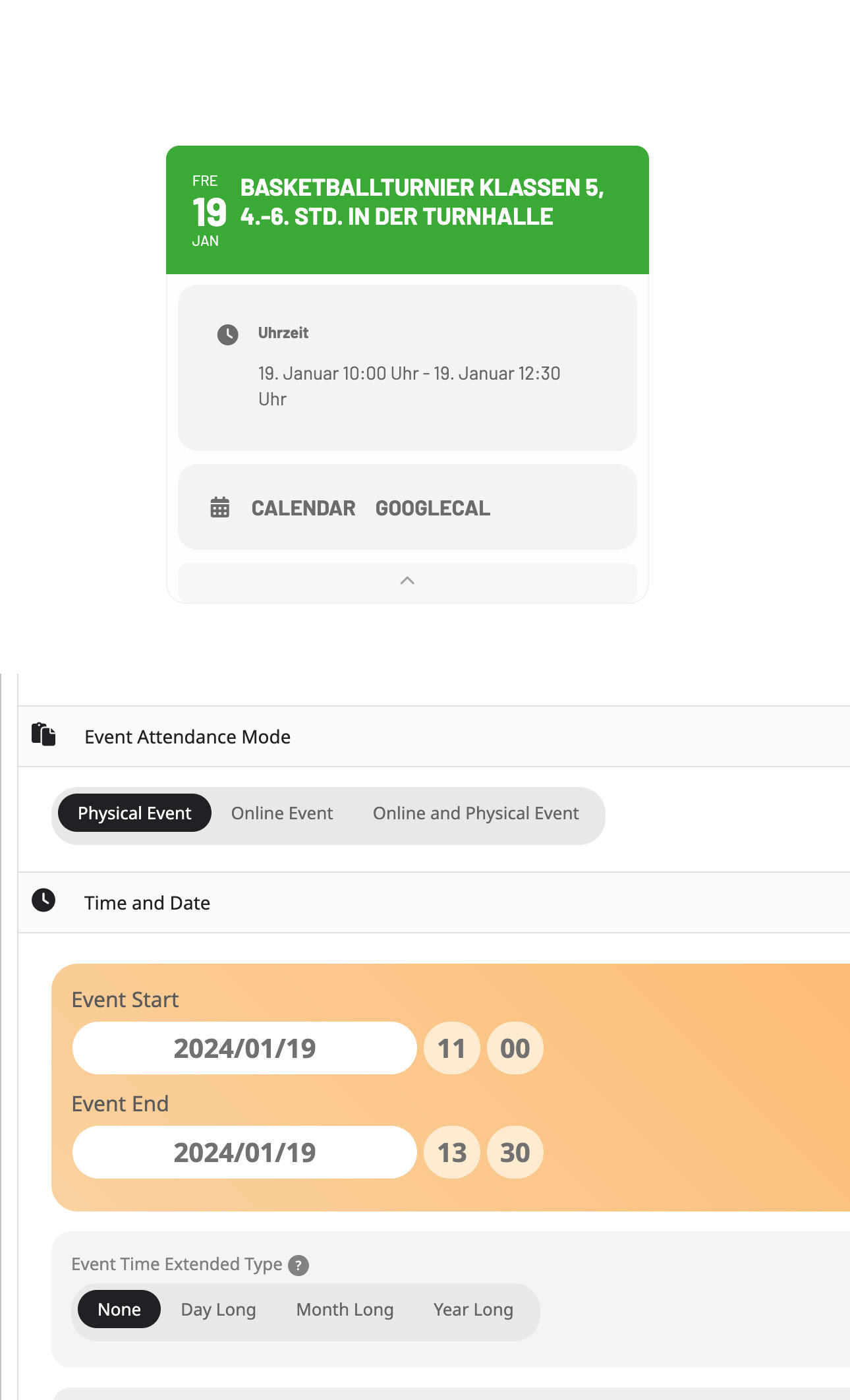
Hi, yes i have this option enabled. The problem is still there.
See my screenshots. Backend setting is 11 – 13.30 and in frontend it shows 10 – 12.30.
Thanks.
Hope it doesn’t take a long time.
Have a nice day.
Hi Artem,
as I mentioned above:
Use custom time zone works fine for me!
So problem seems to be fixed.
Br
JEns
the event type 1126, not 1176
Hello, i try this
[add_eventon_tabs tab1=”Main” tab2=”TWO” tab1shortcode=”add_eventon” tab2shortcode=”add_eventon_fc”
eventtop_date_style=”1″ show_et_ft_img=”yes” hide_et_extra=”yes” eventtop_style=”2″ livenow_bar=”no” hide_et_tags=”yes” bottom_nav=”no” exp_jumper=”yes” exp_so=”yes” jumper=”yes” wishlist=”yes” ux_val=”4a” show_limit=”yes” event_count=”10″ ft_event_priority=”yes” event_type=”1126″]
But all events appear, not only the 1176.
Can I filter?
thanks
nuno
This is pretty urgent.. I cannot wait for a long time since it shows the wrong time now. At least provide me with a link to the old version before the update so I can downgrade the plugin manually. And please ask him to prioritize this. There is no ip-blocking on the site.
Could you update EventON to 4.5.6?
Or downgrade to 4.5.4:
https://helpdeskx.s3.amazonaws.com/wp-content/uploads/2024/01/12035959/eventON4.5.4.zip
We are sorry for the delay. Could you try re-downloading ICS Import and install it again? Not sure why this works on our test site but not on yours.