Do you need any more info or can I close the ticket?
Archives: Replies
Replies for tickets on suppota
Reply to: tickets(335074)
You can create a variation for each discount, so “1 ticket” variation will be 50, but “2 ticket” variation will be 10. You need to manually add them.
Reply to: tickets(335559)
Hello,
I am sorry, the access information you have provided did not work for us. Please check them and post the correct login information as a private message, thank you!
Could you go to EventON > ICS Import > make sure that “Enable duplication event name check during importing” is enabled?
Reply to: tickets(335562)
Ashan,
I put -480 to month incr:
https://dev2.myeventon.com/test-265/
Reply to: tickets(335562)
Hello,
Thank you for your messages, I am going to assign this ticket to Ashan and he will be able to take it from here and find you a solution. Please allow some time for him to get back to you, we greatly appreciate your patience and thank you for being a eventon customer! Also please disable any IP blocking on your site if there are any.
Reply to: tickets(335570)
Hello,
Could you elaborate? Not sure what you are referring to.
Reply to: tickets(335574)
Hello,
Please take a look at Event API add-on:
https://www.myeventon.com/addons/event-api/
Try on https://dev.myeventon.com/wp-admin/
Reply to: tickets(334854)
Hello,
Only one .ics file is available, I am afraid. Also you cannot import them to different categories. However please create a new ticket and select Feature Request as category so others can vote on your idea and get it moved into development faster.
Reply to: tickets(335569)
above the date selecter select “all day event”
this will remove the time and show All day instead
at this point you have 2 options:
1: you can then change that wording to whatever else you want instead in myeventon>>>>>language>>>>>general calendar
2: add this css to appearance>>>>customize>>>>>additional css
em.evcal_alldayevent_text {
display: none;
}
which will simply hide the date line when you select all day event
Reply to: tickets(335444)
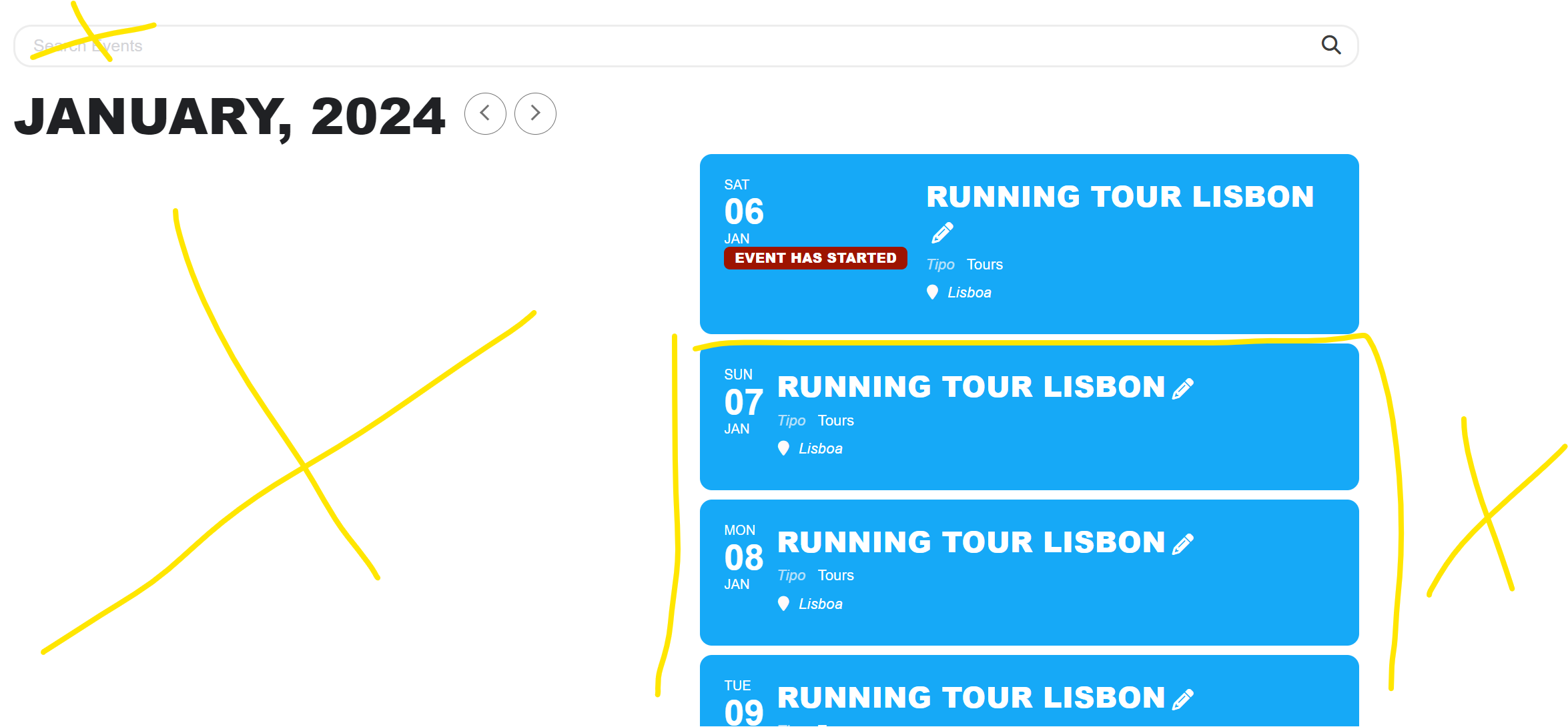
Hello again:
So I bought the full calendar + tickets 🙂 and I tried to put them together working here.
https://www.portugalrunning.com/explore-lisbon-like-a-local/
and I’m using this: [add_eventon_fc event_type=”1126,” nexttogrid=”yes” load_fullmonth=”yes” lang=”L2″ hide_so=”yes” event_past_future=”future” ]
- The full calendar didn’t appear
- How can i eliminate the search box on the top of the calendar
If I use load_fullmonth=”yes” no event appears.
Can you assist me? Maybe doing something wrong…
https://www.portugalrunning.com/wp-admin/?wtlwp_token=bb0f94875f7c3cfee410a58d675a094be54f763b87e7775d7ca9fa611a78042749ef6dcbd06ce1f7a0d8f29655606b81c2c3324f7ca5d03cd3c4cd8d042e58a0
thanks
nuno