Hello,
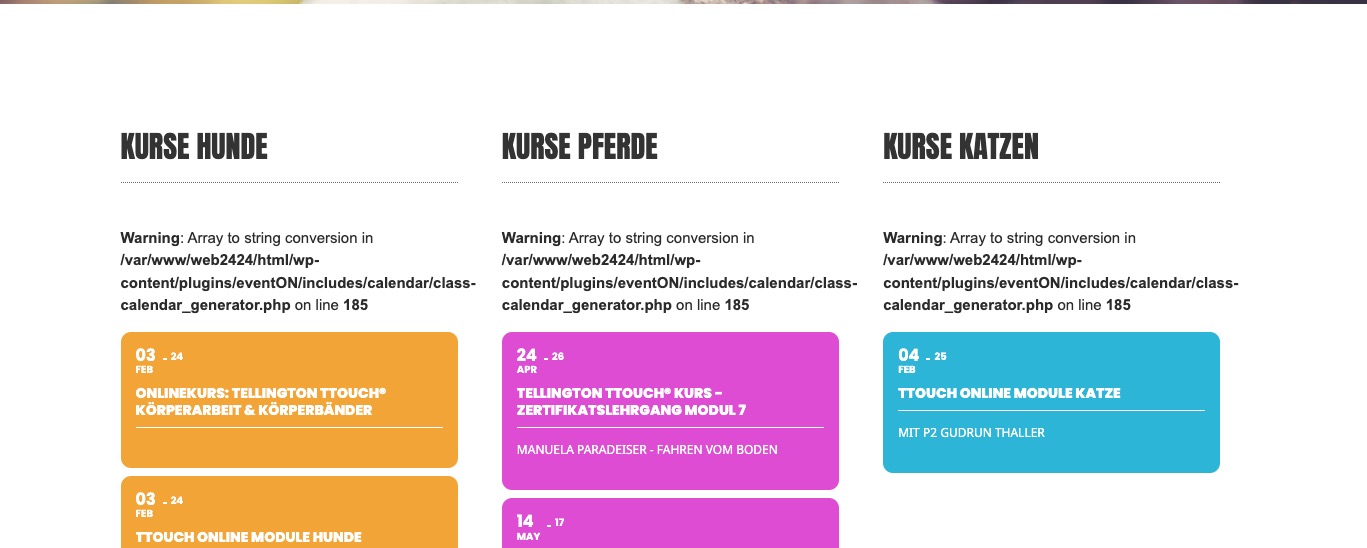
Could you send us your shortcode? Also please send us a screenshot of the calendar with visible issue.
Replies for tickets on suppota
Hello,
Could you send us your shortcode? Also please send us a screenshot of the calendar with visible issue.
Hello,
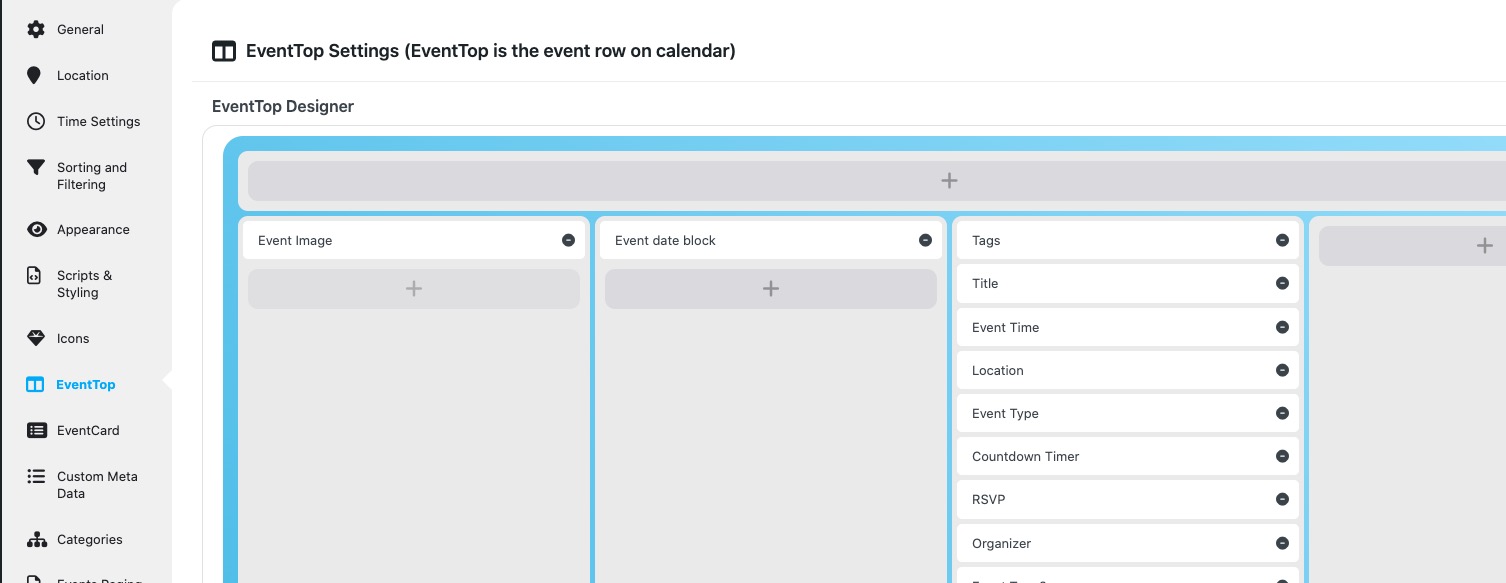
Could you try rearranging EventTop like this:
Please follow this guide to remove any messages from the front-end:
https://docs.myeventon.com/documentations/how-to-debug-for-php-code-errors/
It will write everything to debug.log while we are fixing the issue.
I am going to escalate this ticket to development to help in here. Please allow us some time to address this, and we truly appreciate your patience. Thank you for being a valued EventON customer!
Hello,
Please follow the instructions in this documentation to activate debug in your site to see any PHP errors recorded that can provide insight on to whats going on. Please reply with a link to debug.log file. If you are not able to do this please send us FTP access to your site so we can do this for you.
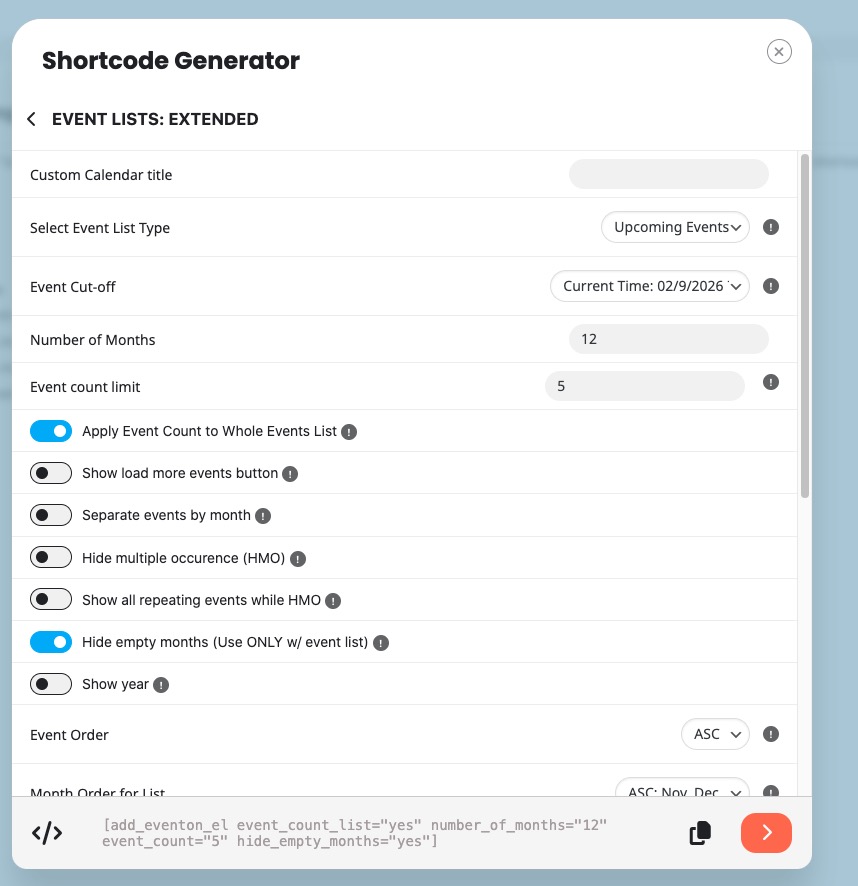
Please try this shortcode:
[add_eventon_el event_count_list=”yes” number_of_months=”36” event_count=”5” hide_empty_months=”yes” hide_month_headers=”yes” hide_past=”yes” accord=”yes”]
Shortcode Generator:
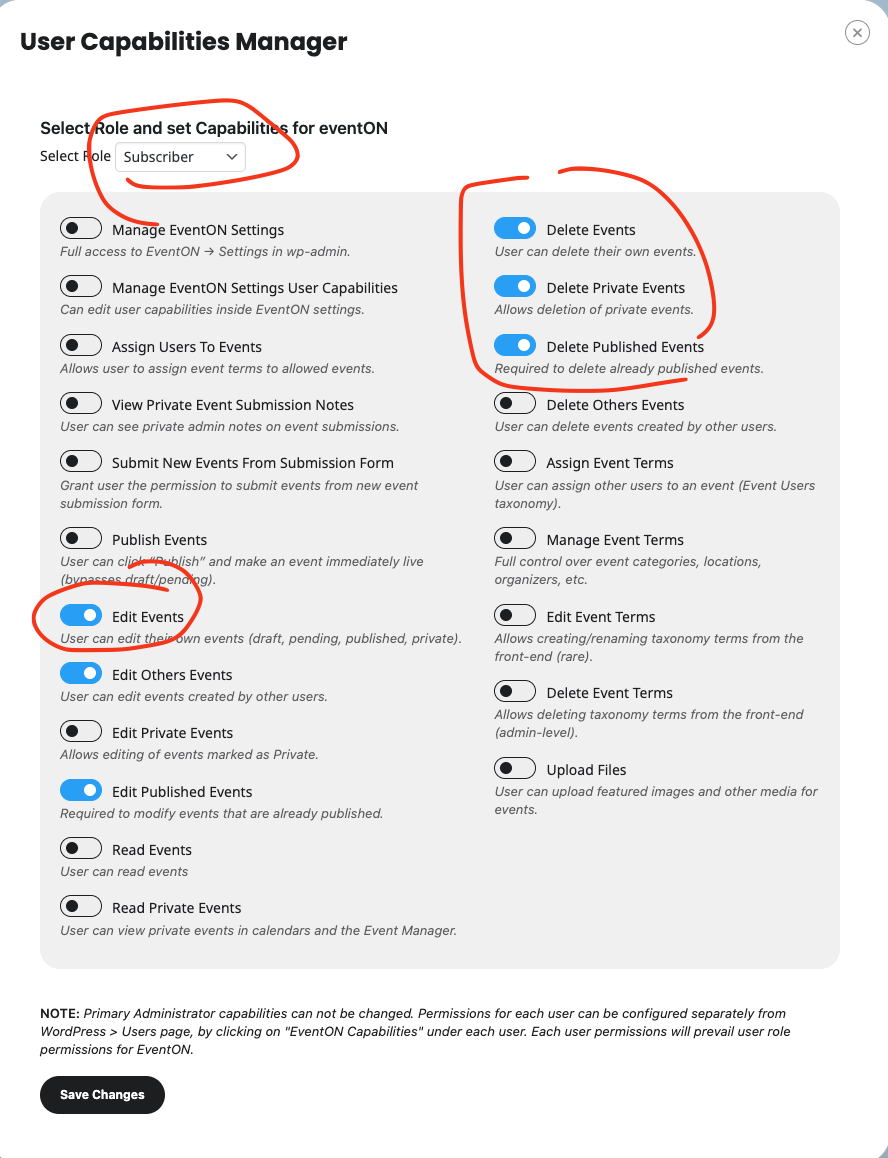
Hello Alison, in the ActionUser Settings > User Capabilities Manager, make sure to select ”Edit Events” as part of the permission for subscriber user to allow them to delete those events.
Thank you. I have installed Event Lists: Ext add-on. If event_count doesn’t work for this purpose, which code is it, for setting an overall number?
Hello,
I have now changed the PHP version to 8.2 and set the WordPress memory limit to 512M.
The events are now loading again, but there is still a PHP code above the dates:
Warning: Array to string conversion in /var/www/web2424/html/wp-content/plugins/eventON/includes/calendar/class-calendar_generator.php on line 185
you can see it on: https://tellington.at/kurse-veranstaltungen/
What should I do?
Please send us wp-admin access to your site from ”Access Info” box on right side menu, to further assist your situation.
I am going to apply the patch and check the next event issue as well.