Hello,
My last ticket was closed before I could respond.
I closed the duplicate:
https://helpdesk.ashanjay.com/ticket/my-server-wp-engine-says-that-requests-to-5308-evo-ajaxeventon_init_load-1444-wp-admin-admin-ajax-php-are-causing-502-errors-2/
The original ticket is still open and can be replied to:
https://helpdesk.ashanjay.com/ticket/my-server-wp-engine-says-that-requests-to-5308-evo-ajaxeventon_init_load-1444-wp-admin-admin-ajax-php-are-causing-502-errors/
debug.log file doesn’t contain any errors, only warnings. Nothing related to the performance.
We are working on 4.5.5 that should help with the performance. It will be released very soon. Please wait for the update.
Are you showing the staging website?
Even if you hide End Date/Time, you still need to add it to the file in the correct format:
event_start_date & event_end_date – Start/End date in format mm/dd/YYYY
event_start_time & event_end_time – Start/End time in format h:mm:AM/PM
Hello,
“Ticket Type”
Could you take a look at EventON > Language > ADDON: Event Tickets > Ticket Type?
“Ticket Information”
“simple”
Thank you for your messages, I am going to assign this ticket to Ashan and he will be able to take it from here and find you a solution. Please allow some time for him to get back to you, we greatly appreciate your patience and thank you for being a eventon customer! Also please disable any IP blocking on your site if there are any.
Hello,
Please send us FTP access to your site as a private message, so we can perform several tests from our end and resolve your issue fast!
Could you make sure that you are using the latest version of Event Lists: Ext add-on?
To update eventon addons: You can download latest eventon addons from myeventon > my account. Then you can go to your website, deactivate old addon and install new one and activate then delete the old addon. This link will further explain the process. Also you can follow us on twitter to get real-time announcements on updates!
I think that this can be done with Event Type:
https://docs.myeventon.com/documentations/confused-event-type-categories/
https://docs.myeventon.com/documentations/how-to-use-event-types-to-do-more/
There is no connection between types and locations, but you can create the connection manually by assigning a certain type to an event with a certain location.
Please send us wp-admin access to your site as a private message for us to further assist your situation.
Hi David,
You will need to use this addon
https://myeventon.com/addons/event-lists-extended/
Please feel free to test it here
Use the shortcode below
[add_eventon_el number_of_months=”12″ event_count_list=”yes” event_count=”1″ hide_empty_months=”yes”]
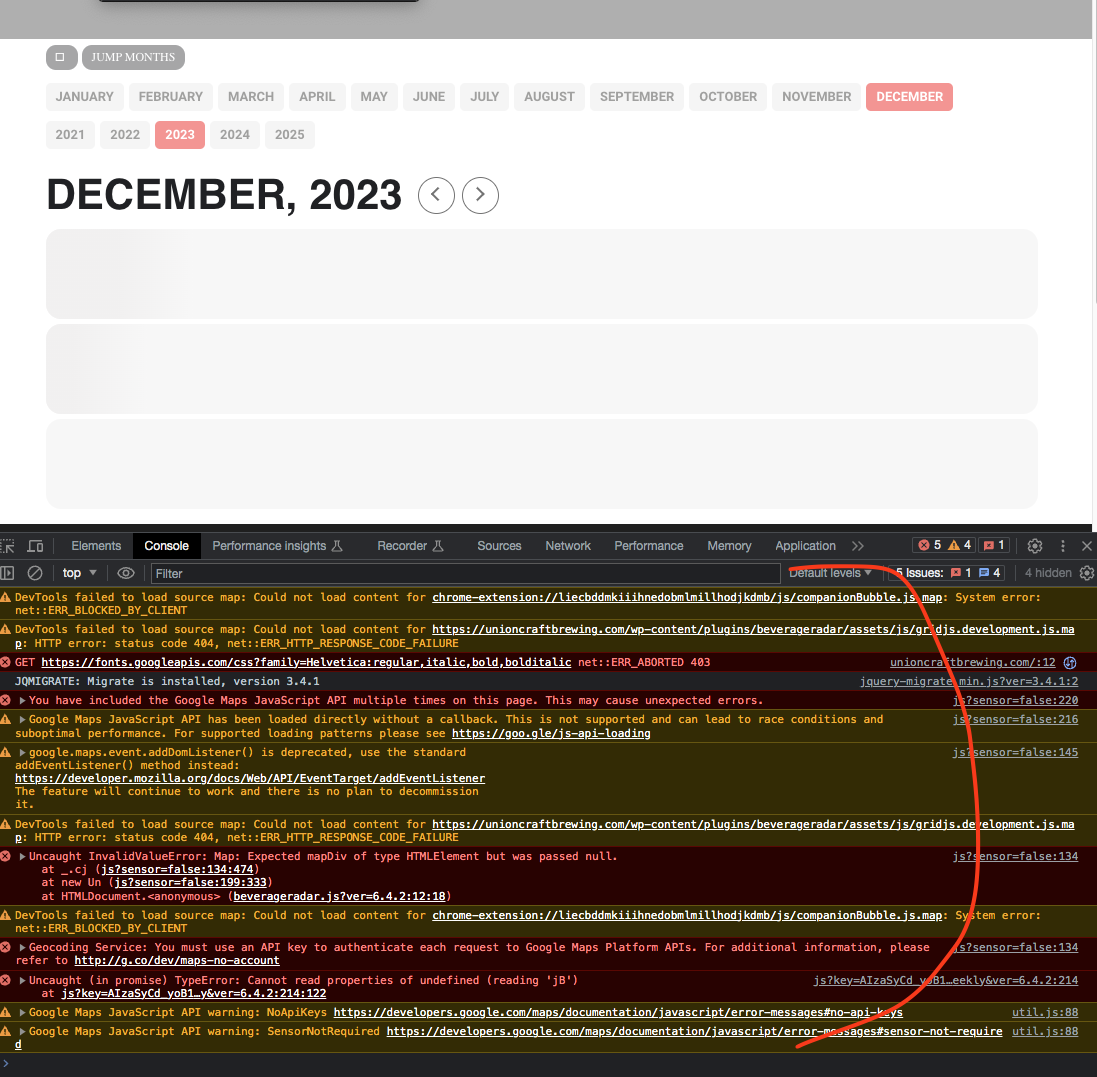
Seems like there are a lot of js errors coming up that is stopping the eventON calendar script from running.
See if your google maps API is correctly setup.
What is the URL to the ICS file Charley? right now the link in you settings is https://wannadance.com/ics/