Hi Dave!
Thank you so much for sending this detailed video explaining how to fix this for us. I really appreciate it. Have a great day!
Replies for tickets on suppota
Hi Dave!
Thank you so much for sending this detailed video explaining how to fix this for us. I really appreciate it. Have a great day!
Hello,
thank you for the answer.
Could you please tell me, if there is an other way of exporting the RSPVs data to an spreadsheet?
I would like to export those data into Excel.
Regards,
What did you mean by this message? Necktie Social from nov 11th is past event, no? Could you elaborate?
This has been going on for over a week so this was referring to the first events that disappeared before they were happening. Whoever I originally started this thread with specifically asked for a listing that dropped off so that is why I shared that.
I set “Select event calendar WP Query method” back to “Query all the event posts”, so these events are visible.
It was already set to do that — why is it reverting to a setting I have never used? Regardless I am glad to see it is set back to its original setting. Am I supposed to be constantly going back and checking settings to see if they have changed on their own? Trying to follow what you are saying here? Can you explain to me why it suddenly changed even tho I did not touch any of the settings?
I will talk to our web admin re the speed of eventon’s loading and get back to you — I noticed on the help forum that others have the same problem I do re speed since the update and they have super fast servers and have explained that to you. It is happening on your side. It was lightning-fast until the last update. How would that relate to my server which has not been changed? You guys need to take the speed issue seriously and find out why it is really happening. And it is slower than it was yesterday. So it is slowing down.
https://gastroguide.link/wp-content/uploads/events.csv
BTW, your main script exports garbage because of this code was hard-coded:
iconv(“UTF-8”, “ISO-8859-2”, …).
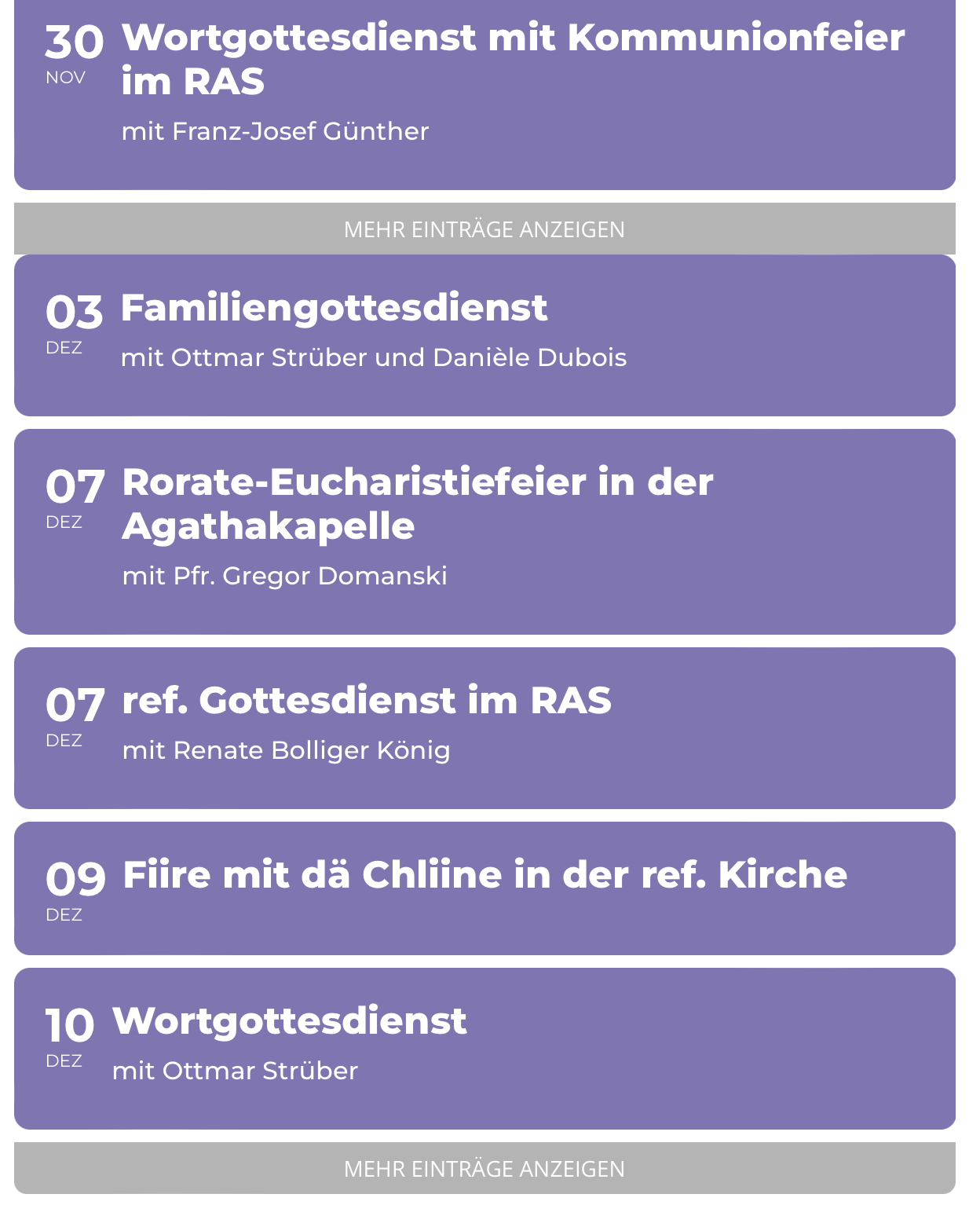
Oh okay. Now that works, but the Ajax for “show more” comes after every Month instead of just at the end. See Screenshot attached
My Shortcode is:
[add_eventon_list number_of_months=”12″ event_count=”12″ show_limit=”yes” show_limit_ajax=”yes” hide_month_headers=”yes” hide_end_time=”yes”]
What do I have to change to fix this?
Perfect! If you have any further questions or concerns please create a new ticket.
Ashan,
https://helpdeskx.s3.amazonaws.com/wp-content/uploads/2023/11/20164318/Screen-Shot-2023-11-20-at-3.40.04-PM.png
Colorful EventTop General Text Color doesn’t affect this color.
It seems that you cannot change this one at all:
https://dev2.myeventon.com/51897-2/
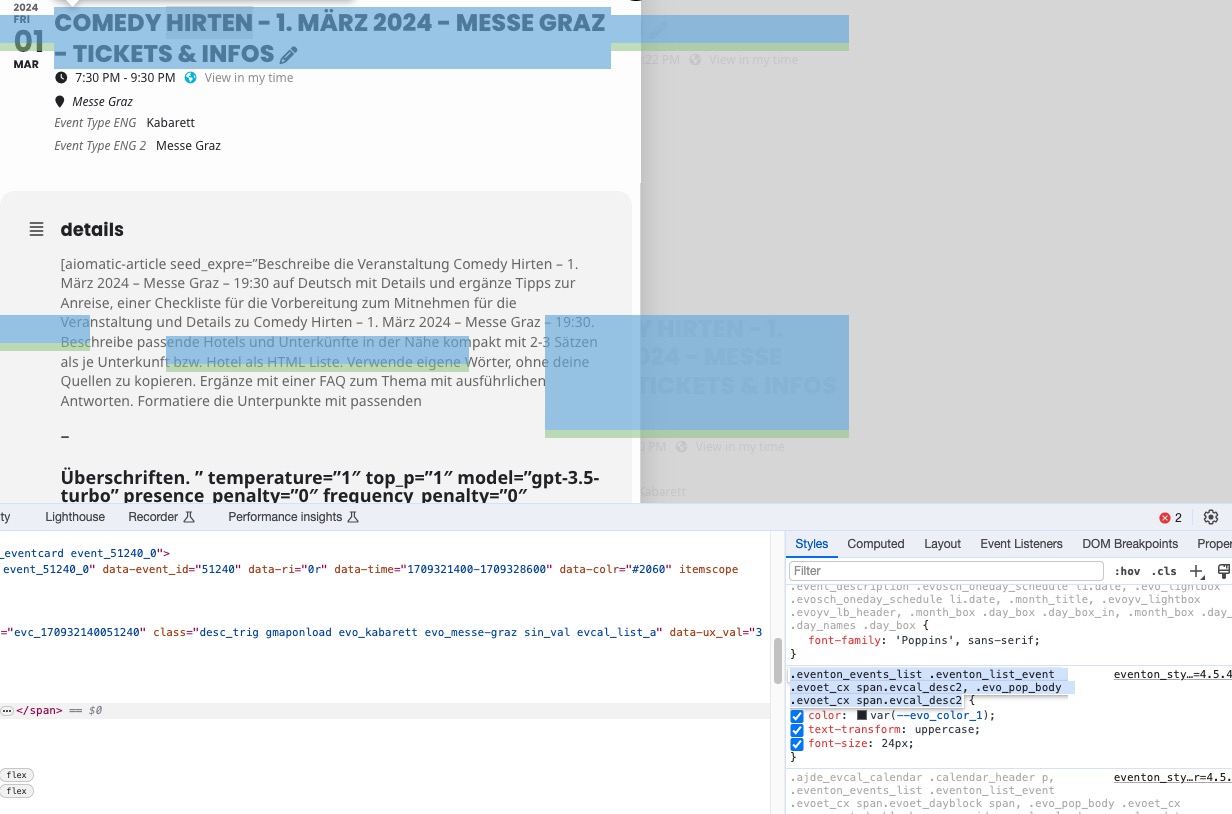
Hello,
https://helpdeskx.s3.amazonaws.com/wp-content/uploads/2023/11/20164337/Screen-Shot-2023-11-20-at-3.39.59-PM.png
This one is fixed:

https://helpdeskx.s3.amazonaws.com/wp-content/uploads/2023/11/20164318/Screen-Shot-2023-11-20-at-3.40.04-PM.png
Thank you for your messages, I am going to assign this ticket to Ashan and he will be able to take it from here and find you a solution. Please allow some time for him to get back to you, we greatly appreciate your patience and thank you for being a eventon customer! Also please disable any IP blocking on your site if there are any.
Artem,
I was traveling with limited internet connectivity and didn’t get a chance to check my email. Do you think that one reminder just three days before the transaction is fair?
Furthermore, I can assure you that we haven’t downloaded any updates nor do we plan to do so. We purchased the extensions last year for a demo but it didn’t materialize. This is a big loss of hard-earned money. I will request again to refund the amount and cancel future auto-renewals.
Ah it seems that Write dynamic styles to header should be disabled. Please check now and let me know.